
Inv 172A Form PDF Details

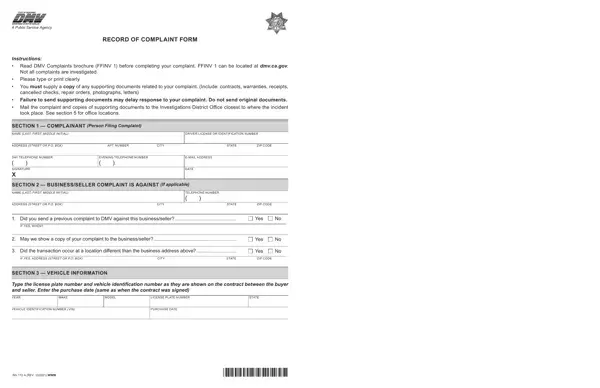
Navigating through the process of filing a complaint with a public service agency, especially concerning vehicle transactions or related issues, requires a structured and well-documented approach. At the heart of this process is the Record of Complaint Form, known as INV 172A, a crucial document designed to streamline the grievance lodgment with the Department of Motor Vehicles (DMV). This form serves as a formal record of an individual's or entity's discontent with a business or seller's services or products in the vehicular sector. The thoughtful layout of the form mandates the provision of comprehensive information, including personal details of the complainant, specifics about the business or seller in question, and detailed vehicle information which is pertinent to the transaction. Additionally, it insists on the inclusion of any supporting documents—which could range from contracts and warranties to receipts and photographs—to substantiate the claim, emphasizing the importance of clarity and evidence in the complaint process. The instructions underscore not sending original documents, thus safeguarding valuable personal records. Finalizing the substantive section on the details of the complaint, the form facilitates a direct channel of communication between the aggrieved party and the DMV's Investigation's District Offices, spread across various locations, thereby ensuring that the complaint is directed to the correct jurisdiction for timely and effective resolution.

QuestionAnswer
Form NameInv 172A Form
Form Length2 pages
Fillable?No
Fillable fields0
Avg. time to fill out30 sec
Other namesca complaint dmv, inv 172a form, inv172a, form 172a dmv

How to Edit Inv 172A Form Online for Free

Working with PDF documents online is actually easy with our PDF editor. You can fill out inv172a form here without trouble. We are committed to providing you with the best possible experience with our editor by consistently releasing new functions and enhancements. With these updates, using our editor becomes better than ever! To get the ball rolling, go through these easy steps:

Step 1: Simply hit the "Get Form Button" in the top section of this webpage to get into our pdf editor. This way, you'll find all that is needed to work with your document.

Step 2: When you open the PDF editor, you will notice the form ready to be filled out. Aside from filling in different blank fields, you could also do some other actions with the PDF, particularly writing custom textual content, modifying the initial text, inserting images, affixing your signature to the PDF, and more.

Filling out this document will require attentiveness. Ensure all mandatory fields are filled out correctly.

1. The inv172a form will require particular information to be entered. Be sure that the next blanks are finalized:

ca complaint dmv form conclusion process shown (portion 1)

2. When the last section is complete, you're ready to put in the necessary details in YEAR, MAKE, MODEL, LICENSE PLATE NUMBER, STATE, VEHICLE IDENTIFICATION NUMBER VIN, PURCHASE DATE, INV A REV WWW, and INVA so you're able to go to the 3rd stage.

Step # 2 for filling out ca complaint dmv form

3. This third step will be straightforward - complete all the form fields in SECTION COMPLAINT Explain the to conclude this process.

Step # 3 in filling out ca complaint dmv form

It's very easy to get it wrong while filling in the SECTION COMPLAINT Explain the, therefore be sure to take another look before you decide to submit it.

Step 3: Right after you have looked once again at the information you given, press "Done" to conclude your document creation. Acquire the inv172a form when you register online for a 7-day free trial. Instantly get access to the pdf form inside your personal account, with any modifications and adjustments all saved! FormsPal guarantees protected document editor with no personal information record-keeping or sharing. Feel at ease knowing that your details are safe here!