
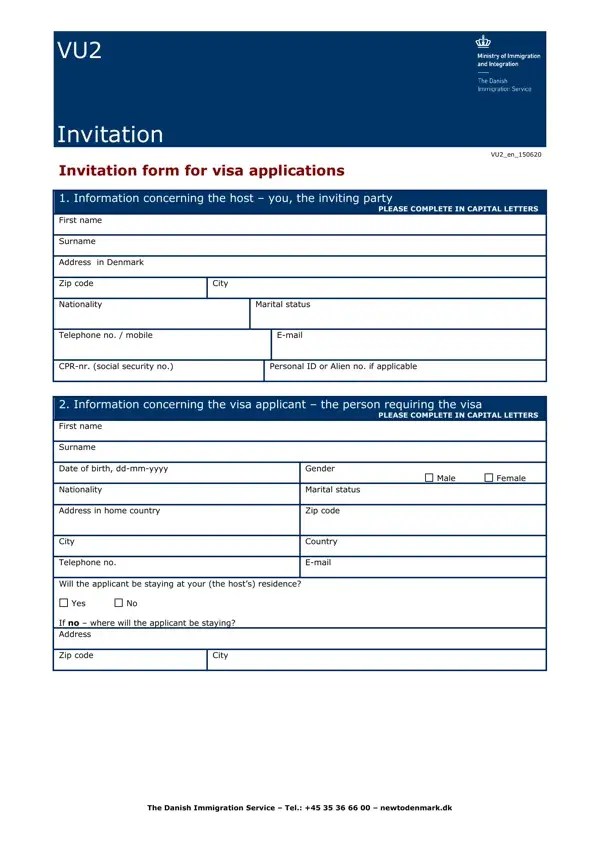
Inviting someone to visit Denmark involves a detailed process facilitated by the Invitation Form for Visa Applications, known as VU2. This comprehensive document serves as a bridge between the host and the visa applicant, requiring information that spans personal details, financial responsibilities, and the nature of the visit. Hosts are asked to provide their personal information, including nationality, marital status, and contact details, as well as specifics about their relationship with the visa seeker and the purpose of the visit. Applicants, on the other hand, must share their background details, plans during the stay, and financial provisions for the trip. The form also addresses the legal aspects of hosting an international visitor, highlighting the importance of accuracy in the information provided. Penalties for misinformation, the processing and storage of personal data, and the implications of the applicant's actions during and after their stay are clearly outlined, ensuring both parties understand the responsibilities and potential repercussions involved in the visa application process. This process not only facilitates a smooth visit but also underscores the commitment of the Danish Immigration Service to maintaining the integrity of its borders and the security of its guests and residents.
| Question | Answer |
|---|---|
| Form Name | Invitation Form |
| Form Length | 4 pages |
| Fillable? | No |
| Fillable fields | 0 |
| Avg. time to fill out | 1 min |
| Other names | invitation form for visa applications, vu2, vu2 invitation english, how to invitation form visa |