
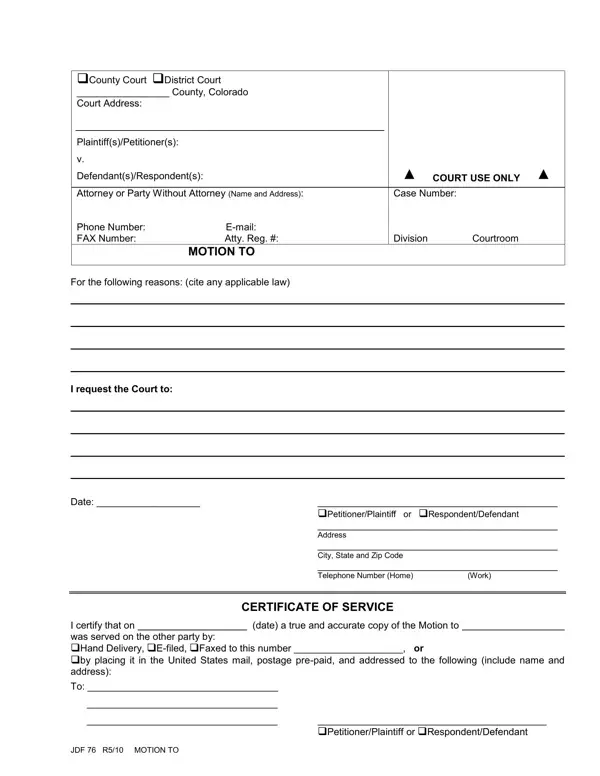

How to Fill Out JDF 76

JDF 76 at a glance

What it is: JDF 76 is the General Motion (criminal and civil cases).

Who signs: In box 9, Sign & Date, fill in Print Your Name, Signature and Date.

A filled-in JDF 76 example: a motion in a civil case, served by email
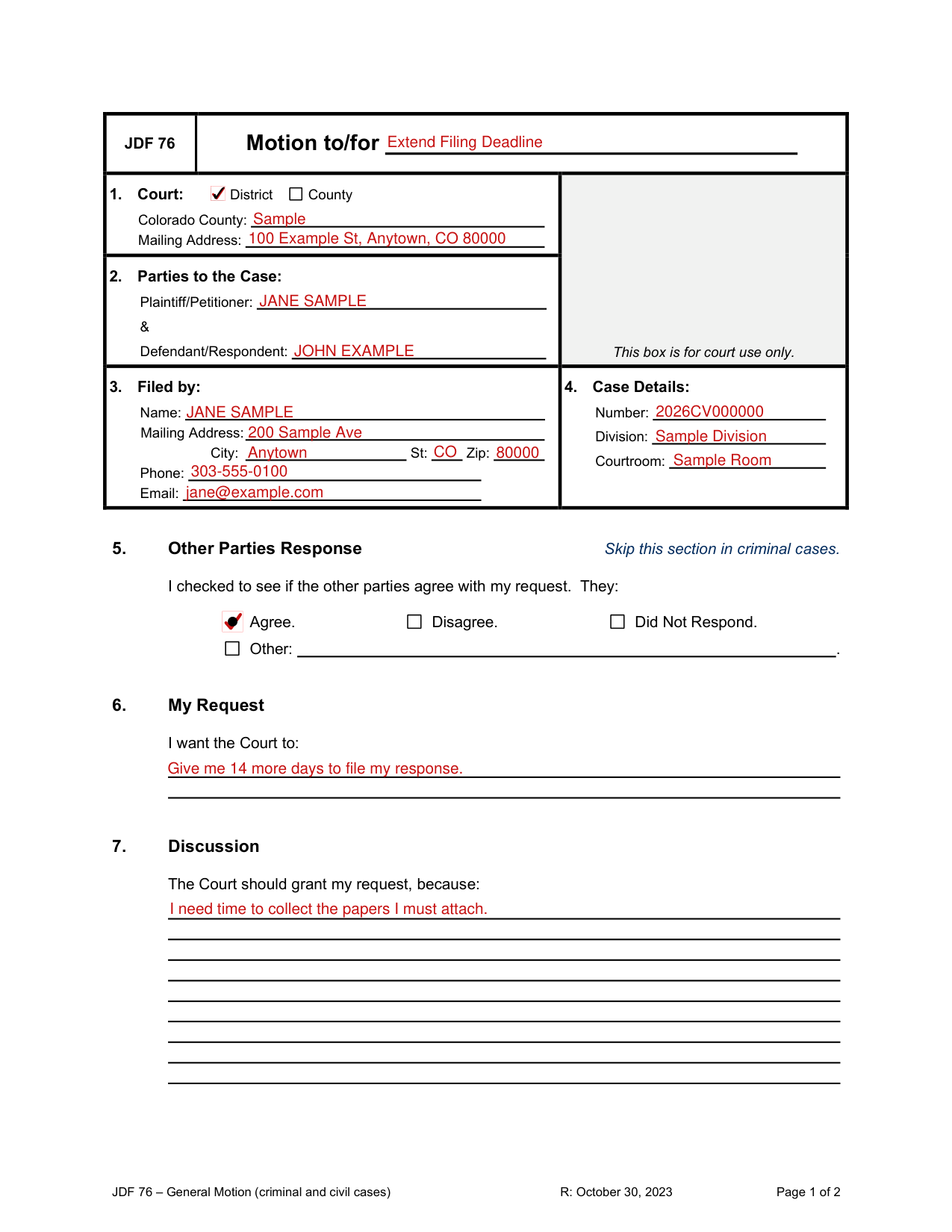
JDF 76 example filled out, example: a motion in a civil case, served by email
A person with no lawyer, the Plaintiff, files JDF 76 in an open civil case. The other parties agree with the request, and the person serves the copy by email on 10/05/2026. The picture shows the filled form, and its names and figures are sample values. The court is a District court, so the County check box stays empty. The Case Number, Division and Courtroom come from the case's earlier papers. Nothing goes in the Other line of Other Parties Response because the other parties agree. Colorado Courts E-Filing is left blank because it is only available for lawyers and the person has no lawyer. Regular Mail and Hand Delivery stay empty because the copy goes by email, so the three address lines stay empty.

How to fill out JDF 76, box by box

Motion to/for

JDF 76 example filled out, motion to/for

Fill in the line after Motion to/for.

Box 1, Court

JDF 76 example filled out, box 1, Court

In box 1, Court, mark District or County, then enter the Colorado County and the Mailing Address.

Box 2, Parties to the Case

JDF 76 example filled out, box 2, Parties to the Case

In box 2, Parties to the Case, enter the Plaintiff/Petitioner and the Defendant/Respondent.

Box 3, Filed by

JDF 76 example filled out, box 3, Filed by

In box 3, Filed by, enter the Name, Mailing Address, City, St, Zip, Phone and Email.

Box 4, Case Details

JDF 76 example filled out, box 4, Case Details

In box 4, Case Details, enter the Number, Division and Courtroom.

Box 5, Other Parties Response

JDF 76 example filled out, box 5, Other Parties Response

Skip box 5 in criminal cases.

In Other Parties Response, mark Agree, Disagree or Did Not Respond for the other parties, or fill in the Other line.

Box 6, My Request

JDF 76 example filled out, box 6, My Request

In box 6, My Request, write what you want the Court to do.

Box 7, Discussion
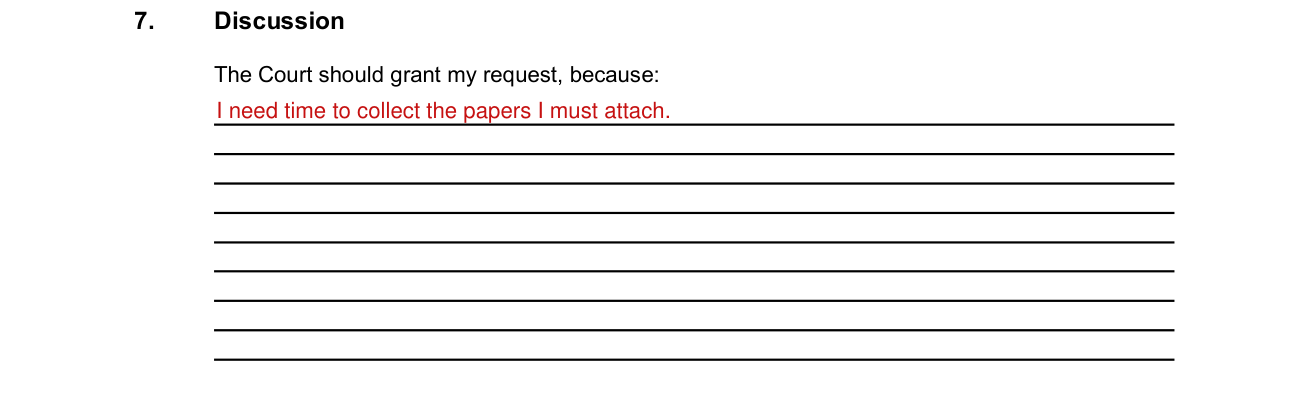
JDF 76 example filled out, box 7, Discussion

In box 7, Discussion, write why the Court should grant your request.

Box 8, Certificate of Service
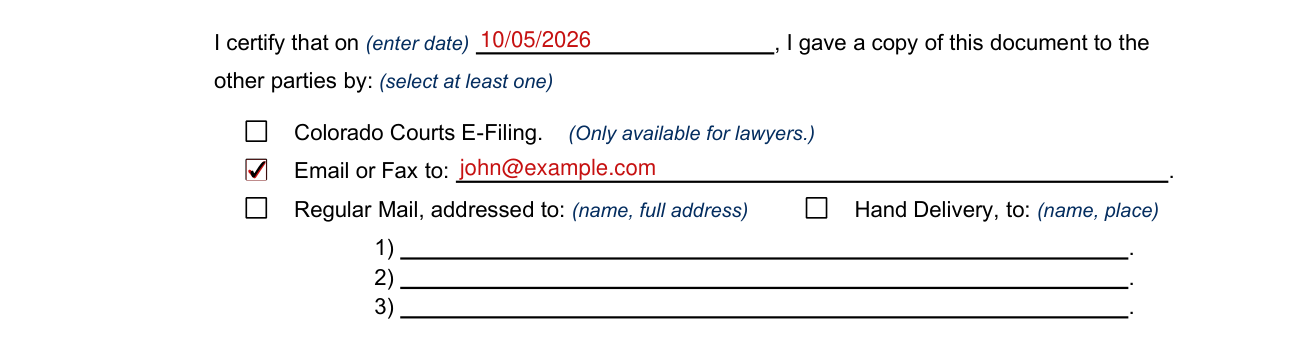
JDF 76 example filled out, box 8, Certificate of Service

In box 8, Certificate of Service, enter the date you gave a copy of this document to the other parties and select at least one way.

Colorado Courts E-Filing is only available for lawyers.

For Email or Fax, fill in the line after Email or Fax to.

For Regular Mail, enter the name and full address on lines 1, 2 or 3; for Hand Delivery, enter the name and place.

Box 9, Sign & Date

JDF 76 example filled out, box 9, Sign & Date

In box 9, Sign & Date, fill in Print Your Name, Signature and Date.

Be sure to complete Section 3, Filed By, on page 1.

Sources

[1] JDF 76 General Motion (criminal and civil cases), Colorado Judicial Branch (the Official source link on this page).

JDF 76 PDF Details

Write what you want the Court to do under My Request, and why the Court should grant your request under Discussion.

Other parties: you check whether the other parties agree with your request: they agree, disagree, did not respond or other.

Service: in the Certificate of Service, enter the date you gave a copy of this document to the other parties and select at least one way.

E-filing: Colorado Courts E-Filing is only available for lawyers.

Filed by: be sure to complete section 3, Filed By, on page 1.

QuestionAnswer
Form NameJDF 76
Form Length2 pages
Fillable?Yes
Fillable fields33
Avg. time to fill out6 min
EditionRev October 30, 2023
Applies toCriminal and civil cases
Other namesJDF 76, JDF76, JDF 76 General Motion
Official sourceJDF 76 (Rev October 30, 2023), Colorado Judicial Branch