

Form JV-330 at a glance
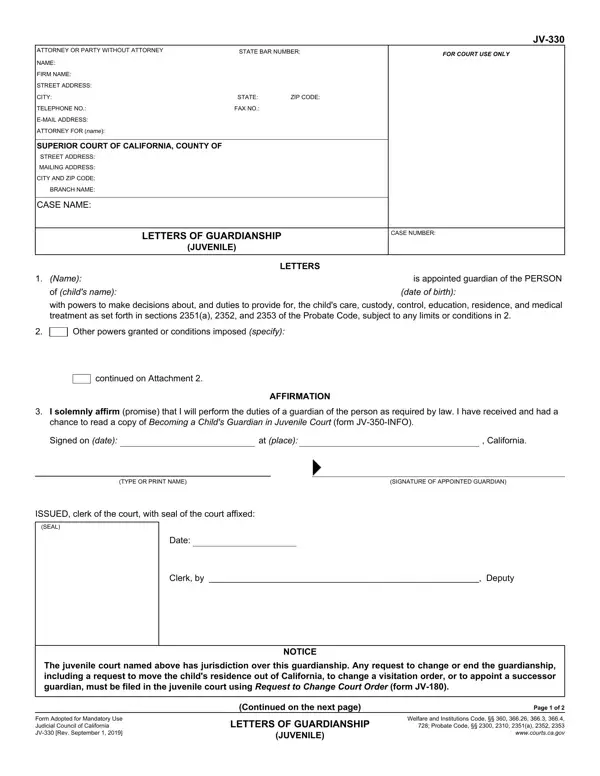
What it is: Form JV-330 is the Letters of Guardianship (Juvenile) of the Judicial Council of California. This form, called Letters of Guardianship, is evidence of your appointment as guardian of the child.
Who signs: Under AFFIRMATION, add the SIGNATURE OF APPOINTED GUARDIAN and the TYPE OR PRINT NAME, and enter Signed on (date): and at (place):.
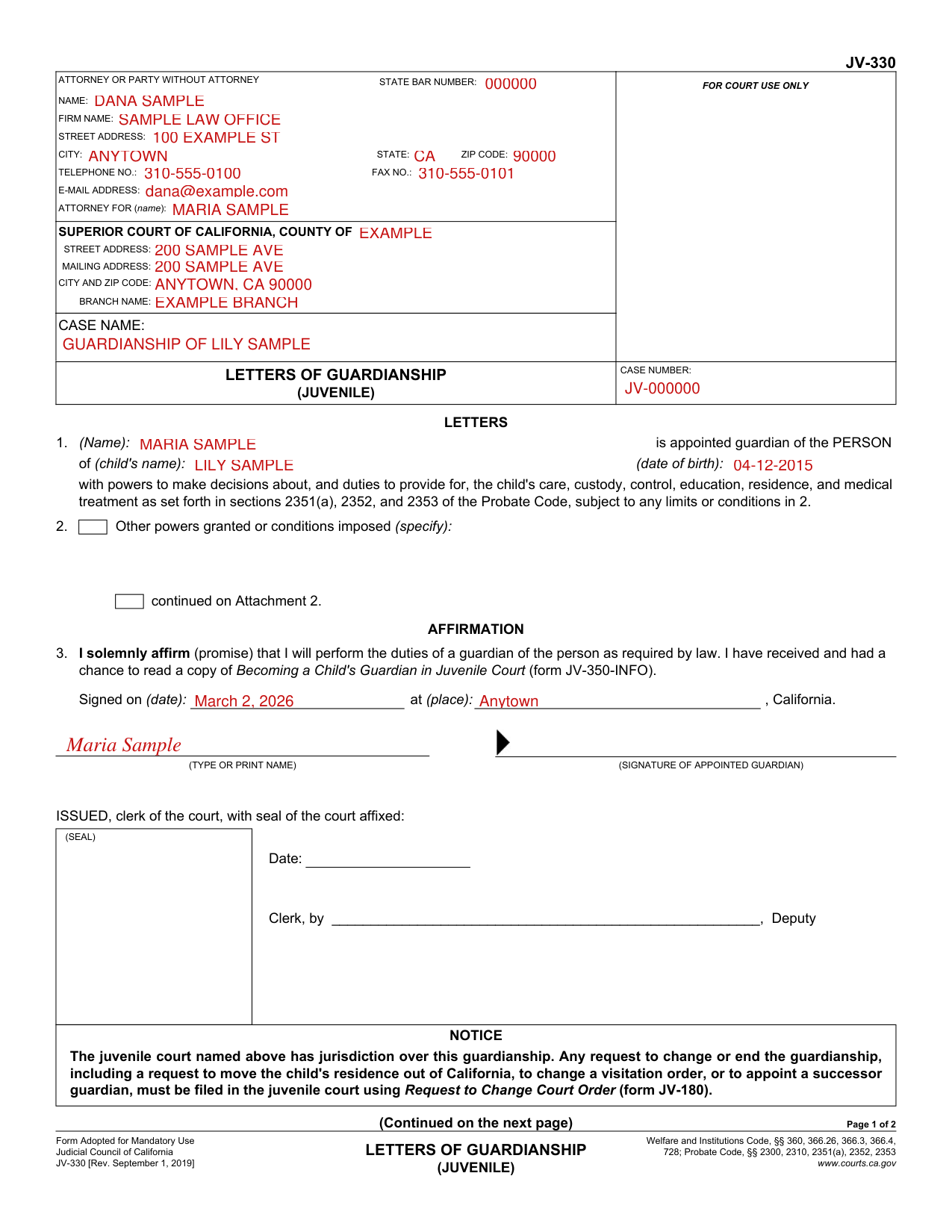
A filled-in Form JV-330 example: an attorney prepares the letters for a new guardian
How to fill out Form JV-330, box by box
Attorney or party without attorney

Under Attorney or party without attorney, enter Name, Firm name, Street address, City, State, Zip code, Telephone no., Fax no., E-mail address, Attorney for (name) and State bar number.
Court and case
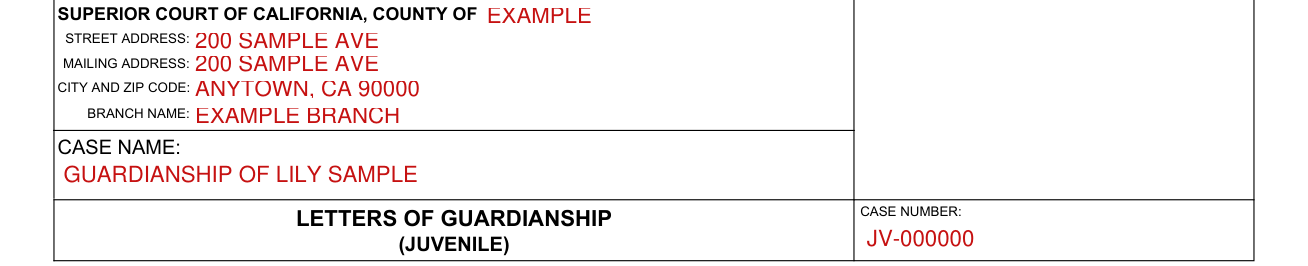
Under Superior Court of California, County of, enter the county, then the Street address, Mailing address, City and zip code and Branch name, and enter the Case name and the Case number.
The guardian and the child

After 1., enter the guardian's name in Name, and enter the child's name and date of birth after of (child's name): and (date of birth):.
With powers to make decisions about, and duties to provide for, the child's care, custody, control, education, residence, and medical treatment as set forth in sections 2351(a), 2352, and 2353 of the Probate Code, subject to any limits or conditions in 2.
Other powers granted or conditions imposed

Under 2., Other powers granted or conditions imposed (specify):, and continued on Attachment 2.
Affirmation

I solemnly affirm (promise) that I will perform the duties of a guardian of the person as required by law. I have received and had a chance to read a copy of Becoming a Child's Guardian in Juvenile Court (form JV-350-INFO).
More rules for Form JV-330
ISSUED, clerk of the court, with seal of the court affixed: (SEAL) Date: Clerk, by, Deputy.
CERTIFICATION, with (SEAL), Date, Clerk, by and Deputy: I certify that this is a correct copy of the original form on file in my office and that the Letters of Guardianship issued to the person named on page one have not been modified, revoked, annulled, or set aside, and are still in full force and effect.
The certified copy, when the guardianship ends, and a request to change it
You will need to show a certified copy to school personnel, medical personnel and other service providers
To verify your appointment and authority to school personnel, medical personnel, and other service providers, you will need to show them a certified copy of this form.
Be sure to keep this form in a safe place.
If you misplace this form, you will need to request a new certified copy from the clerk of the juvenile court.
The guardianship ends when the child reaches 18 years of age
The Letters of Guardianship stay in effect until the guardianship ends or new Letters of Guardianship are issued.
A guardianship ends when the child reaches 18 years of age unless any of the following events happens before then: the child dies; the child is adopted; the child is emancipated by getting married, entering active military duty, or receiving a declaration of emancipation; or the court orders the guardianship to end.
Any request to change or end the guardianship must be filed in the juvenile court
Any request to change or end the guardianship, including a request to move the child's residence out of California, to change a visitation order, or to appoint a successor guardian, must be filed in the juvenile court using Request to Change Court Order (form JV-180).
Common questions about Form JV-330
Are there fees?
You may be charged a fee for the certified copy.
Sources
[1] Form JV-330 (Rev. September 1, 2019), Letters of Guardianship (Juvenile), Judicial Council of California (the Official source link on this page).