Please rate Live Performance Contract

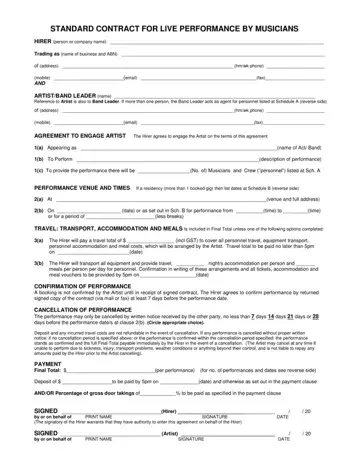
When artists and event organizers come together to bring live music to an audience, a key document ensuring smooth cooperation is the Live Performance Contract. This contract establishes a formal agreement between the hiring party, whether an individual or a company, and the musician or band. It covers foundational aspects such as the detailed identities of both parties involved, the performance specifics including the act’s name, performance description, the number of performers, and crew. It also meticulously outlines the logistics regarding the performance venue, date, and times, along with essential arrangements concerning travel, accommodation, and meals for the artist and their crew. Importantly, the contract includes conditions for performance confirmation, cancellation policies, and payment terms, ensuring clarity and agreement on financial matters. Moreover, it stipulates the responsibilities of the hirer towards providing a secure and conducive environment for the performance, addressing technical requirements, and facilitating merchandise sales. It also touches upon contingencies like delays or interruptions and grants the artist artistic control over the performance content. Essential legal and insurance requirements are also part of the contract, alongside a mechanism for dispute resolution and special conditions that might apply. This comprehensive approach ensures that both parties are clear about their commitments, leading to successful and harmonious live music events.
| Question | Answer |
|---|---|
| Form Name | Live Performance Contract |
| Form Length | 3 pages |
| Fillable? | No |
| Fillable fields | 0 |
| Avg. time to fill out | 45 sec |
| Other names | live performance agreement template, band contract template, simple entertainment contract, artist performance contract |
Live Performance Contract isn’t the one you’re looking for?
Please rate Live Performance Contract
