
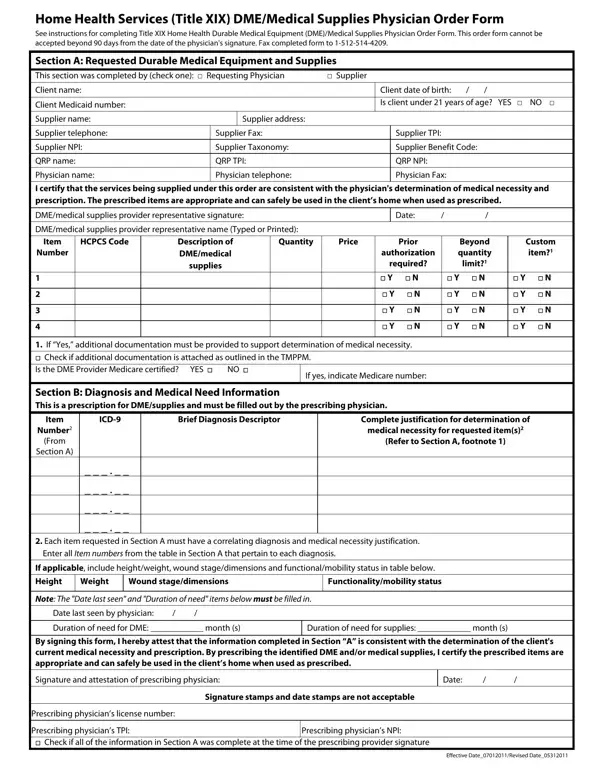

Form F00030 at a glance
What it is: F00030 is the Home Health Services (Title XIX) DME/Medical Supplies Prescribing Provider Order Form for a prior authorization request.
Where and when to file: This order form cannot be accepted beyond 90 days from the date of the prescribing provider's signature. To submit by fax, send to 512-514-4209.
A filled-in Form F00030 example: one item ordered with a Rendering Provider and a physician
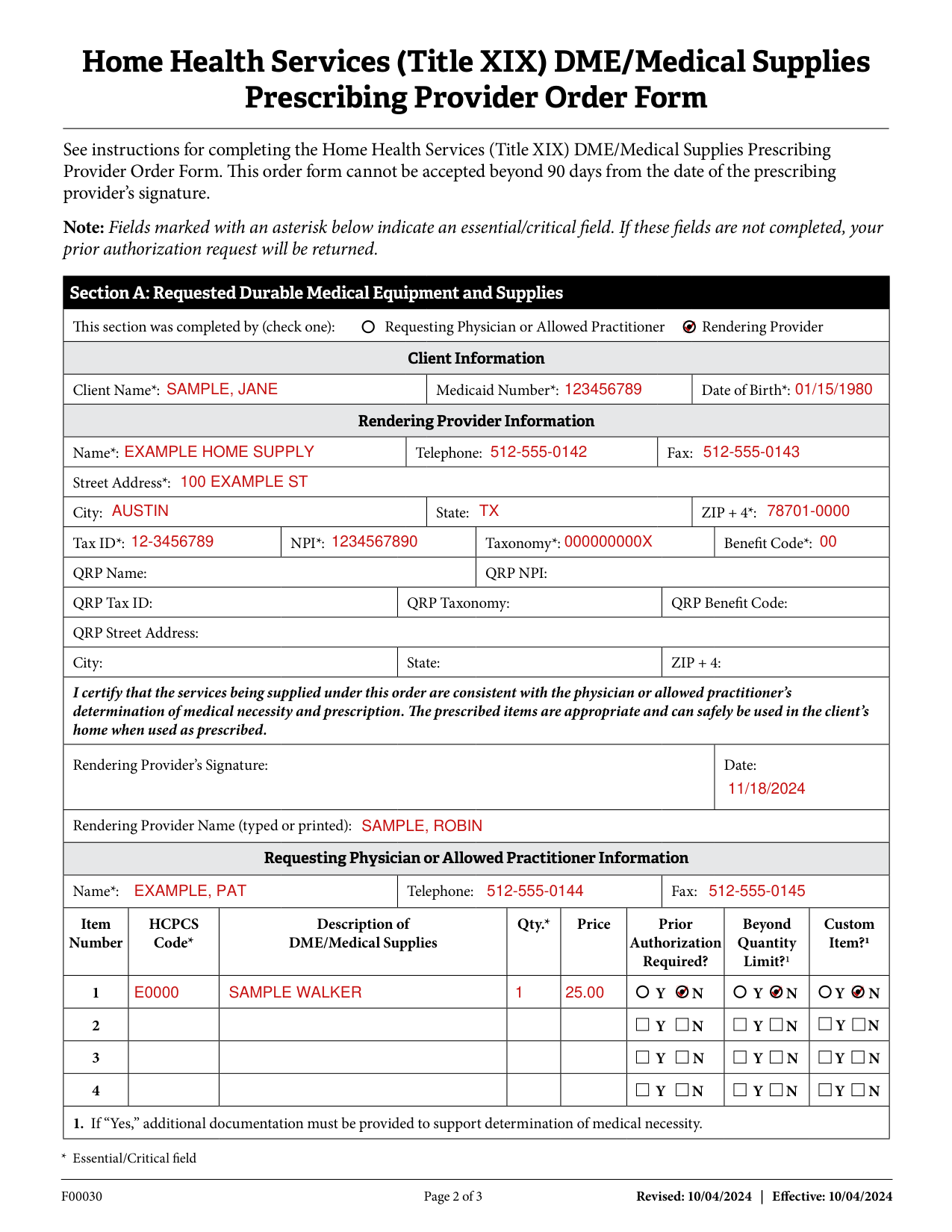
How to fill out Form F00030, box by box
Prior Authorization Request Submitter Certification Statement

The Prior Authorization Request Submitter certifies and affirms they are either the Provider, or have been specifically authorized by the Provider to submit this prior authorization request.
The Provider and Prior Authorization Request Submitter certify and affirm that they understand and agree that prior authorization is a condition of reimbursement and is not a guarantee of payment.
Any false claims, statements or documents, concealment of a material fact, or omitting relevant or pertinent information may constitute fraud and may be prosecuted under applicable federal and/or State laws.
Failure to provide true and accurate information, omit information, or provide notice of changes to the information previously provided may result in termination of the provider's Medicaid enrollment and/or personal exclusion from Texas Medicaid.
Check the agreement box to certify, affirm and agree that you have read and understand the Prior Authorization Agreement requirements as stated in the relevant Texas Medicaid Provider Procedures Manual and agree and consent to the Certification and to the Texas Medicaid & Healthcare Partnership (TMHP) Terms and Conditions.
Essential/Critical field
Fields marked with an asterisk indicate an essential/critical field. If these fields are not completed, your prior authorization request will be returned.
If any portion of this form is incomplete, it may result in your prior authorization request being pended for additional information.
Section A: Requested Durable Medical Equipment and Supplies

In Section A, Requested Durable Medical Equipment and Supplies, check one for "This section was completed by": Requesting Physician or Allowed Practitioner, or Rendering Provider.
Client Information

Under Client Information, enter Client Name*, Medicaid Number* and Date of Birth*.
Rendering Provider Information
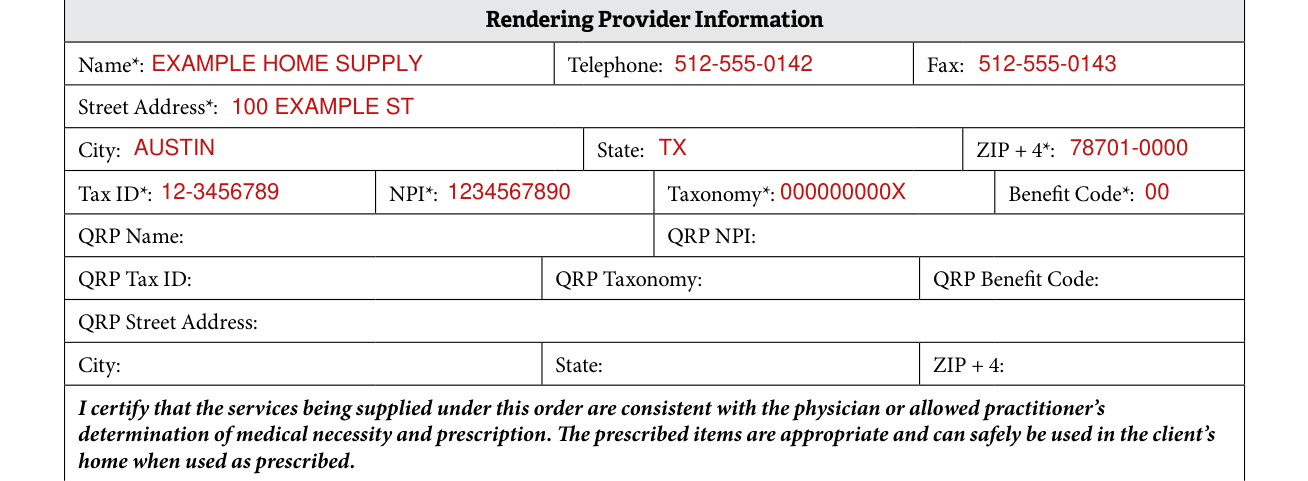
Under Rendering Provider Information, write the Name*, Telephone and Fax.
Fill in the Street Address*, City, State and ZIP + 4*.
Enter the Tax ID*, NPI*, Taxonomy* and Benefit Code*.
Print the QRP Name, QRP NPI, QRP Tax ID, QRP Taxonomy, QRP Benefit Code, QRP Street Address, and City, State and ZIP + 4.
Rendering Provider's Signature and Date

Sign as the Rendering Provider under this certification: the services being supplied under this order are consistent with the physician or allowed practitioner's determination of medical necessity and prescription. The prescribed items are appropriate and can safely be used in the client's home when used as prescribed.
Add the Rendering Provider's Signature and Date, and the Rendering Provider Name (typed or printed).
Requesting Physician or Allowed Practitioner Information

Under Requesting Physician or Allowed Practitioner Information, enter the Name*, Telephone and Fax.
Item Number, HCPCS Code and Description of DME/Medical Supplies

For each Item Number, enter the HCPCS Code*, the Description of DME/Medical Supplies, the Qty.* and the Price.
For each item, mark Y or N for Prior Authorization Required?, Beyond Quantity Limit? and Custom Item?
For Beyond Quantity Limit?1 and Custom Item?1: if "Yes," additional documentation must be provided to support determination of medical necessity.
Section B: Diagnosis and Medical Need Information
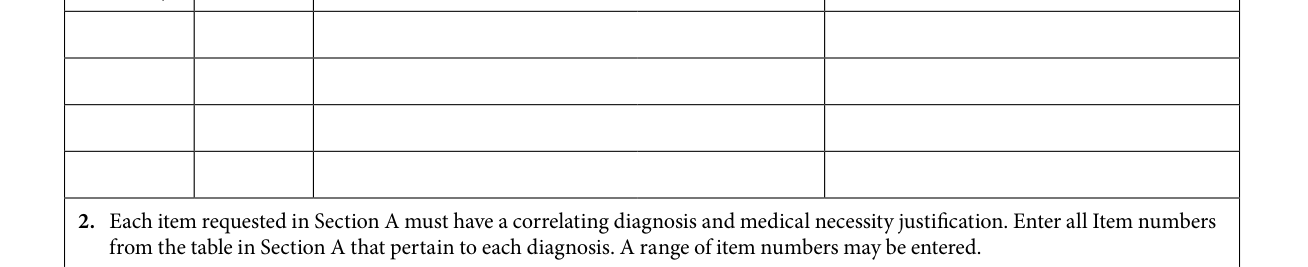
Section B, Diagnosis and Medical Need Information, is a prescription for DME/supplies and must be filled out by the prescribing physician or allowed practitioner.
In Section B, write the Item Number (From Section A), the Diagnosis Code, the Brief Diagnosis Description and the Complete justification for determination of medical necessity for requested item(s) (Refer to Section A, footnote 1).
Common mistake: Each item requested in Section A must have a correlating diagnosis and medical necessity justification.
Enter all Item numbers from the table in Section A that pertain to each diagnosis. A range of item numbers may be entered.
Height/weight, Date last seen and Duration of need
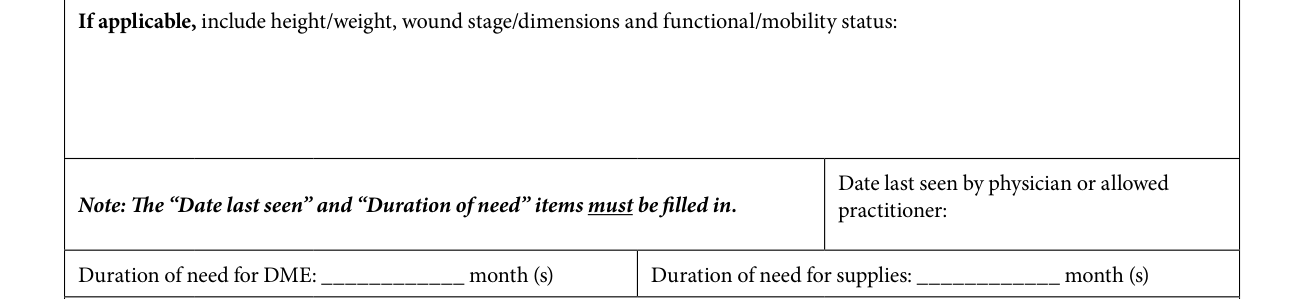
If applicable, include height/weight, wound stage/dimensions and functional/mobility status.
Fill in the Date last seen by physician or allowed practitioner.
Enter the Duration of need for DME and the Duration of need for supplies in months. The "Date last seen" and "Duration of need" items must be filled in.
Signature and Attestation of Requesting Physician or Allowed Practitioner

By signing this form, the Requesting Physician or Allowed Practitioner attests that the information in Section A, with the exception of the rendering provider's signature, was complete at the time of the signature and is consistent with the determination of the client's current medical necessity and prescription.
By prescribing the identified DME and/or medical supplies, the Requesting Physician or Allowed Practitioner certifies the prescribed items are appropriate and can safely be used in the client's home when used as prescribed.
Add the Signature and Attestation of Requesting Physician or Allowed Practitioner, the Date, the NPI* and License Number.
Common mistake: Signature stamps and date stamps are not acceptable.
Common questions about Form F00030
Is there a deadline?
This order form cannot be accepted beyond 90 days from the date of the prescribing provider's signature.
Where do I file it?
Submit your prior authorization using TMHP's PA on the Portal and receive request decisions more quickly than faxed requests. To access PA on the Portal, go to www.tmhp.com and select "Prior Authorization" from the Topics drop-down menu. Then click the PA on the Portal button and enter your TMHP Portal Account user name and password. To submit by fax, send to 512-514-4209.
Sources
[1] Home Health Services (Title XIX) DME/Medical Supplies Prescribing Provider Order Form (F00030, Revised 10/04/2024), Texas Medicaid & Healthcare Partnership (TMHP) (the Official source link on this page).