
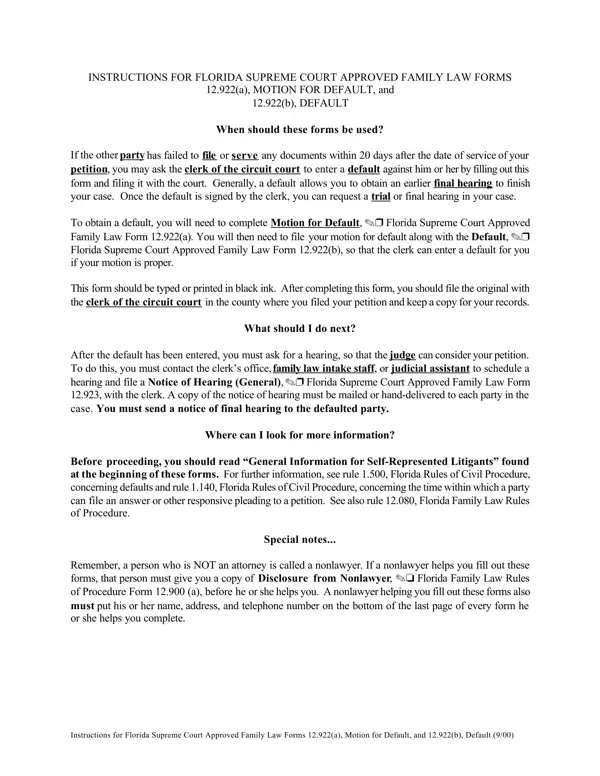

Form 12.922(a) at a glance
What it is: To obtain a default, you will need to complete Motion for Default, Florida Supreme Court Approved Family Law Form 12.922(a).
Who signs: Signature of Party.
A filled-in Form 12.922(a) example: motion for default after no response
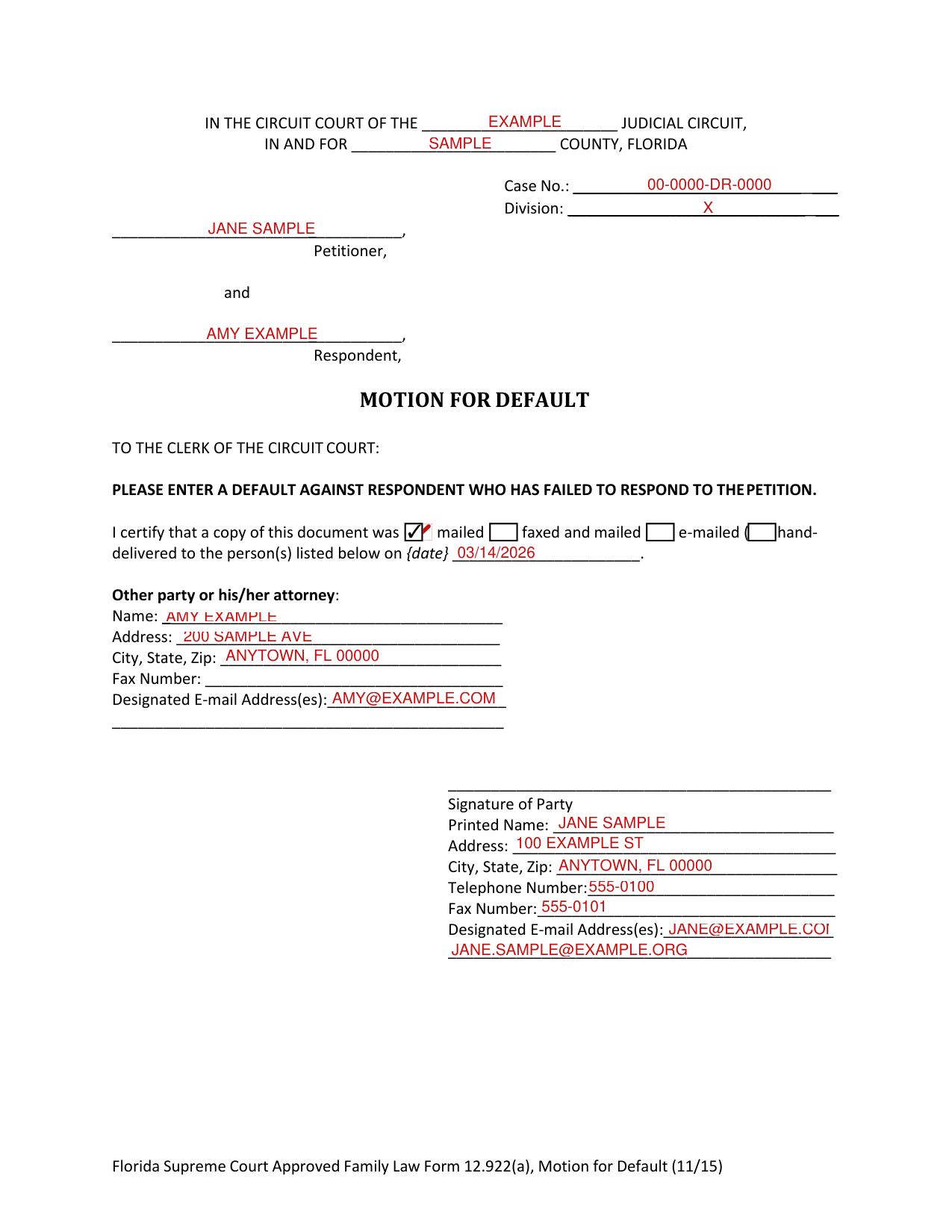
How to fill out Form 12.922(a), box by box
Court and case
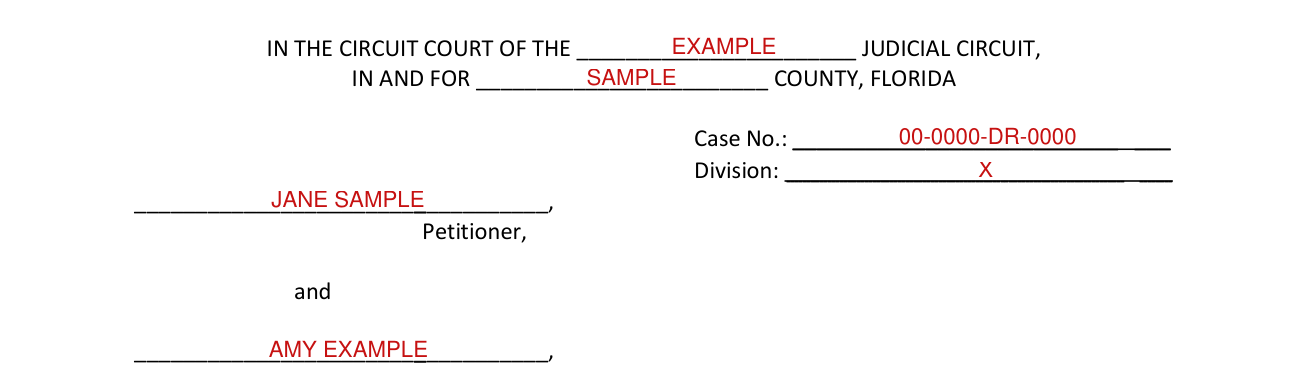
In the Circuit Court of the Judicial Circuit, in and for County, Florida. Case No. Division. Petitioner, and Respondent.
I certify that a copy of this document was
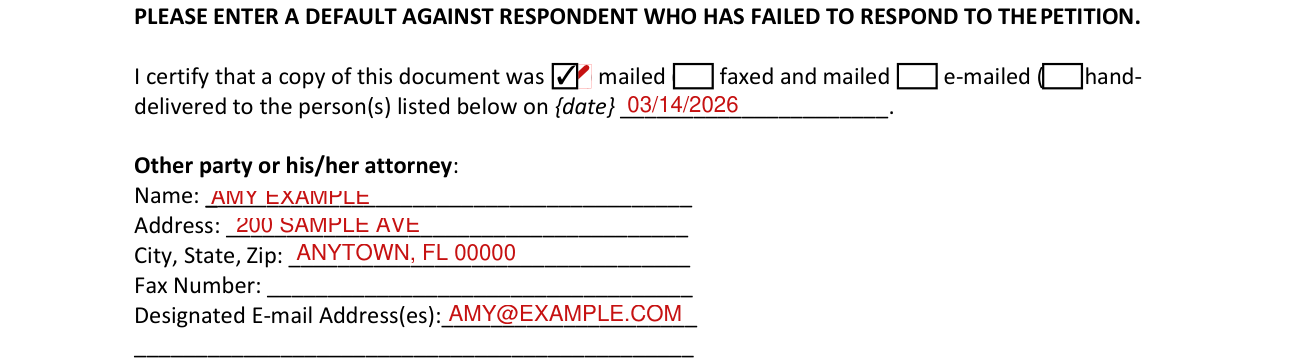
By signing you certify that a copy of this document was mailed, faxed and mailed, e-mailed, hand-delivered to the person(s) listed with the other party or his/her attorney on {date}.
Other party or his/her attorney: Name, Address, City, State, Zip, Fax Number, Designated Email Addresses.
Signature of Party
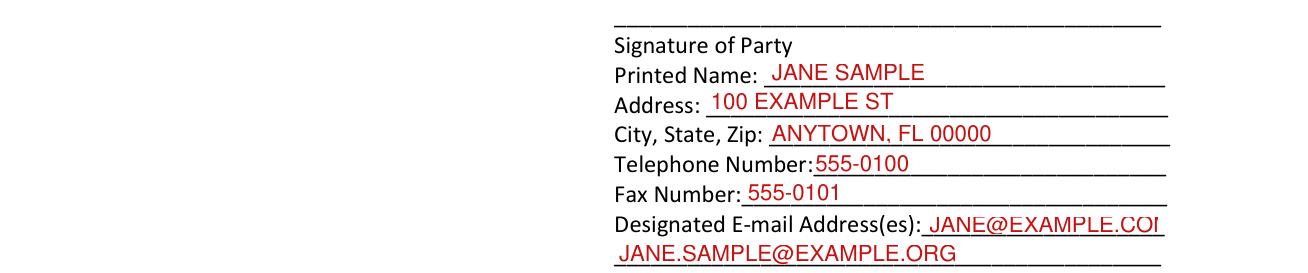
Signature of Party.
Printed Name, Address, City, State, Zip, Telephone Number, Fax Number, Designated E-mail Address(es).
To serve and receive documents by e-mail, you must designate your e-mail addresses by using the Designation of Current Mailing and E-mail Address, Florida Supreme Court Approved Family Law Form 12.915, and you must provide your e-mail address on each form on which your signature appears.
If a nonlawyer helped you fill out this form

If a nonlawyer helped you fill out this form, he/she must fill in the blanks of the nonlawyer box.
This form was prepared for the: choose only one Petitioner Respondent.
This form was completed with the assistance of: name of individual, name of business, address, city, state, zip code, telephone number.
If a nonlawyer helps you fill out these forms, that person must give you a copy of Disclosure from Nonlawyer, Florida Family Law Rules of Procedure Form 12.900 (a), before he or she helps you.
A nonlawyer helping you fill out these forms also must put his or her name, address, and telephone number on the bottom of the last page of every form he or she helps you complete.
More rules for Form 12.922(a)
Generally, a default allows you to obtain an earlier final hearing to finish your case.
You will then need to file your motion for default along with the Default, Florida Supreme Court Approved Family Law Form 12.922(b), so that the clerk can enter a default for you if your motion is proper.
This form should be typed or printed in black ink.
Self-represented litigants may file petitions or other pleadings or documents electronically; however, they are not required to do so.
Please enter a default against Respondent who has failed to respond to the petition.
Self-represented litigants may serve documents by e-mail; however, they are not required to do so.
If a self-represented litigant elects to serve and receive documents by e-mail, the procedures must always be followed once the initial election is made.
If your situation is different
When should these forms be used?
If the other party has failed to file or serve any documents within 20 days after the date of service of your petition, you may ask the clerk of the circuit court to enter a default against him or her by filling out this form and filing it with the court.
After completing this form
After completing this form, you should file the original with the clerk of the circuit court in the county where you filed your petition and keep a copy for your records.
Common questions about Form 12.922(a)
What happens after a motion for default is filed in Florida?
Once the default is signed by the clerk, you can request a trial or final hearing in your case. After the default has been entered, you must ask for a hearing, so that the judge can consider your petition. To do this, you must contact the clerk's office, family law intake staff, or judicial assistant to schedule a hearing and file a Notice of Hearing (General), Florida Supreme Court Approved Family Law Form 12.923, with the clerk. A copy of the notice of hearing must be mailed, e-mailed, or hand-delivered to each party in the case. You must send a notice of final hearing to the defaulted party.
Sources
[1] Florida Supreme Court Approved Family Law Form 12.922(a), Motion for Default (11/15) (the Official source link on this page).