
Nj Complaint Form PDF Details

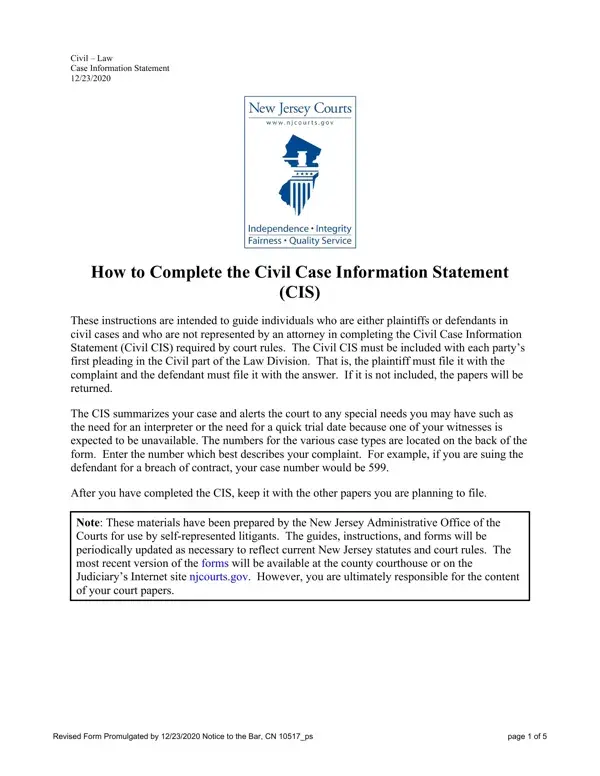
In navigating the complexities of initiating or responding to civil litigation in New Jersey, the Civil Case Information Statement (CIS) emerges as a pivotal document, tailored to streamline the judicial process for those navigating the legal system without legal representation. As of December 23, 2020, this form has been revised and serves as a mandatory inclusion for all first pleadings within the Civil Law Division. Aimed at plaintiffs and defendants alike, the CIS provides the courts with a summary of the case at hand, signaling any special requirements such as the need for language interpreters or expedited proceedings. The form includes sections for identifying personal information, case specifics – including the nature of the complaint or response, the relationship between the parties involved, and any requests for jury trials or accommodations for disabilities. Crucially, this form highlights the requirement to redact confidential personal identifiers, unless statute or court order dictates otherwise, and guides parties through the process of identifying the appropriate case type number for their issue. This information aids the New Jersey courts in efficient case management and ensures that parties are ready to proceed with due consideration of all involved. The Administrative Office of the Courts provides this and other forms, with updates reflecting current statutes and court rules, ensuring accessibility for self-represented litigants through the New Jersey Judiciary’s Internet site, thereby emphasizing the judiciary’s commitment to accessible and informed court proceedings for all participants.

QuestionAnswer
Form NameNj Complaint Form
Form Length5 pages
Fillable?No
Fillable fields0
Avg. time to fill out1 min 15 sec
Other namescomplaint civil county, court complaint county, how to nj complaint file, how to nj complaint

How to Edit Nj Complaint Form Online for Free

Any time you would like to fill out noise complaint nj, you won't need to download and install any applications - just try using our PDF tool. To make our editor better and less complicated to work with, we continuously come up with new features, with our users' suggestions in mind. If you're seeking to get going, here's what you will need to do:

Step 1: Open the PDF in our tool by clicking the "Get Form Button" in the top area of this page.

Step 2: With the help of our handy PDF editor, it's possible to do more than merely fill in blank fields. Edit away and make your forms seem great with customized textual content incorporated, or modify the file's original input to perfection - all backed up by an ability to insert just about any images and sign it off.

This PDF will require particular data to be filled out, so you need to take whatever time to fill in what's requested:

1. Whenever filling out the noise complaint nj, be sure to complete all of the necessary blanks in its relevant area. This will help to expedite the process, which allows your details to be handled efficiently and appropriately.

The way to complete nj complaint file portion 1

2. Once your current task is complete, take the next step – fill out all of these fields - Case Characteristics for Purposes, Do parties have a current past or, Yes, If Yes is that relationship, EmployerEmployee, Familial, FriendNeighbor Business, Other explain, Does the statute governing this, Yes, Use this space to alert the court, Do you or your client need any, If yes please identify the, Yes, and Will an interpreter be needed with their corresponding information. Make sure to double check that everything has been entered correctly before continuing!

Simple tips to fill out nj complaint file portion 2

3. Your next stage is normally simple - fill in all the fields in Book Account debt collection, PIP Coverage UM or UIM Claim, Track II days discovery, or Law Against Discrimination LAD, ContractCommercial Transaction N, Y Auto Negligence Personal Injury, Track III days discovery Civil, Toxic Tort Defamation, CEPA Cases Inverse Condemnation, Law Against Discrimination LAD, Track IV Active Case Management, Insurance Fraud False Claims Act, and Multicounty Litigation Track IV in order to finish the current step.

nj complaint file completion process explained (step 3)

Those who use this PDF often get some things wrong when filling in Track III days discovery Civil in this area. You should definitely revise what you enter right here.

4. To go onward, your next step involves typing in a couple of blanks. Examples include in the space under Case, Please check off each applicable, Putative Class Action, Title, Consumer Fraud, Revised Form Promulgated by, and page of, which you'll find vital to moving forward with this PDF.

Tips to fill in nj complaint file part 4

Step 3: Prior to finalizing the form, it's a good idea to ensure that blanks are filled out the proper way. When you’re satisfied with it, press “Done." Join us now and immediately get noise complaint nj, available for download. Every single edit made is handily saved , which enables you to change the file at a later stage if needed. FormsPal provides secure form editing with no data record-keeping or sharing. Be assured that your data is secure with us!