Please rate Nwmls Form 21

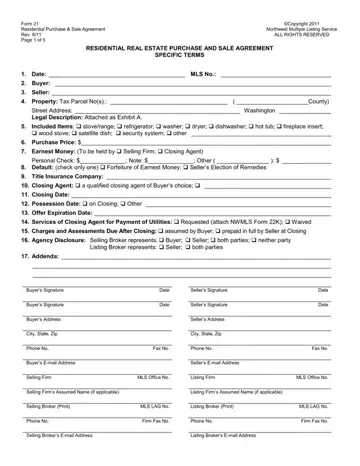
In the dynamic landscape of real estate transactions, the Nwmls 21 form, also recognized as the Residential Purchase & Sale Agreement, plays a pivotal role in Washington. This comprehensive document, copyrighted in 2011 by the Northwest Multiple Listing Service, marks the cornerstone of residential property transactions, encapsulating all pertinent terms from the property's detailed description, including legal addresses and tax parcel numbers, to the closing specifics. It dictates the nuanced conditions under which the buyer and seller commit to the exchange, detailing the inclusion of personal property, setting forth the earnest money provisions, property title conditions, and elaborating on the closing and possession terms. Not to forget, it addresses the assignment and default clauses that safeguard both parties' interests. Furthermore, the form elaborates on the responsibilities regarding closing costs and prorations, agency disclosure, and even the nuanced clauses affecting the commission. By meticulously outlining all aspects of the transaction, including addendums for specific situations like lead-based paint disclosure, it serves as a binding blueprint that manages expectations and legal obligations, aiming to ensure a transparent and equitable transaction for all parties involved.
| Question | Answer |
|---|---|
| Form Name | Nwmls Form 21 |
| Form Length | 5 pages |
| Fillable? | No |
| Fillable fields | 0 |
| Avg. time to fill out | 1 min 15 sec |
| Other names | form 21 real estate, northwest mls forms, nwmls forms, washington state mls form 21 |
Nwmls Form 21 isn’t the one you’re looking for?
Please rate Nwmls Form 21
