

Form PWD 790 at a glance
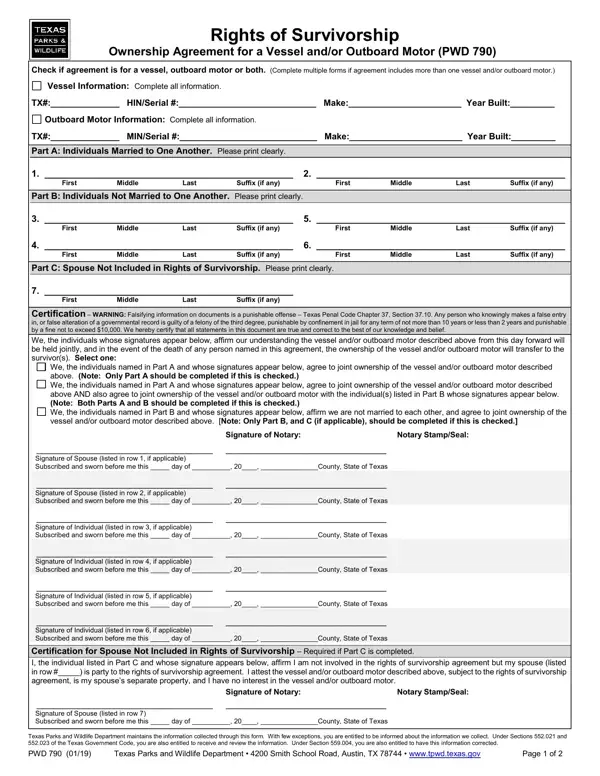
What it is: PWD 790 is the Rights of Survivorship Ownership Agreement for a Vessel and/or Outboard Motor.
Where and when to file: Upon completion of this form, two options are available. To have an "ROS" designation added on the Texas title, submit this completed form PWD 790 with a Vessel/Boat Application (PWD 143) and/or Outboard Motor Application (PWD 144) [used to record new ownership] and all applicable supporting documentation and the required fees/taxes, OR a Vessel/Boat Maintenance Application (PWD 143M) and/or Outboard Motor Maintenance Application (PWD 144M) [used to update an existing record - no change of ownership has occurred] and the applicable title fee, to a TPWD field office or participating county tax assessor-collector's office. Or retain this original form.
When two or more persons enter into a Rights of Survivorship agreement, the vessel and/or outboard motor is jointly owned (co-owned) by those persons.
If one or more of the persons that completed the Rights of Survivorship agreement dies, ownership of the vessel and/or outboard motor transfers to the other person(s) that signed the agreement.
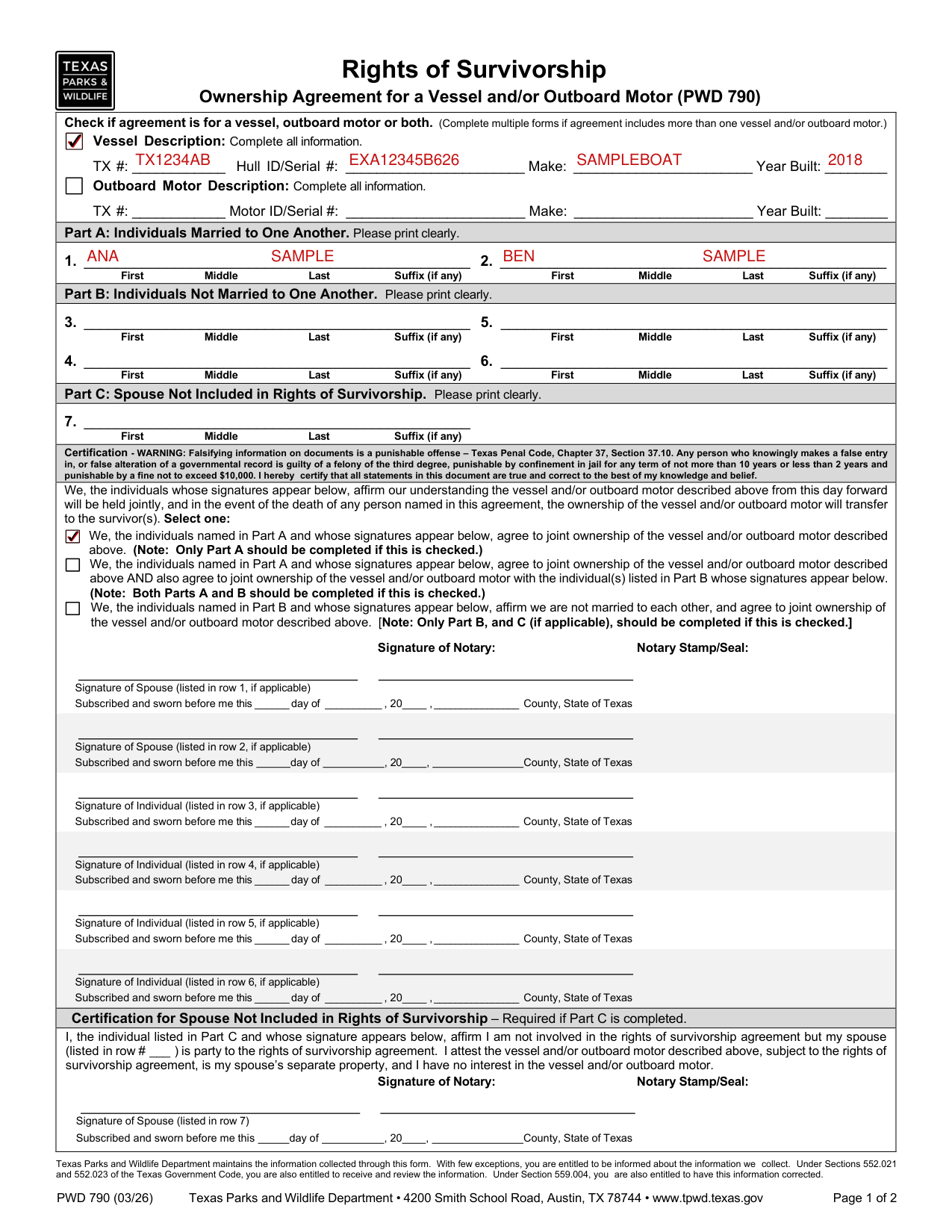
A filled-in Form PWD 790 example: a married couple lists their boat
How to fill out Form PWD 790, box by box
Check if agreement is for a vessel, outboard motor or both

Check if the agreement is for a vessel, outboard motor or both. Complete multiple forms if the agreement includes more than one vessel and/or outboard motor.
Vessel Description

Under Vessel Description, complete all information: TX #, Hull ID/Serial #, Make and Year Built.
Outboard Motor Description

Under Outboard Motor Description, complete all information: TX #, Motor ID/Serial #, Make and Year Built.
Part A: Individuals Married to One Another

Rights of Survivorship Only Between Individuals Married to One Another (Part A Only): Part A of this form should be completed when individuals married to one another enter into a Rights of Survivorship agreement.
Part A must be completed with each spouse's legal name as it appears on his or her government issued photo identification.
A legally married couple is not required to submit any documentation to verify they are married.
Part B: Individuals Not Married to One Another

Rights of Survivorship Only Between Individuals Not Married to One Another (Part B Only): Part B of this form should be completed when only individuals who are not married to one another enter into a Rights of Survivorship agreement with one another.
Part B must be completed with each unmarried individual's legal name as it appears on his or her government issued photo identification.
Parts A and B of this form should be completed when individuals married to one another (Part A) and additional individual(s) (Part B) enter into a Rights of Survivorship agreement.
Part B must be completed with each additional individual's legal name as it appears on their government issued photo identification.
There is no restriction on the relationship between individuals not married to one another (e.g., children, stepchildren, parents, extended family, or persons legally unrelated to one another).
Part C: Spouse Not Included in Rights of Survivorship

Spouse Not Included in Rights of Survivorship Agreement (Part C, if applicable): Part C of this form must be completed if a married individual enters into a Rights of Survivorship agreement with another individual to whom they are not married (Part B is completed), AND the spouse is not included in the Rights of Survivorship agreement (therefore, Part A is not completed).
In addition to Part B (only) being completed, Part C must be completed with the legal name of the spouse not included in the Rights of Survivorship agreement as it appears on their government issued photo identification.
In addition to the third box in the Certification section being marked and accompanied by the applicable notarized signatures of the individuals listed in Part B, the spouse listed in Part C must include their notarized signature in the Certification for Spouse Not Included in Rights of Survivorship section.
Certification

Mark the first box if the individuals named in Part A agree to joint ownership of the vessel and/or outboard motor: only Part A should be completed if this is checked.
Mark the second box if the individuals named in Part A also agree to joint ownership with the individual(s) listed in Part B: both Parts A and B should be completed if this is checked.
Mark the third box if the individuals named in Part B affirm they are not married to each other: only Part B, and C (if applicable), should be completed if this is checked.
Falsifying information on documents is a punishable offense. Any person who knowingly makes a false entry in, or false alteration of a governmental record is guilty of a felony of the third degree, punishable by confinement in jail for any term of not more than 10 years or less than 2 years and punishable by a fine not to exceed $10,000 (checked October 22, 2026).
Signing with a notary
In Part A only, the first box in the Certification section must be marked, and each spouse must include their notarized signature.
In Part A and Part B, the second box in the Certification section must be marked, and each spouse and each additional individual must include their notarized signatures.
In Part B only, the third box in the Certification section must be marked and each individual must include their notarized signatures.
Signature of Spouse (listed in row 1, if applicable) and Signature of Spouse (listed in row 2, if applicable) each go with Subscribed and sworn before me this day of, 20, County, State of Texas.
Signature of Individual (listed in row 3, if applicable) row 4, row 5 and row 6 each go with Subscribed and sworn before me this day of, 20, County, State of Texas.
Signature of Notary and Notary Stamp/Seal are on the form.
The Certification for Spouse Not Included in Rights of Survivorship is required if Part C is completed.
More rules for Form PWD 790
This authorization creates a joint ownership which shall be effective as of the date this form is signed and notarized.
A vessel and/or outboard motor does not have to be titled or registered in the names of all persons in the agreement.
All person(s) shown in the Rights of Survivorship agreement must act jointly (sign the certificate of title) if the ownership of the vessel and/or outboard motor is transferred prior to the death of any person(s) in this agreement.
If your situation is different
Have an ROS designation added on the Texas title
The ROS designation will apply to all titled owners and the completed form PWD 790 will be imaged into the Texas title history and will be retained according to retention policies.
After the death of any of the persons named in the agreement, the survivor(s) may obtain a new Texas title by submitting a new Vessel/Boat Application (PWD 143) and/or Outboard Motor Application (PWD 144) in the name of the survivor(s) supported by a copy of the deceased person(s) death certificate and the applicable title/registration fee.
Retain this original form
After the death of any person(s) named in this agreement, the survivor(s) may obtain a new title by submitting a new Vessel/Boat Application (PWD 143) and/or Outboard Motor Application (PWD 144) in the name of the survivor(s), this completed and notarized form, a copy of the death certificate, and the applicable title/registration fee.
Revoking the Rights of Survivorship Agreement
If a Texas record reflects a "ROS" designation, a Vessel/Boat Maintenance Application (PWD 143M) and/or Outboard Motor Maintenance Application (PWD 144M), the original title issued with the "ROS" designation, the applicable title fee, and an Affidavit of Fact (PWD 314) signed by all recorded owners requesting removal of the "ROS" designation must be submitted to a TPWD field office or participating county tax assessor-collector's office.
A new Texas title will be issued with the "ROS" designation removed.
Sources
[1] Form PWD 790 (03/26), Rights of Survivorship Ownership Agreement for a Vessel and/or Outboard Motor, Texas Parks and Wildlife Department (the Official source link on this page).