
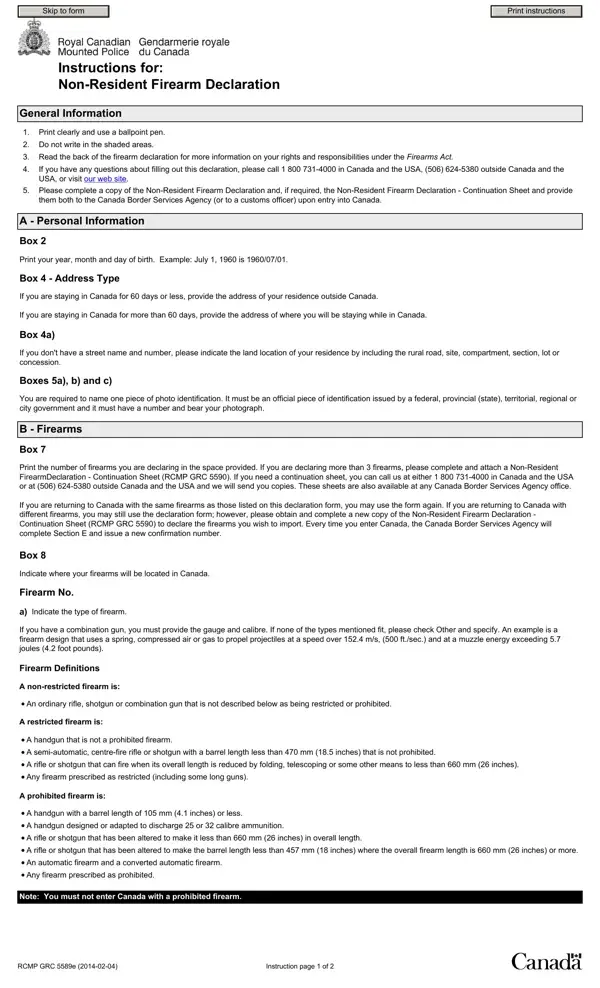

Rcmp 5589E at a glance
What it is: This is the Non-Resident Firearm Declaration.
Who signs: Read the declaration and sign with your full name.
The Criminal Code of Canada, the Firearms Act, and associated regulations require individuals who are not residents of Canada, and who do not hold a Canadian firearm licence, to declare, upon entering Canada, the temporary import of any firearms, ammunition, cartridge magazines, or firearm parts in their possession.
A filled-in Rcmp 5589E example: a visitor declares one rifle
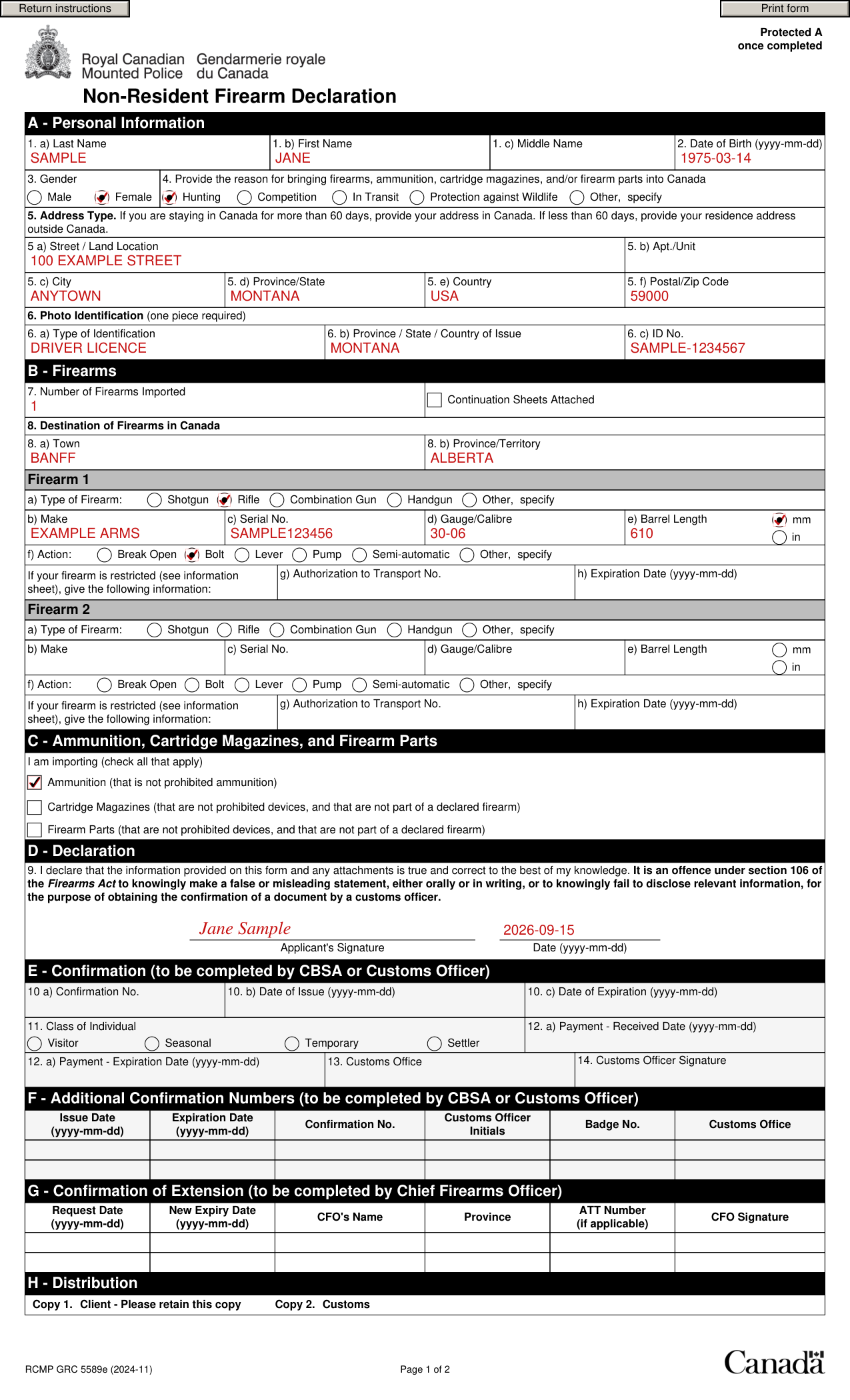
How to fill out Rcmp 5589E, box by box
Last Name, First Name, Middle Name, Date of Birth and Gender
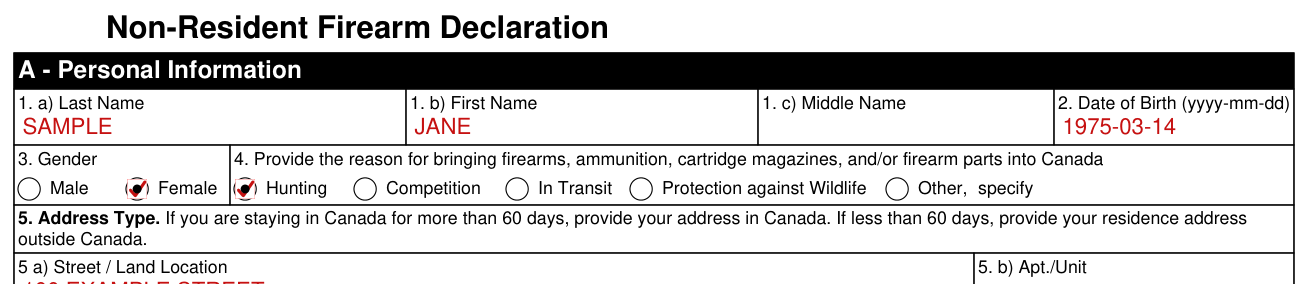
In Box 2, print your year, month and day of birth. Example: July 1, 1960 is 1960-07-01.
Provide the reason for bringing firearms, ammunition, cartridge magazines, and/or firearm parts into Canada

Provide the reason for bringing firearms, ammunition, cartridge magazines, and/or firearm parts into Canada: Hunting, Competition, In Transit, Protection against Wildlife or Other, specify.
Address Type

In Box 5 - Address Type, if you are staying in Canada for 60 days or less, provide the address of your residence outside Canada. If you are staying in Canada for more than 60 days, provide the address of where you will be staying while in Canada.
In Box 5 a), if you don't have a street name and number, please indicate the land location of your residence by including the rural road, site, compartment, section, lot or concession.
Photo Identification (one piece required)

In Boxes 6 a), b) and c), you are required to name one piece of photo identification. It must be an official piece of identification issued by a federal, provincial (state), territorial, regional or city government and it must have a number and bear your photograph.
Number of Firearms Imported and Destination of Firearms in Canada

Complete a copy of the Non-Resident Firearm Declaration and, if required, the Non-Resident Firearm Declaration - Continuation Sheet and provide them both to the Canada Border Services Agency (or to a customs officer) upon entry into Canada.
In Box 7, print the number of firearms you are declaring in the space provided. If you are declaring more than 2 firearms, please complete and attach a Non-Resident Firearm Declaration - Continuation Sheet (RCMP GRC 5590).
If you are returning to Canada with the same firearms as those listed on this declaration form, you may use the form again. If you are returning to Canada with different firearms, you may still use the declaration form; however, please obtain and complete a new copy of the Non-Resident Firearm Declaration - Continuation Sheet (RCMP GRC 5590) to declare the firearms you wish to import. Every time you enter Canada, the Canada Border Services Agency will complete Section E and issue a new confirmation number.
In Box 8, indicate where your firearms will be located in Canada.
Firearm 1 and Firearm 2
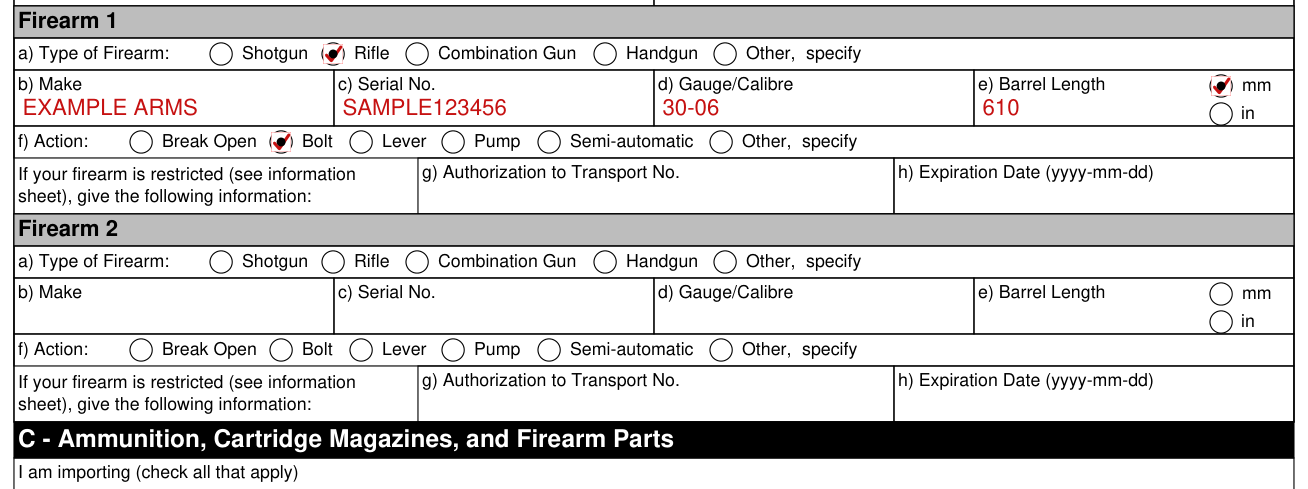
In Firearm Box a), indicate the type of firearm. If you have a combination gun, you must provide the gauge and calibre. If none of the types mentioned fit, please check Other and specify.
In Firearm Box b), print the make of your firearm.
In Firearm Box c), print the serial number of your firearm.
In Firearm Box d), Gauge/Calibre refers to the type of ammunition the firearm uses; it is usually stamped on the barrel of the firearm.
In Firearm Box e), for firearms other than revolvers, the barrel length is the distance from the muzzle of the barrel to and including the chamber.
Revolver barrel length is measured from the muzzle of the barrel to the breach end immediately in front of the cylinder.
C - Ammunition, Cartridge Magazines, and Firearm Parts

You must declare whether you are importing ammunition; a cartridge magazine that is not inserted or integrated into a firearm that is declared on this form, or on form 5590; and/or a firearm part that is not integrated into a firearm that is declared on this form, or on form 5590.
Ammunition that is prescribed to be prohibited ammunition may not be imported using this form.
D - Declaration

By signing you declare that the information provided on this form and any attachments is true and correct to the best of your knowledge.
It is an offence under section 106 of the Firearms Act to knowingly make a false or misleading statement, either orally or in writing, or to knowingly fail to disclose relevant information, for the purpose of obtaining the confirmation of a document by a customs officer.
E - Confirmation, F - Additional Confirmation Numbers and G - Confirmation of Extension
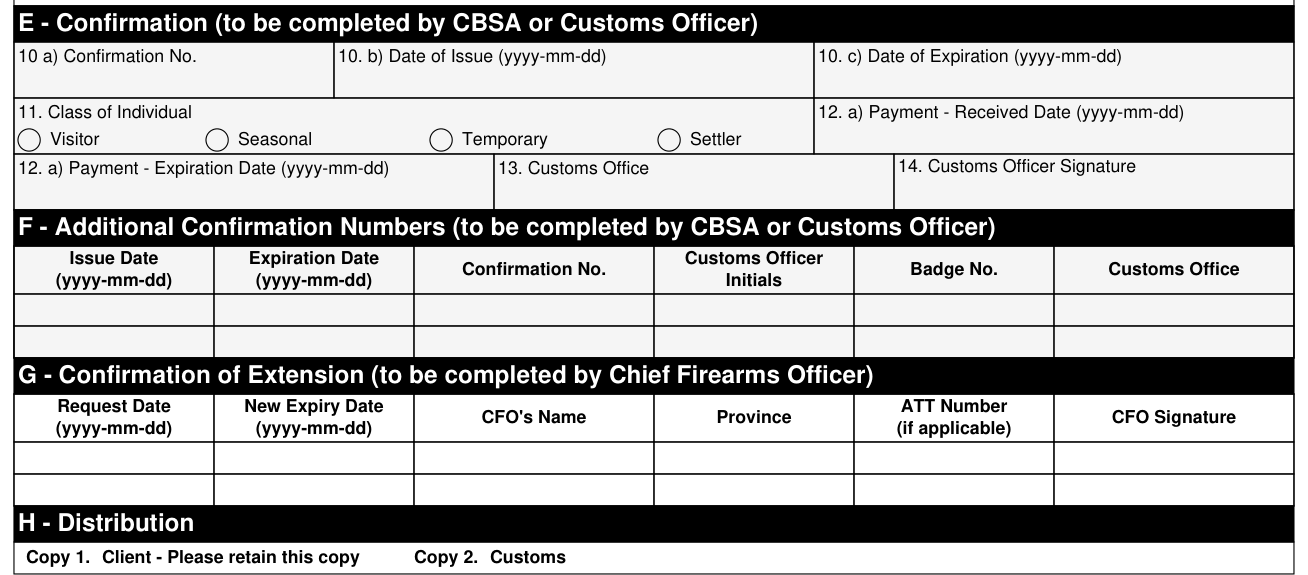
Do not complete E - Confirmation (to be completed by CBSA or Customs Officer).
Do not complete F - Additional Confirmation Numbers (to be completed by CBSA or Customs Officer) or G - Confirmation of Extension (to be completed by Chief Firearms Officer).
Payment of the firearms confirmation fee may be made by: cash, MasterCard, Visa, American Express, Traveller's Cheques, debit card, and personal cheques. Personal cheques will not be accepted unless drawn on a Canadian banking establishment.
More rules for Rcmp 5589E
Print clearly and use a ballpoint pen.
Do not write in the shaded areas.
Read the back of the firearm declaration for more information on your rights and responsibilities under the Firearms Act.
H - Distribution: Copy 1, Client: please retain this copy. Copy 2: Customs.
If your situation is different
Restricted Firearms
In Firearm Box g-h), if you are declaring a restricted firearm, please print the number of your Authorization to Transport (ATT) and its expiration date.
You cannot enter Canada with a restricted firearm without an ATT.
Once this declaration has been confirmed by a customs officer, it is valid for up to sixty (60) days or until the expiration date of your Authorization to Transport (ATT), whichever comes first. This confirmed declaration is also a temporary firearms licence and registration.
If you are remaining in Canada for a longer period than stated on your ATT, you must call the Canadian Firearms Program at 1 800 731-4000 and ask to be transferred to the Chief Firearms Officer (CFO) of the province or territory where you are.
Non Restricted Firearms (ordinary rifles and shotguns)
Once this declaration has been confirmed by a customs officer, it is valid for a period of up to sixty (60) days. This confirmed declaration is also a temporary firearms licence.
If you are remaining in Canada for more than sixty (60) days, you may extend the validity of your confirmation by calling the Canadian Firearms Program at 1 800 731-4000 and asking to be transferred to the Chief Firearms Officer (CFO) of the province or territory where you are.
A Prohibited Firearm
You cannot enter Canada with a prohibited firearm. Prohibited firearms may be seized and forfeited to the Crown.
Where to get help with Rcmp 5589E
If you have any questions about filling out this declaration, please call 1 800 731-4000 in Canada and the USA, 506 624-6626 outside Canada and the USA.
Sources
[1] RCMP GRC 5589e (2024-11), Non-Resident Firearm Declaration, Royal Canadian Mounted Police (the Official source link on this page).