
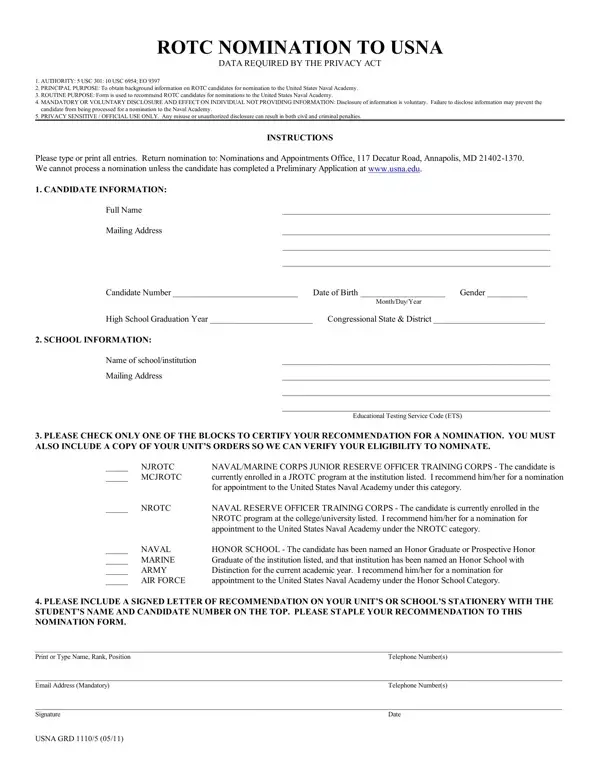
Embarking on the journey to become a part of the United States Naval Academy (USNA) encompasses a variety of steps, one of which includes the ROTC to USNA nomination form. This comprehensive document, grounded in the authority of federal laws and executive orders, is a vital component in the nomination process for ROTC candidates aspiring to gain admission into the prestigious Naval Academy. It serves the principal purpose of collecting essential background information on ROTC candidates, substantiating the routine recommendation process for these individuals. While providing this information is voluntary, the implications of withholding it could potentially obstruct a candidate's nomination, emphasizing the significance of full disclosure. The form requires meticulous completion and submission to the Nominations and Appointments Office, underscoring the necessity of preliminary application through the Academy's official website. Among the critical details required are the candidate's personal and school information, which facilitates a comprehensive review and consideration for nomination. Additionally, the form demands a declaration regarding the candidate's current enrollment in either a Naval/Marine Corps Junior Reserve Officer Training Corps, Naval Reserve Officer Training Corps, or their status as an Honor Graduate from an Honor School, accompanied by a recommendation. This process not only underscores the integrity and privacy-sensitive nature of the procedure but also attests to the rigorous standards upheld by the USNA in selecting candidates emblematic of the esteemed values and mission of the Naval Academy.
| Question | Answer |
|---|---|
| Form Name | Rotc To Usna Form |
| Form Length | 1 pages |
| Fillable? | No |
| Fillable fields | 0 |
| Avg. time to fill out | 15 sec |
| Other names | how to usna nomination, usna rotc, united category nrotc, usna rotc nomination |