

Form SC-105 at a glance
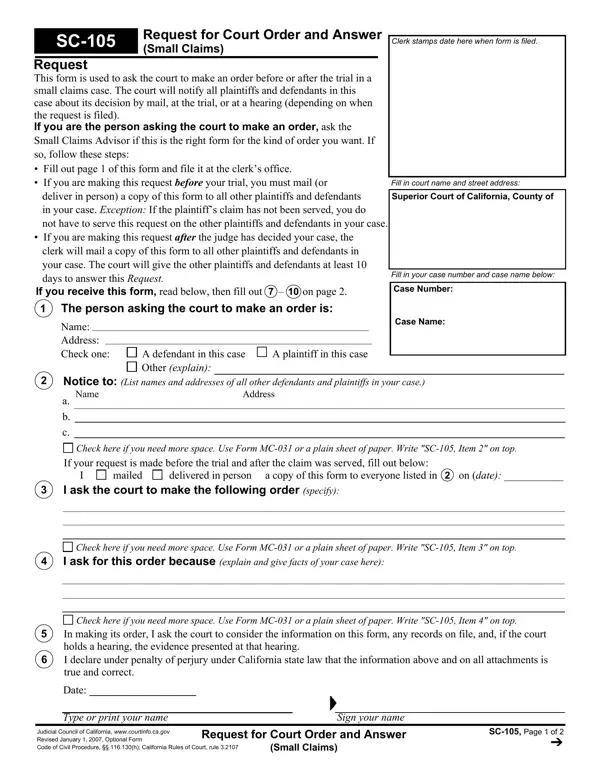
What it is: SC-105 Request for Court Order and Answer (Small Claims) is used to ask the court to make an order before or after the trial in a small claims case.
Where and when to file: Fill out page 1 of this form and file it at the clerk's office.
If you are the person asking the court to make an order, ask the Small Claims Advisor if this is the right form for the kind of order you want.
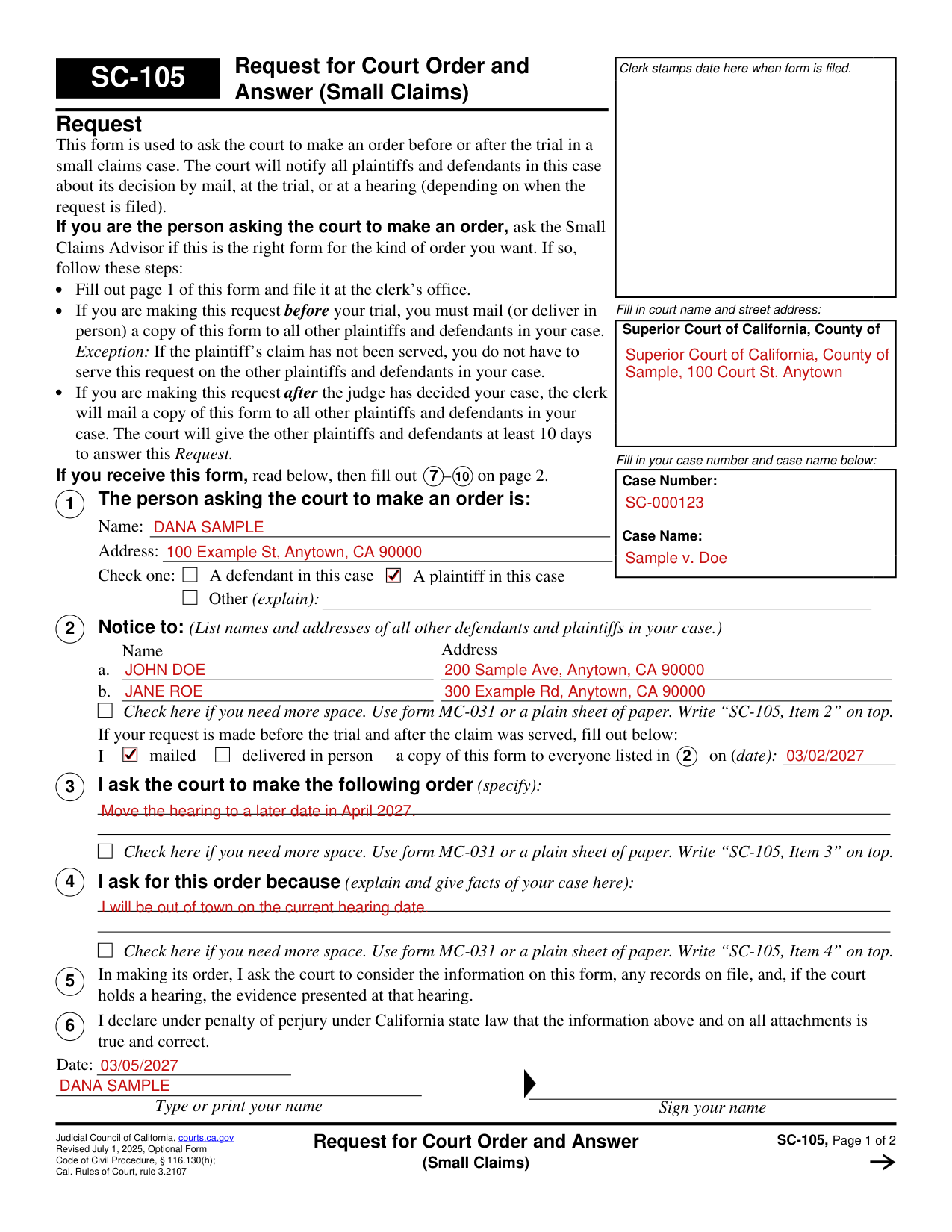
A filled-in Form SC-105 example: a plaintiff asks for a new hearing date
How to fill out Form SC-105, box by box
Court name and street address, case number and case name
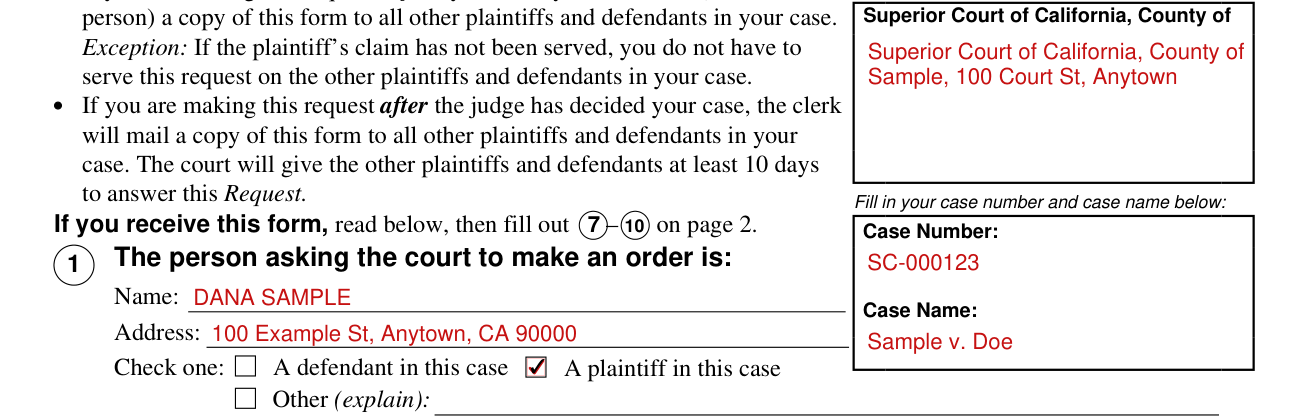
Fill in court name and street address: Superior Court of California, County of.
Fill in your case number and case name: Case Number and Case Name.
1 The person asking the court to make an order

The person asking the court to make an order is: Name, Address. Check one: A defendant in this case, A plaintiff in this case, Other (explain).
2 Notice to all other defendants and plaintiffs

Notice to: (List names and addresses of all other defendants and plaintiffs in your case.) Enter the Name and Address on lines a. and b.
Check here if you need more space. Use form MC-031 or a plain sheet of paper. Write “SC-105, Item 2” on top.
Mailed or delivered in person to everyone listed in 2, with the date

If your request is made before the trial and after the claim was served, fill out the mailing line: I mailed or delivered in person a copy of this form to everyone listed in 2 on (date).
3 I ask the court to make the following order

I ask the court to make the following order (specify):
Check here if you need more space. Use form MC-031 or a plain sheet of paper. Write “SC-105, Item 3” on top.
4 I ask for this order because

I ask for this order because (explain and give facts of your case here):
Check here if you need more space. Use form MC-031 or a plain sheet of paper. Write “SC-105, Item 4” on top.
6 The declaration, date and signature

By signing, you declare under penalty of perjury under California state law that the information on this form and on all attachments is true and correct. Date:
Type or print your name. Sign your name.
7 The person filing this answer

The person filing this answer is: Name, Address. Check one: A defendant in this case, A plaintiff in this case.
8 Tell the court what you want to do about this request
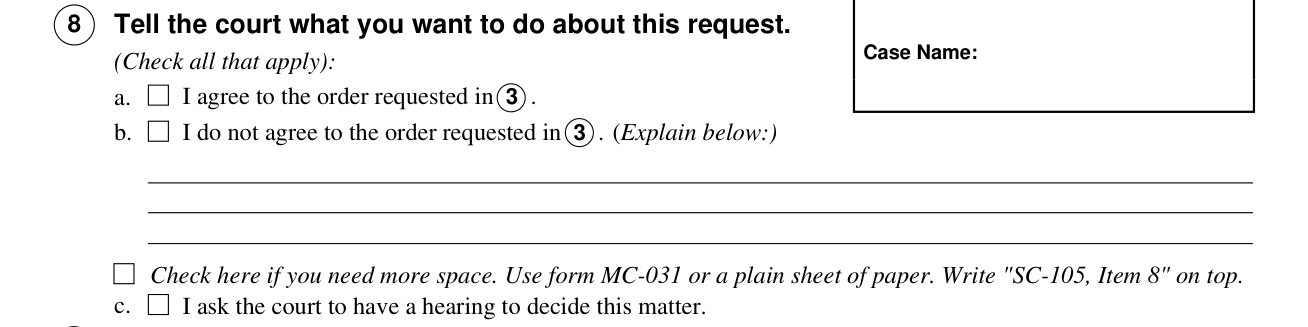
8 Tell the court what you want to do about this request.
I agree to the order requested in 3 .
I do not agree to the order requested in 3 .
Check here if you need more space. Use form MC-031 or a plain sheet of paper. Write "SC-105, Item 8" on top.
I ask the court to have a hearing to decide this matter.
9 I mailed a copy of this form on (date)

I mailed a copy of this form to everyone listed in 1 and 2 of this form on (date):
10 Date, type or print your name and sign your name

Date: Type or print your name. Sign your name.
Clerk's Certificate of Mailing
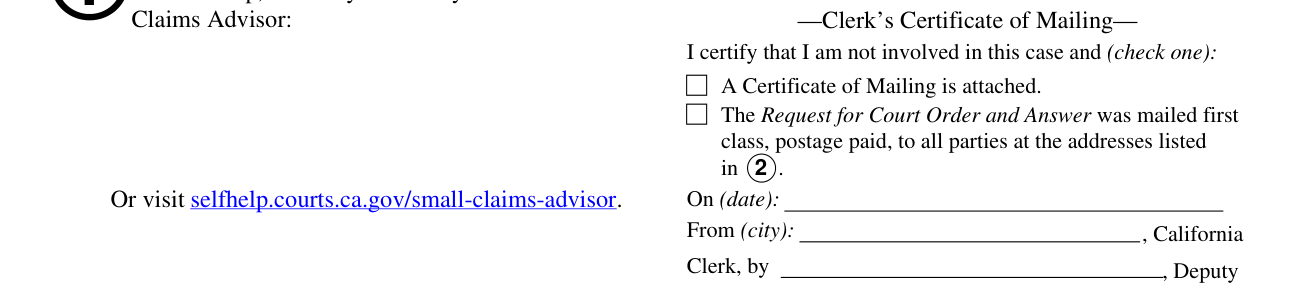
If the request on page 1 was made after the hearing, the clerk fills out the Clerk's Certificate of Mailing, certifies that the clerk is not involved in this case and checks one:
A Certificate of Mailing is attached.
The Request for Court Order and Answer was mailed first class, postage paid, to all parties at the addresses listed in 2 .
More rules for Form SC-105
The court will notify all plaintiffs and defendants in this case about its decision by mail, at the trial, or at a hearing (depending on when the request is filed).
In making its order, I ask the court to consider the information on this form, any records on file, and, if the court holds a hearing, the evidence presented at that hearing.
Making this request and answering it
You are making this request
If you are making this request before your trial, you must mail (or deliver in person) a copy of this form to all other plaintiffs and defendants in your case.
Exception: If the plaintiff's claim has not been served, you do not have to serve this request on the other plaintiffs and defendants in your case.
If you are making this request after the judge has decided your case, the clerk will mail a copy of this form to all other plaintiffs and defendants in your case.
The court will give the other plaintiffs and defendants at least 10 days to answer this Request.
You received this form
If you receive this form, fill out 7 - 10 on page 2.
Answer The person listed in 1 on page 1 of this form has asked the court to make an order in your small claims case.
Read page 1 to see what the person in 1 is asking for.
Mail your completed form to the court right away.
Mail a copy of this form to each plaintiff and defendant listed in 1 and 2 on page 1 of this form.
The court will mail its decision to all plaintiffs and defendants in this case or will make a decision at a court hearing or trial.
If you do nothing, the court may make the order without hearing from you.
Common questions about Form SC-105
Where do I file it?
Fill out page 1 of this form and file it at the clerk's office.
Where to get help with Form SC-105
Need help? For free help, contact your county's Small Claims Advisor: Or visit selfhelp.courts.ca.gov/small-claims-advisor.
Sources
[1] Form SC-105 (Revised July 1, 2025), Request for Court Order and Answer (Small Claims), Judicial Council of California (the Official source link on this page).