

Form SF-0259 at a glance
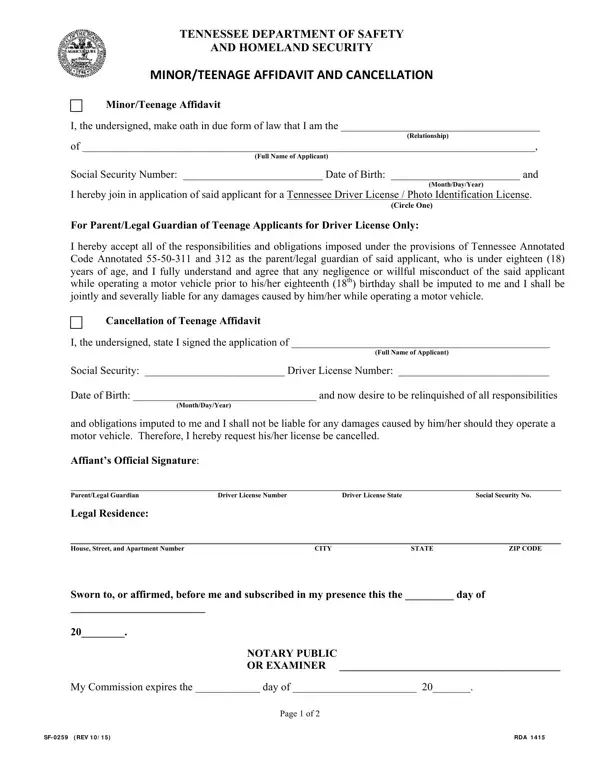
What it is: Form SF-0259 is the Minor/Teenage Affidavit and Cancellation of the Tennessee Department of Safety and Homeland Security.
Who signs: Sign on the Affiant's Official Signature line (Parent/Legal Guardian), next to the Driver License Number, Driver License State and Social Security No., and the NOTARY PUBLIC OR EXAMINER signs on the line. On page 2 the applicant signs the Signature of Applicant line and enters the Date, and the parent signs the Parent's Signature (if Applicant is under Age 18) line and enters its Date.
The parent/legal guardian of said applicant, who is under eighteen (18) years of age, joins in application of said applicant for a Tennessee Driver License / Photo Identification License.
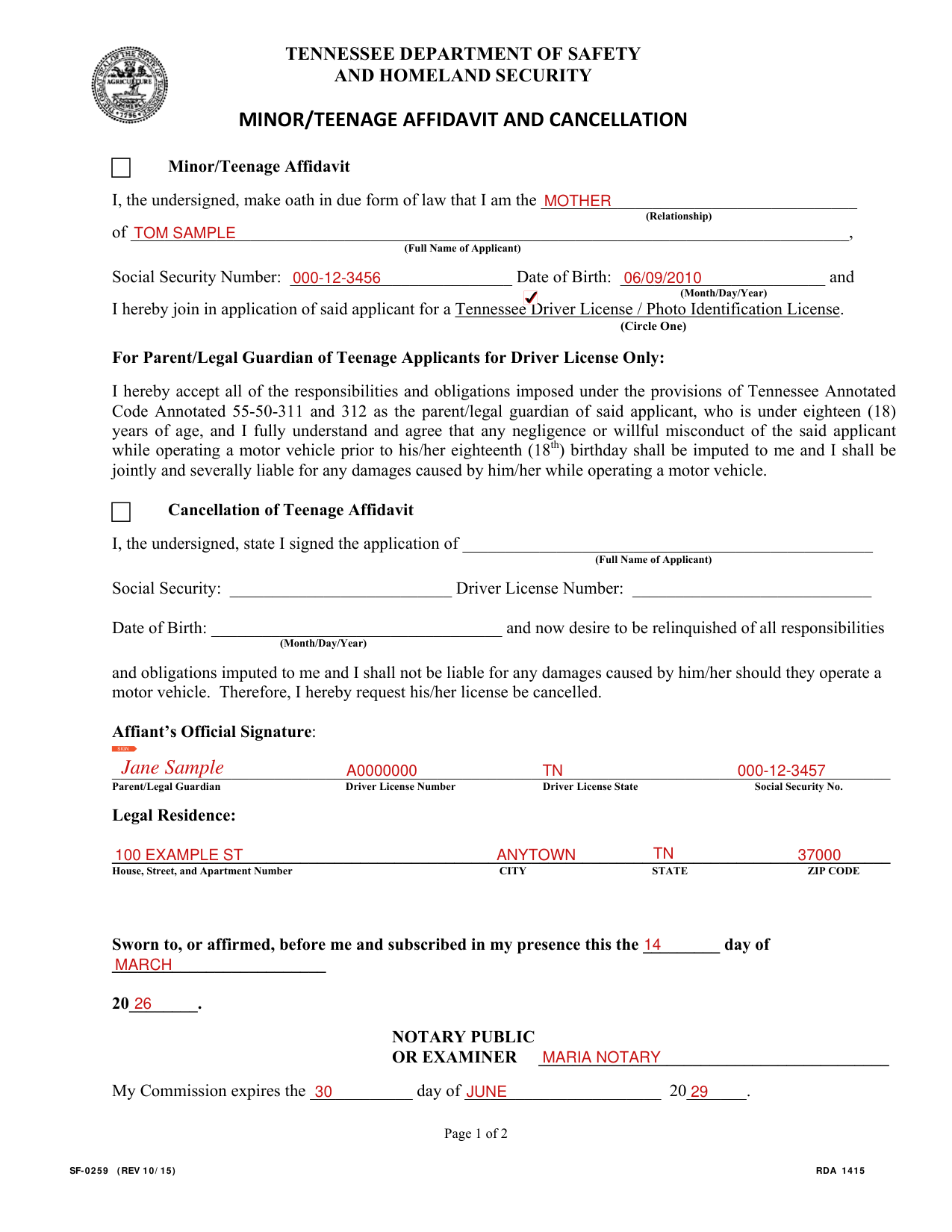
A filled-in Form SF-0259 example: a mother joins her son's application
How to fill out Form SF-0259, box by box
Minor/Teenage Affidavit

After "I am the", enter the Relationship, and enter the Full Name of Applicant after "of".
Enter the Social Security Number and the Date of Birth (Month/Day/Year).
You join in application of said applicant for a Tennessee Driver License / Photo Identification License (Circle One). In the PDF, mark one box.
For Parent/Legal Guardian of Teenage Applicants for Driver License Only
Any negligence or willful misconduct of the said applicant while operating a motor vehicle prior to his/her eighteenth (18th) birthday shall be imputed to you and you shall be jointly and severally liable for any damages caused by him/her while operating a motor vehicle.
Cancellation of Teenage Affidavit
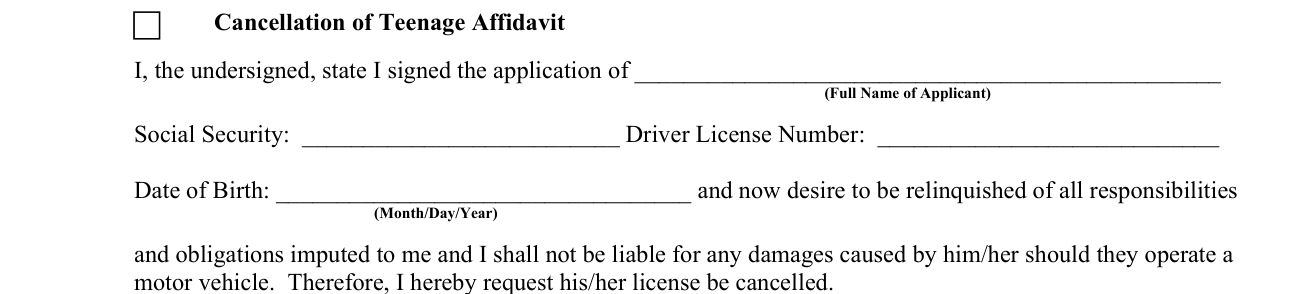
Under Cancellation of Teenage Affidavit, state you signed the application of the Full Name of Applicant, and enter the Social Security, Driver License Number and Date of Birth (Month/Day/Year).
You now desire to be relinquished of all responsibilities and obligations imputed to you, and you shall not be liable for any damages caused by him/her should they operate a motor vehicle. Therefore, you request his/her license be cancelled.
Affiant's Official Signature

The parent/legal guardian signs on the Affiant's Official Signature line, and enters the Driver License Number, Driver License State and Social Security No.
Legal Residence

Under Legal Residence, enter the House, Street, and Apartment Number, the CITY, the STATE and the ZIP CODE.
Sworn to, or affirmed, before me and subscribed in my presence
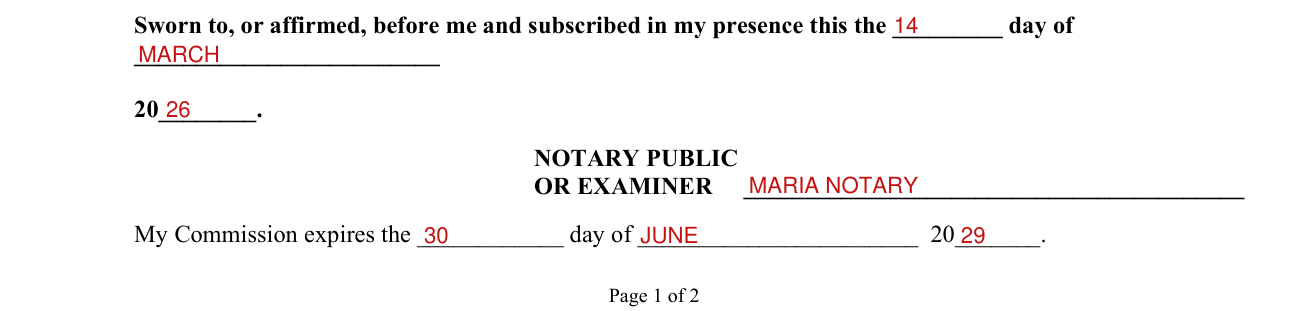
The NOTARY PUBLIC OR EXAMINER fills in the day of and 20 of "Sworn to, or affirmed, before me and subscribed in my presence".
The NOTARY PUBLIC OR EXAMINER signs on the line and fills in My Commission expires the day of 20.
Affidavit of Applicant
Affidavit of Applicant: "I CERTIFY THAT I UNDERSTAND TENNESSEE'S FINANCIAL RESPONSIBILITY LAW AS SET FORTH IN TENNESSEE CODE ANNOTATED, TITLE 55 AND I AGREE TO ABIDE BY IT".
Financial Responsibility Law
If you contribute to a reportable accident you may be required to establish financial responsibility for that accident. If so, you will be required to file an accident report with the Department of Safety and Homeland Security. You will have to do one of these three (3) things when you file your report: (1) show proof you had liability insurance at the time of the accident; (2) obtain notarized releases from all parties that file claims with the department; (3) post cash or corporate security bond with the department for the amount of damages sustained by the other parties.
If you do not comply with one of these requirements you will have your driving and registration privileges revoked.
Officers ask drivers for proof of financial responsibility when they are charged with moving violations or involved in traffic accidents. Proof of financial responsibility is: evidence of liability insurance in effect at the time of the violation or accident; proof the driver has qualified as a self-insurer with the Department of Safety and Homeland Security; or proof the driver has posted a bond with the Department of Safety and Homeland Security.
If convicted of failure to have such proof in the vehicle, the driver may be fined $100.00 and the driver license will be suspended. (checked October 26, 2026)
If you do not turn in a driver license, vehicle license plate, or vehicle registration within 20 days when any is revoked, suspended or canceled, you will owe the department a $75.00 fee in addition to other required reinstatement fees. (checked October 26, 2026)
If your driving privileges are revoked due to a conviction or failure to file security after an accident, in addition to all other requirements, you must have a liability insurance carrier file an SR-22 form with this department before your privileges can be reinstated.
Where to get help with Form SF-0259
Questions regarding Tennessee's Financial Responsibility Law should be directed to: Tennessee Department of Safety and Homeland Security, P.O. Box 945, Nashville TN 37202; telephone number Toll-Free 1-866-903-7357.
Sources
[1] Form SF-0259 (REV 10/15), Minor/Teenage Affidavit and Cancellation, Tennessee Department of Safety and Homeland Security (the Official source link on this page).