
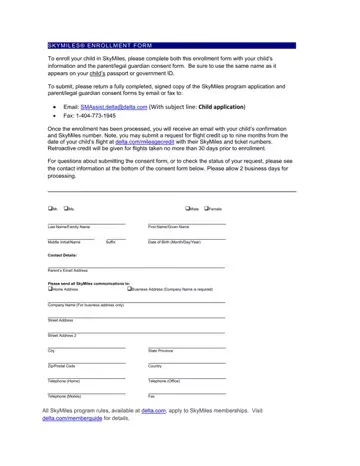
In the world of frequent flying, enrolling a child in the SkyMiles program necessitates a careful procedure designed to protect both the minor’s privacy and security. The enrollment form for minors is a multifaceted document that not only collects basic information such as the child’s full name, gender, and date of birth, but also mirrors the stringent adherence to security and privacy policies outlined by Delta Air Lines. It necessitates the completion of a parental or legal guardian consent form, underlining the airline's commitment to safeguarding the personal information of its younger flyers. The document underscores the importance of inputting the child’s name exactly as it appears on their passport or government identification, ensuring a smooth integration of the minor’s details into the SkyMiles program. Parents are directed to submit the completed forms via email or fax, followed by a waiting period of approximately two business days for processing. Once enrolled, the child becomes eligible for mileage credits for flights taken up to nine months prior to the enrollment, with the provision of retroactive credits for flights within 30 days before joining the program. This thoughtful integration of security measures and user-friendliness, such as the offering of ways to contact Delta for questions or concerns regarding the enrollment process, exemplifies a comprehensive approach to include children in the rewarding experience of frequent flying, all the while maintaining a vigilant stance on their privacy and security.
| Question | Answer |
|---|---|
| Form Name | Skymiles Enrollment Form |
| Form Length | 2 pages |
| Fillable? | No |
| Fillable fields | 0 |
| Avg. time to fill out | 30 sec |
| Other names | delta com application form for skymiles account, delta skymiles child application, enroll in delta skymiles for child, enroll in delta skymiles program |
