

Form ST-121 at a glance
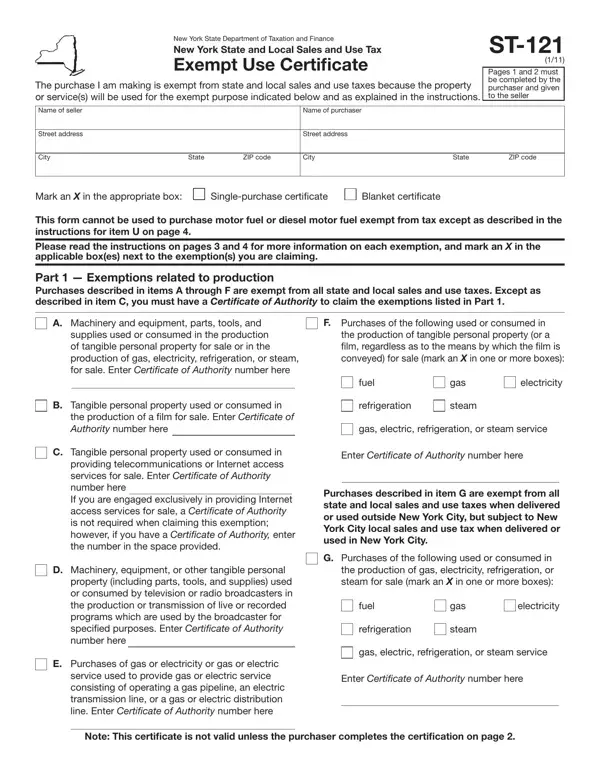
What it is: Form ST-121 is the New York State and Local Sales and Use Tax Exempt Use Certificate.
Who signs: The owner, partner, or authorized person of the purchaser signs on the Signature line and enters the Date prepared.
Where and when to file: Pages 1 and 2 must be completed by the purchaser and given to the seller.
Pages 1 and 2 must be completed by the purchaser and given to the seller.
What to bring and attach to Form ST-121
If you have a valid Certificate of Authority, you may use Form ST-121 to purchase, rent, or lease tangible personal property or services exempt from tax to the extent indicated in the instructions.
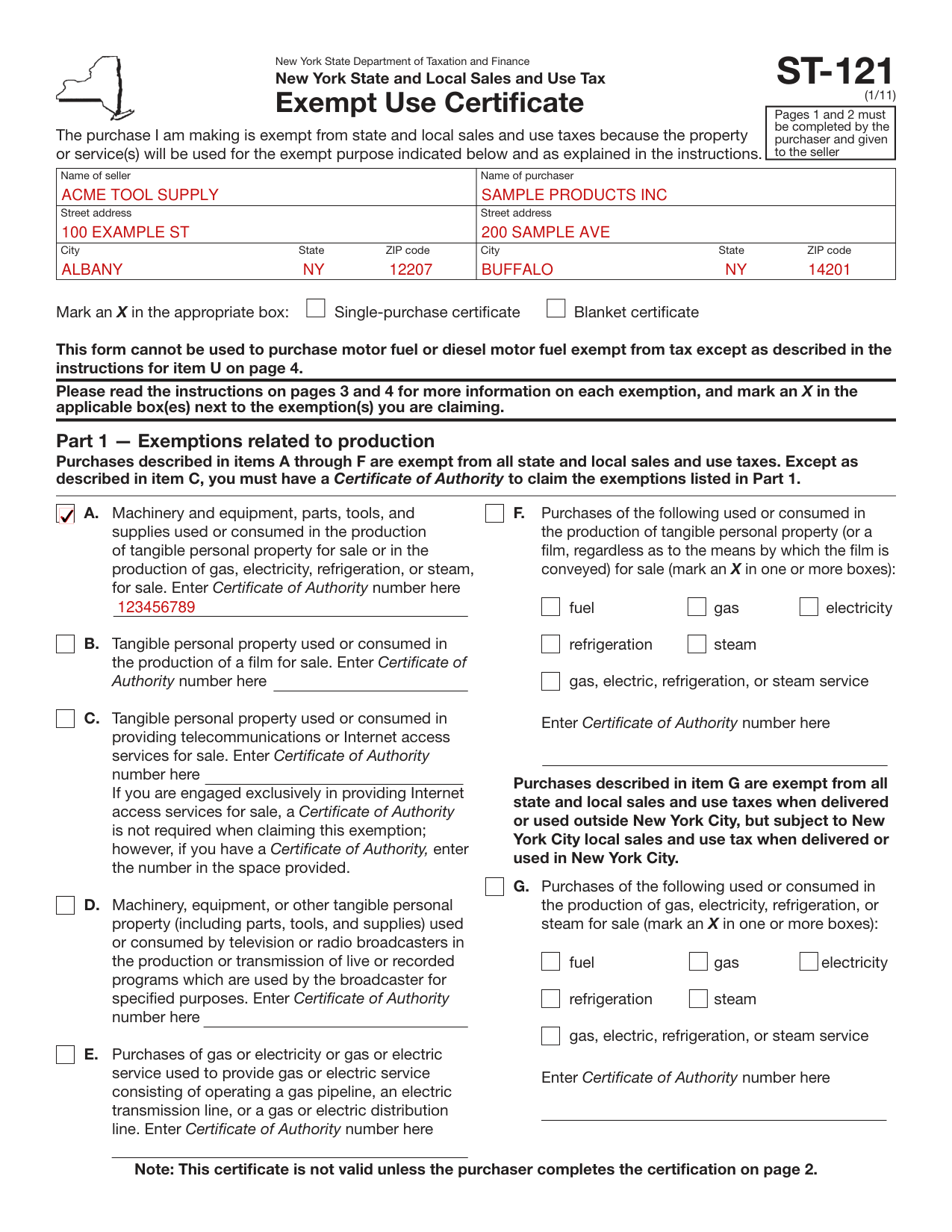
A filled-in Form ST-121 example: a manufacturer buys machinery exempt from sales tax
How to fill out Form ST-121, box by box
Name of seller and Name of purchaser

Enter the Name of seller and the Name of purchaser, each with Street address and City, State, ZIP code.
Single-purchase certificate and Blanket certificate
Mark an X in the appropriate box: Single-purchase or Blanket.
You may use Form ST-121 as a blanket covering the first and subsequent purchases of the same general type of property or service.
Each subsequent sales slip or purchase invoice (excluding utility bills) based on a blanket must show your name, address, and Certificate of Authority identification number.
Common mistake: If you make further purchases from the seller that do not qualify for the exemption, you must pay the appropriate sales tax at the time of purchase.
Part 1 - Exemptions, A and C
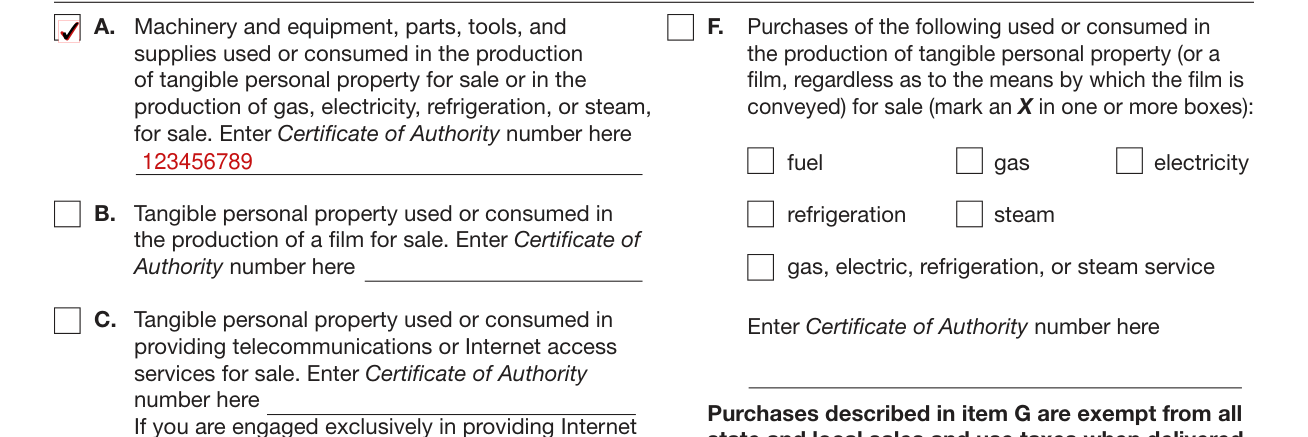
Read the instructions on pages 3 and 4 for more information on each exemption, and mark an X in the applicable box(es) next to the exemption(s) you are claiming.
Purchases described in items A through F are exempt from all state and local sales and use taxes. Except as described in item C, you must have a Certificate of Authority to claim the exemptions listed in Part 1.
A: You may purchase, exempt from tax, machinery and equipment, including parts, tools, and supplies, used or consumed directly and predominantly in the production of tangible personal property, gas, electricity, refrigeration, or steam for sale. Enter Certificate of Authority number here.
C: If you are engaged exclusively in providing Internet access services for sale, a Certificate of Authority is not required when claiming this exemption; however, if you have a Certificate of Authority, enter the number in the space provided on page 1.
Part 1 - F and G, fuel and utility service
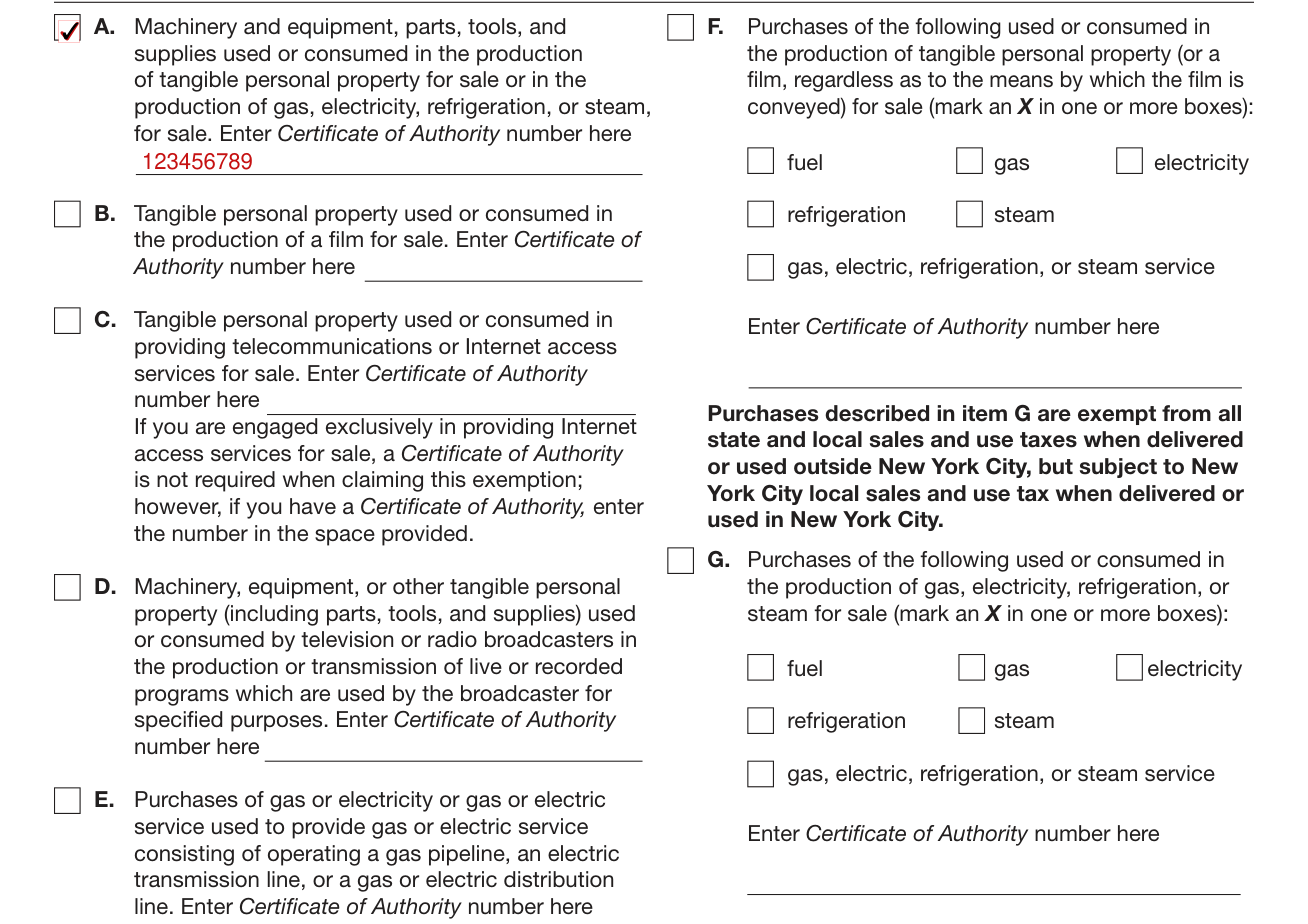
F: You may purchase, exempt from tax, fuel, gas, electricity, refrigeration, and steam and gas, electric, refrigeration, and steam service used or consumed directly and exclusively in the production of tangible personal property for sale.
G: You may purchase, exempt from tax (except for the local tax imposed on sales and uses in New York City), fuel, gas, electricity, refrigeration, and steam and gas, electric, refrigeration, and steam service used or consumed directly and exclusively in the production of gas, electricity, refrigeration, and steam for sale.
For F and G, mark an X in one or more boxes: fuel, gas, electricity, refrigeration, steam, or gas, electric, refrigeration, or steam service.
For F and G, you must pay any state and local taxes due on any part of any fuel or utility service not used directly and exclusively for an exempt purpose.
Part 2 - Services exempt from tax, item H

Part 2, H: You may purchase the services of installing, repairing, maintaining, and servicing qualifying property listed in Part 1, items A through D, exempt from tax. Indicate the type of qualifying property being serviced by marking an X in the applicable box(es): A, B, C, or D.
Part 3 - Other exemptions, K, M and U
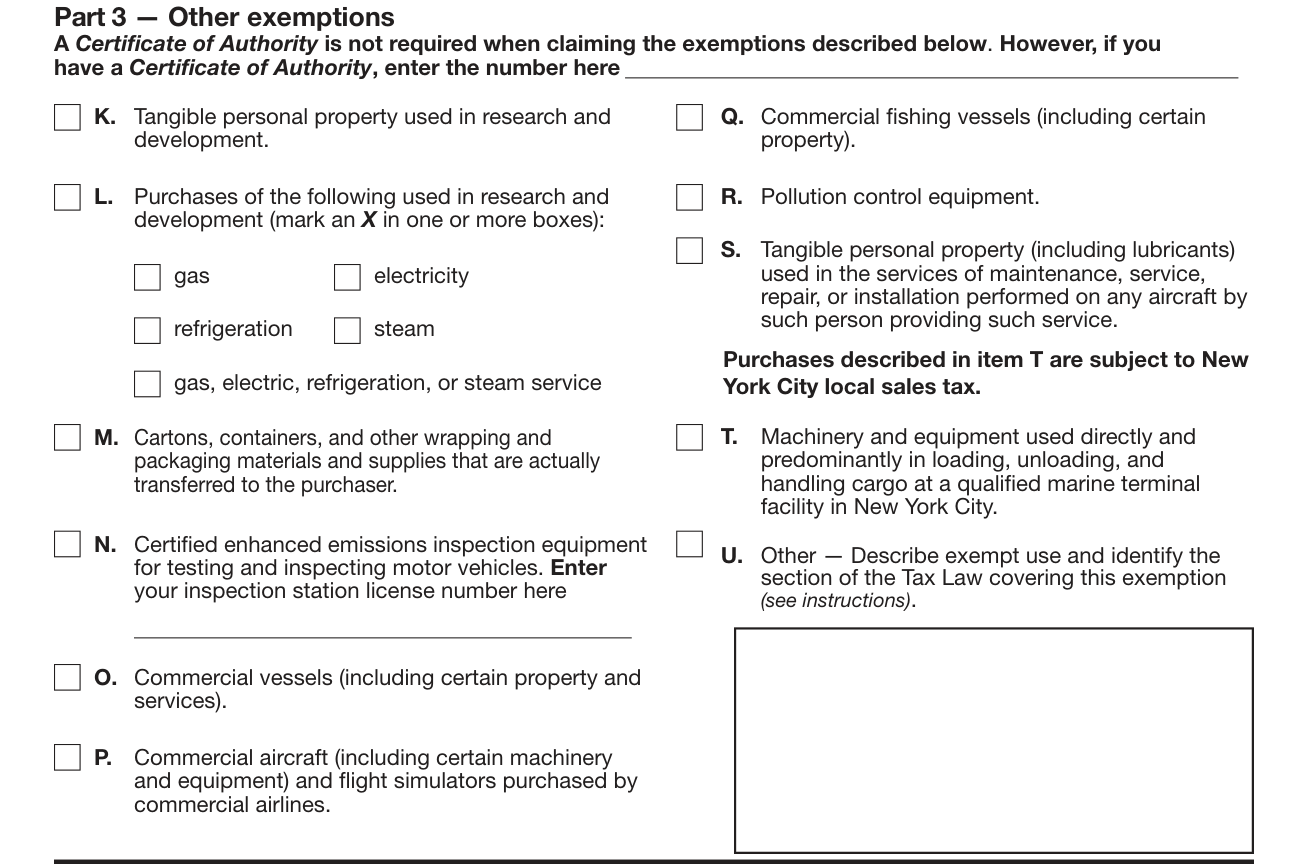
A Certificate of Authority is not required when claiming the exemptions described in Part 3 on page 2. However, if you have a Certificate of Authority, enter the number in the space provided on page 2.
K: Tangible personal property used or consumed directly and predominantly in research and development in the experimental or laboratory sense is exempt from tax.
M: Vendors may purchase, exempt from tax, cartons, containers, and other wrapping and packaging materials and supplies and components thereof used to package tangible personal property for sale if the property is actually transferred by the vendor to the purchaser of the property.
U: Describe the exempt use of the tangible personal property or service being purchased, and identify the applicable section of the Tax Law under which you claim exemption.
Certification, signature and date

Certification: by signing you certify that the statements are true, complete, and correct, and that no material information has been omitted. This document provides evidence that state and local sales or use taxes do not apply to a transaction or transactions for which the document is tendered; willfully issuing this document with the intent to evade any such tax may constitute a felony or other crime under New York State Law, punishable by a substantial fine and a possible jail sentence.
Type or print the name and title of the owner, partner, or authorized person of the purchaser.
The owner, partner, or authorized person of the purchaser signs on the Signature line and enters the Date prepared.
Common mistake: This certificate is not valid unless the purchaser completes the certification on page 2.
More rules for Form ST-121
As used in this document, the term predominantly means that the property or service(s) is used more than 50% of the time directly for the purpose stated in the particular section.
The term exclusively means that the property or service(s) is used 100% of the time directly for the purpose stated in the particular section.
Common questions about Form ST-121
Is there a deadline?
The purchaser must give the seller Form ST-121 with all entries completed no later than 90 days after delivery of the property, or the sale will be deemed to have been taxable at the time of the transaction.
Is there a penalty?
Misuse of this exemption certificate may subject you to serious civil and criminal sanctions in addition to the payment of any tax and interest due, including a penalty equal to 100% of the tax due. The sanctions also include a $50 penalty for each fraudulent exemption certificate issued (checked October 21, 2026). The sanctions also include criminal felony prosecution, punishable by a substantial fine and a possible jail sentence, and revocation of your Certificate of Authority, if you are required to be registered as a vendor.
When is this form not the right one?
This form cannot be used to purchase motor fuel or diesel motor fuel exempt from tax except as described in the instructions for item U on page 4.
Sources
[1] Form ST-121 (1/11), New York State Department of Taxation and Finance (the Official source link on this page).