

How to Fill Out Standard Form 127

Standard Form 127 at a glance

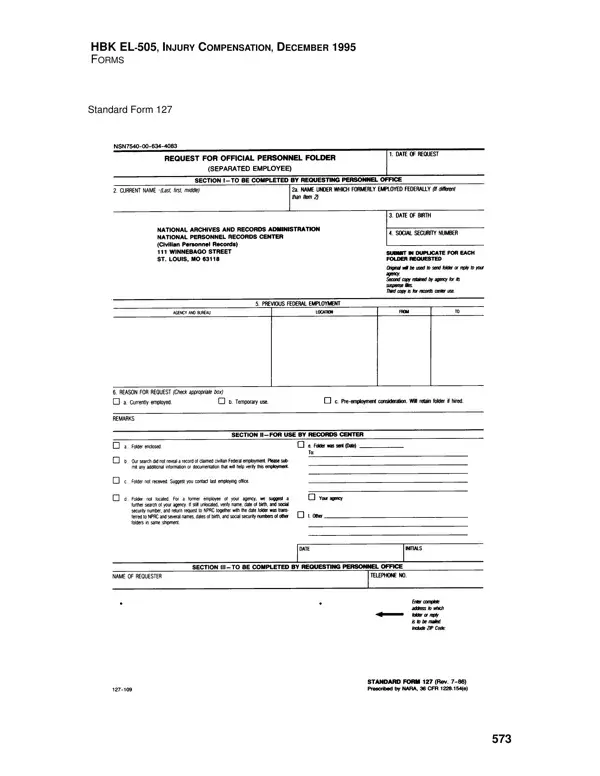
What it is: This form is the Request for Official Personnel Folder (Separated Employee). One form is required for each folder requested.

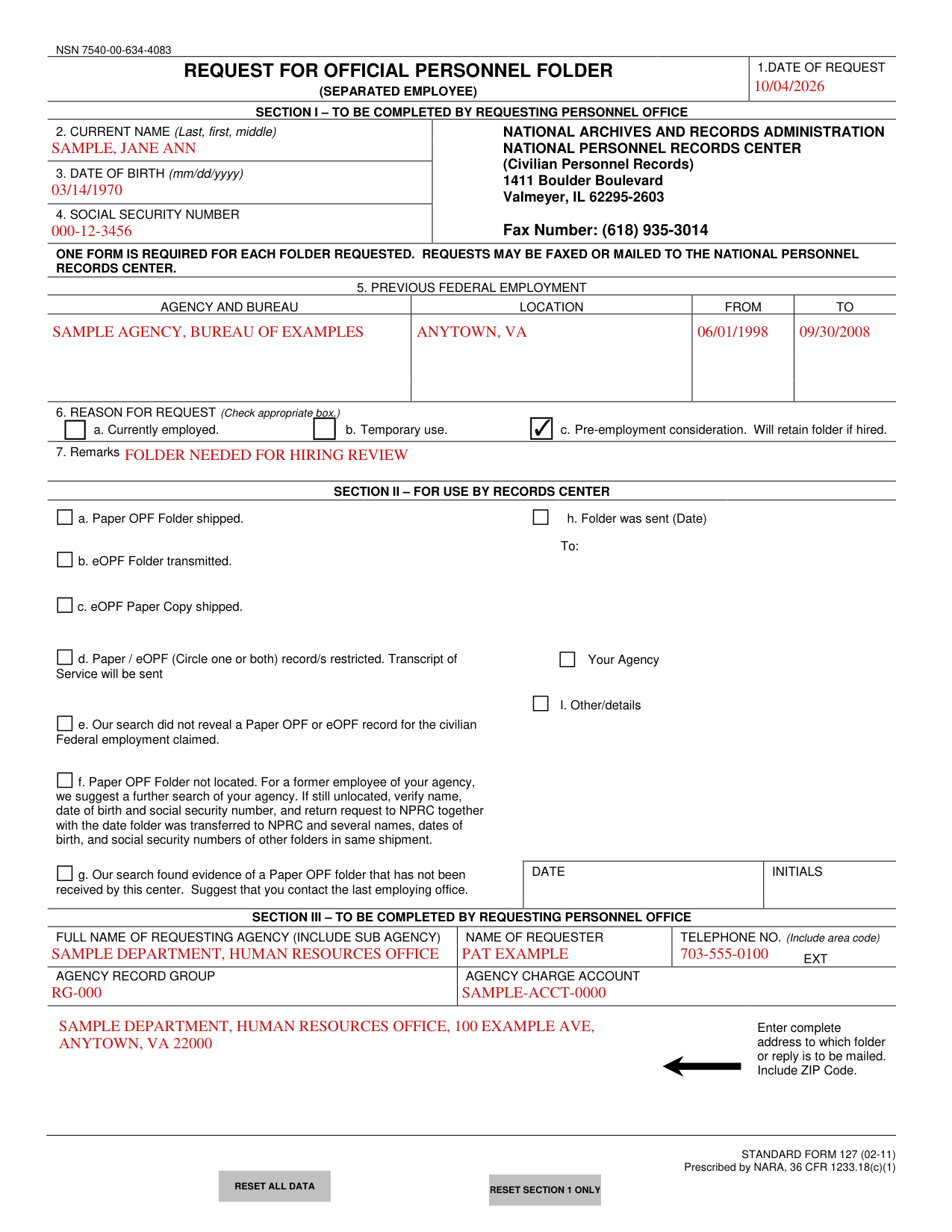
A filled-in Standard Form 127 example: a personnel office requests a former employee's folder
Standard Form 127 example filled out, example: a personnel office requests a former employee's folder
A made-up personnel office of the Sample Department asks the Records Center for the folder of Jane Ann Sample, who once worked for another made-up agency and is now being considered for a new job, so box 6 is checked at c, Pre-employment consideration, and only that box. The example lists one previous job in box 5, and the form gives no date format for boxes 1 and 5, so the example uses mm/dd/yyyy as box 3 does. The requester has no telephone extension to enter: the form prints EXT, but the fillable file has no box for it, so a real request with an extension needs it written in. Section II is left empty because the Records Center fills it in. Every name, date, address and number in the example is made up. Open the picture to see it full size.

How to fill out Standard Form 127, box by box

Tap a group of boxes to open it, and a picture to see it full size.

Date of request, current name, date of birth and Social Security number
Standard Form 127 example filled out, date of request, current name, date of birth and Social Security number

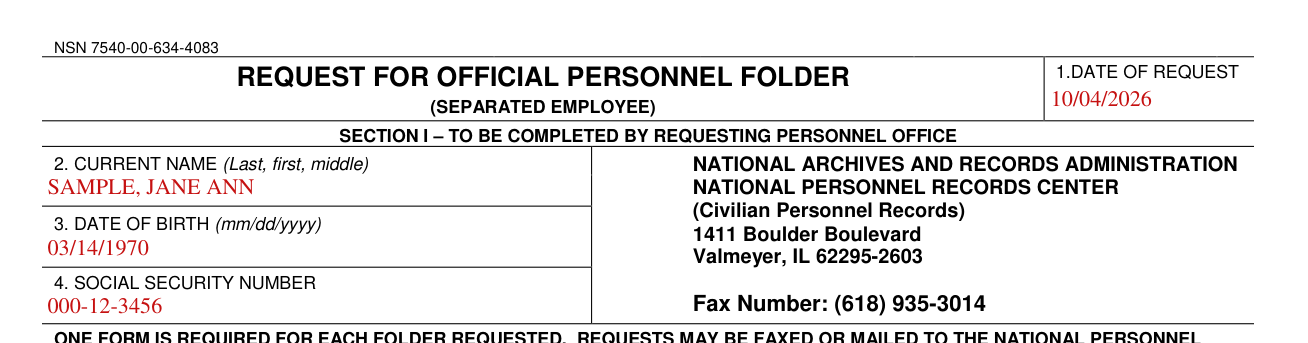
Section I is to be completed by the requesting personnel office.

Box 1, Date of Request: enter the date of the request.

Box 2, Current Name: enter the name as last, first, middle.

Box 3, Date of Birth: enter it as mm/dd/yyyy.

Box 4, Social Security Number: enter the Social Security Number.

Previous Federal employment

Standard Form 127 example filled out, previous Federal employment

Box 5, Previous Federal Employment: enter the agency and bureau, the location, from and to.

Reason for request and remarks

Standard Form 127 example filled out, reason for request and remarks

Box 6, Reason for Request: check the appropriate box, a. Currently employed, b. Temporary use, or c. Pre-employment consideration (box c: Will retain folder if hired).

Box 7, Remarks: enter any remarks.

Section III: the requesting agency, the requester and where the folder or reply is mailed
Standard Form 127 example filled out, section III: the requesting agency, the requester and where the folder or reply is mailed

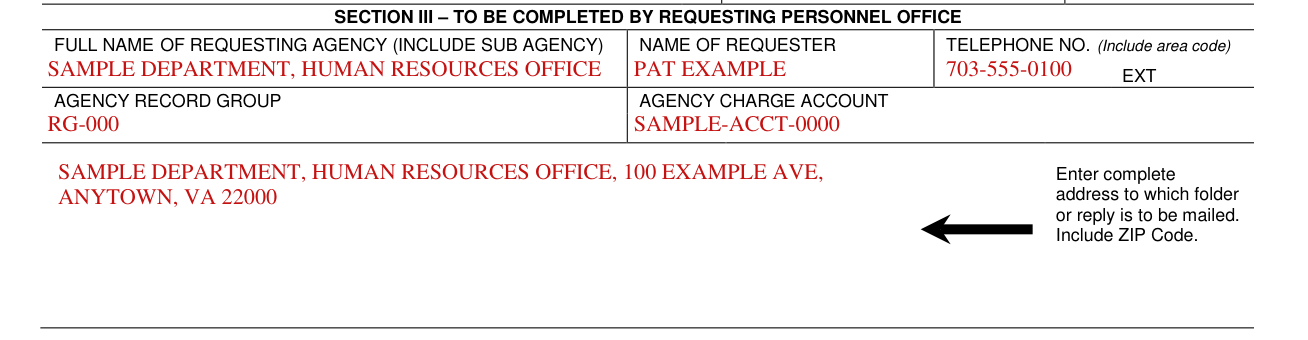
Section III is to be completed by the requesting personnel office.

Section III: full name of requesting agency (include sub agency), name of requester, telephone no. (include area code), EXT, agency record group and agency charge account.

Enter the complete address to which the folder or reply is to be mailed, including the ZIP Code.

If the folder is not located or not received (Section II, for use by the Records Center)

Section II, for use by Records Center

Section II is for use by the Records Center.

f. Paper OPF Folder not located

For a former employee of your agency, we suggest a further search of your agency; if still unlocated, verify name, date of birth and social security number, and return request to NPRC together with the date folder was transferred to NPRC and several names, dates of birth, and social security numbers of other folders in same shipment.

g. Our search found evidence of a Paper OPF folder that has not been received by this center

Suggest that you contact the last employing office.

Common questions about Standard Form 127

What is an sf 127 form?

This form is the Request for Official Personnel Folder (Separated Employee).

Where do I file it?

Requests may be faxed or mailed to the National Personnel Records Center. The National Personnel Records Center is at National Archives and Records Administration, National Personnel Records Center (Civilian Personnel Records), 1411 Boulder Boulevard, Valmeyer, IL 62295-2603; its fax number is (618) 935-3014.

Sources

[1] Standard Form 127 (02-11), Request for Official Personnel Folder (Separated Employee), National Archives and Records Administration (the Official source link on this page).

Standard Form 127 PDF Details

Requests may be faxed or mailed to the National Personnel Records Center.

Section I: to be completed by requesting personnel office: current name, date of birth, social security number and previous federal employment agency and bureau location.

Reason for request: currently employed, temporary use, or pre-employment consideration; will retain folder if hired.

Section III: full name of requesting agency (include sub agency), name of requester and the complete address to which folder or reply is to be mailed.

QuestionAnswer
Form NameStandard Form 127
Form Length1 page
Fillable?Yes
Fillable fields19
Avg. time to fill out4 min
Edition02-11
Issuing agencyNARA
Where to sendNational Personnel Records Center
Matches the agency's fileYes, checked October 1, 2026
Other namesSF 127, SF127, SF-127, Standard Form 127, Form 127, Request for Official Personnel Folder
Official sourceStandard Form 127 (Rev 02-11), National Archives and Records Administration