
Standard Form 255 PDF Details

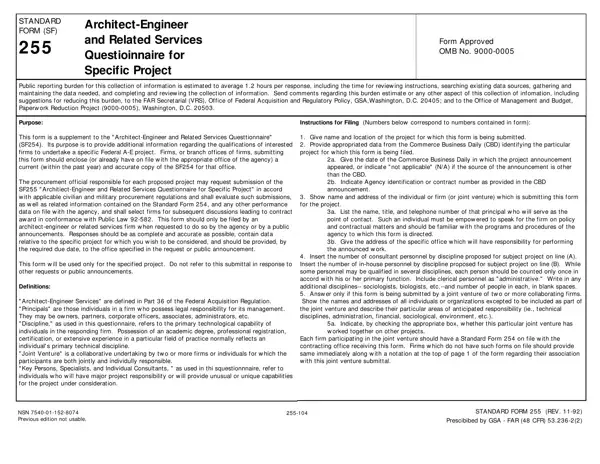
Fulfilling a vital role in the procurement process for federal architectural and engineering (A-E) projects, the Standard Form 255 (SF 255), Architect-Engineer and Related Services Questionnaire for Specific Project, demands careful attention. Crafted as a supplementary document to the SF 254, its primary function is to gather additional, project-specific details about firms' qualifications to execute a particular federal A-E project. This requirement underscores the form's significance in facilitating an informed selection of firms for federal projects. With its approval by the Office of Management and Budget (OMB), the form insists on a meticulous response process, estimated to take approximately 1.2 hours, encompassing the review of instructions, data collection and maintenance, and the completion and review of the information collected. This detailed approach serves to streamline the evaluation process by procurement officials, guided by civilian and military procurement regulations and in alignment with Public Law 92-582, ensuring the selection of the most qualified firms for project discussions and contract awards. It is imperative that firms submitting this form provide accurate, complete, and up-to-date information specific to the project of interest and comply with the request or public announcement requirements stipulated for the prospective project. The form also delves into the intricacies of defining architectural-engineer services, categorizing principals, specifying disciplines, outlining the structure of joint ventures, and characterizing key personnel, consultants, and specialists, thereby encapsulating a comprehensive framework for ascertaining firms' credentials and their alignment with the project's needs.

QuestionAnswer
Form NameStandard Form 255
Form Length11 pages
Fillable?No
Fillable fields0
Avg. time to fill out2 min 45 sec
Other namesform255 vdot sf 255 form

How to Edit Standard Form 255 Online for Free

With the help of the online PDF tool by FormsPal, you may complete or edit Standard Form 255 right here and now. To keep our tool on the leading edge of convenience, we work to implement user-oriented capabilities and enhancements regularly. We're at all times thankful for any feedback - help us with reshaping PDF editing. With some simple steps, you may begin your PDF journey:

Step 1: Open the PDF file inside our tool by clicking on the "Get Form Button" above on this page.

Step 2: As you open the online editor, you will find the form prepared to be filled out. Apart from filling out various blank fields, you might also do several other things with the Document, namely adding custom textual content, modifying the initial text, adding images, putting your signature on the PDF, and a lot more.

This document will involve specific information; to ensure correctness, please make sure to take note of the recommendations further on:

1. It is important to fill out the Standard Form 255 properly, thus be careful when filling in the segments including all of these blanks:

The way to complete Standard Form 255 stage 1

2. After the last part is complete, it is time to put in the needed particulars in Specifications Writers, Structural Engineers, Surveyors, Transportation Engineers, Total Personnel, A A A, B B B, Construction Inspectorrs, Draftsmen, Ecologists, Economists, A A, Interior Designers, Landscape Architects, and Mechanical Engineers so you can progress further.

Part no. 2 in filling out Standard Form 255

3. The following section is quite straightforward, Name Address, Specialty, and Worked w ith Prime before Yes or No - these blanks is required to be completed here.

Stage # 3 for submitting Standard Form 255

4. Filling in STANDARD FORM PAGE REV is crucial in this fourth section - ensure to don't hurry and be mindful with every single empty field!

STANDARD FORM  PAGE  REV, STANDARD FORM  PAGE  REV, and STANDARD FORM  PAGE  REV in Standard Form 255

In terms of STANDARD FORM PAGE REV and STANDARD FORM PAGE REV, make sure that you don't make any mistakes in this current part. The two of these are the most significant ones in the PDF.

5. To conclude your form, this last area features a number of extra fields. Completing a Name Title, a Name Title, b Project Assignment, b Project Assignment, c Name of Firm w ith w hich, c Name of Firm w ith w hich, d Years experience With this Firm, d Years experience With this Firm, With Other Firms, e Education, and e Education should conclude everything and you're going to be done in a snap!

Stage no. 5 of filling out Standard Form 255

Step 3: Be certain that the details are accurate and then press "Done" to proceed further. Go for a 7-day free trial plan with us and get instant access to Standard Form 255 - with all changes saved and available in your FormsPal account page. FormsPal provides safe form editor without personal information recording or any type of sharing. Feel at ease knowing that your details are in good hands here!