
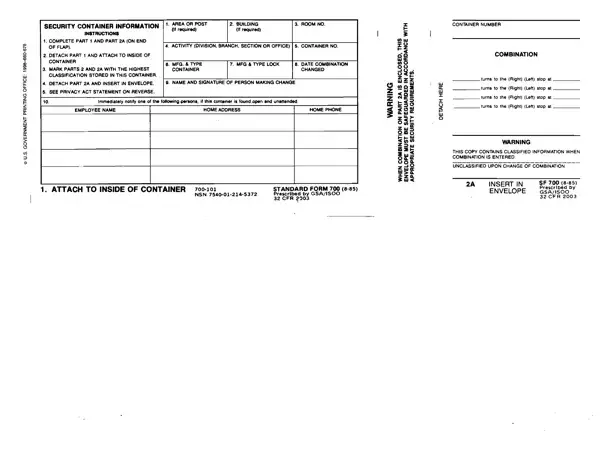
Standard Form 700 at a glance
What it is: Standard Form 700 is the Security Container Information form.
Who signs: Sign as the Person Making Change, with the Name and Signature.
A filled-in Standard Form 700 example: a security container with a new combination
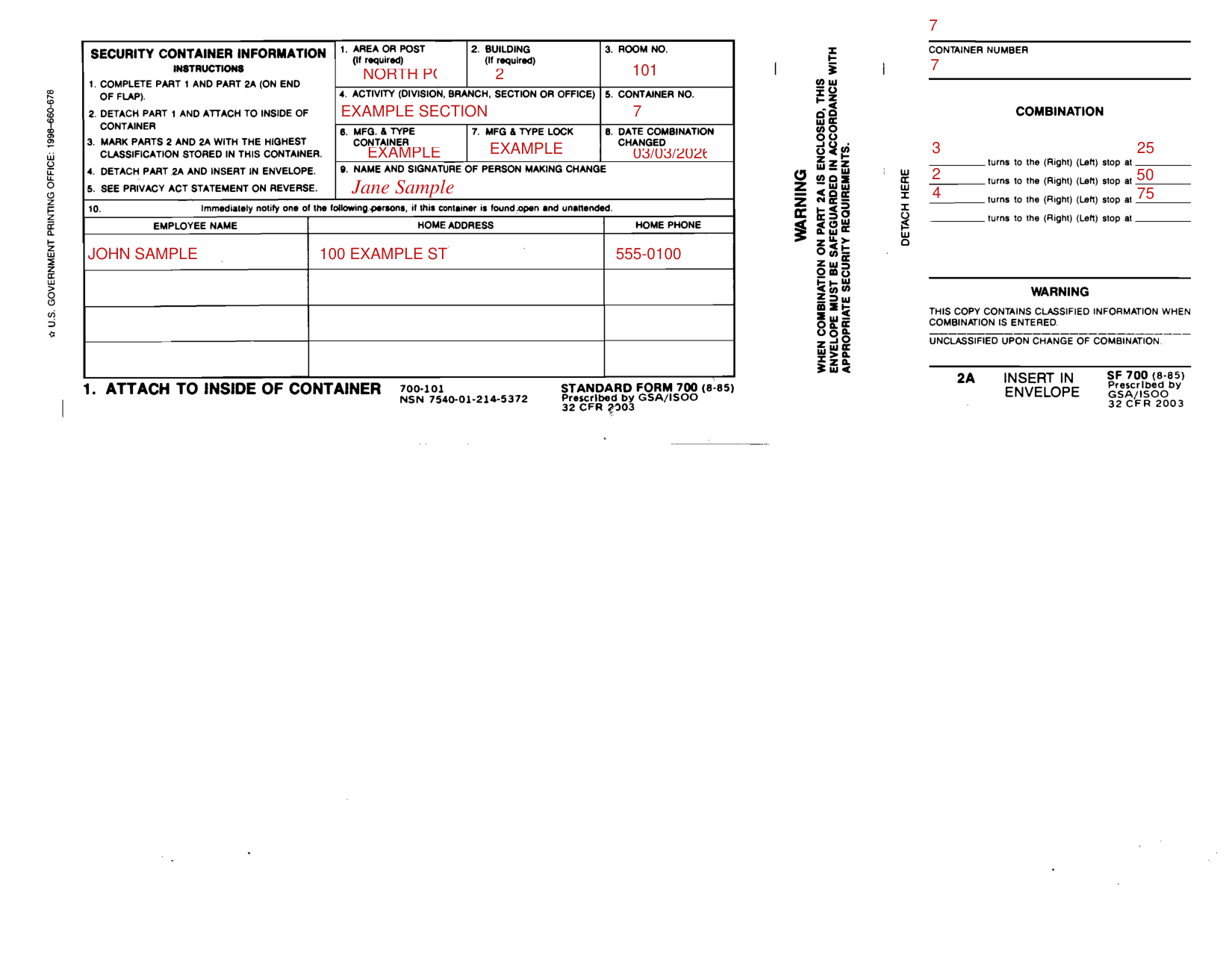
How to fill out Standard Form 700, box by box
Area or Post, Building, Room No. and Activity

Enter the Area or Post, the Building (If required) and the Room No. (If required).
Enter the Activity (Division, Branch, Section or Office) and the Container No.
Container, lock and combination change

Enter the Mfg. Type Container, the Mfg. Type Lock and the Date Combination Changed.
Persons to notify
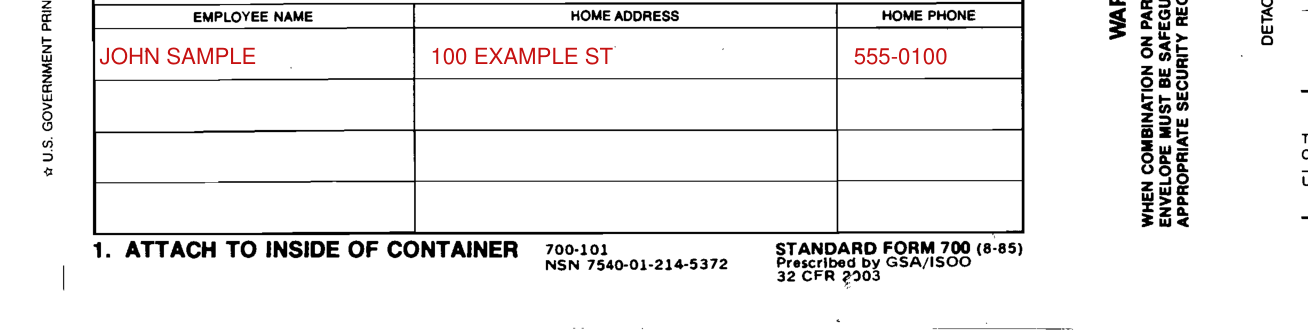
Enter the Employee Name, Home Address and Home Phone of the persons to notify.
Combination
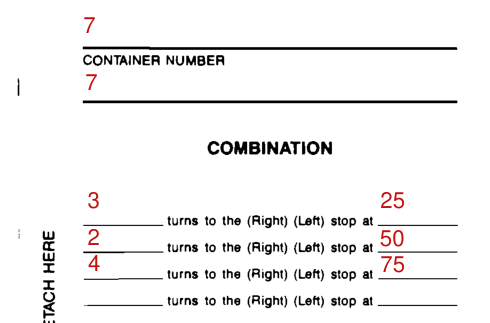
Under COMBINATION, each line is: turns to the (Right) (Left) stop at.
More rules for Standard Form 700
Detach Part 1 and attach it to the inside of the container.
Mark Parts 2 and 2A with the highest classification stored in this container.
Detach Part 2A and insert it in the envelope.
Warning: this copy contains classified information when the combination is entered.
Common questions about Standard Form 700
What is a SF 700 form?
Standard Form 700 is the Security Container Information form. Complete Part 1 and Part 2A (on end of flap).
Who signs it?
Sign as the Person Making Change, with the Name and Signature.
Sources
[1] Standard Form 700 (8-85), Security Container Information, GSA/ISOO (the Official source link on this page).