
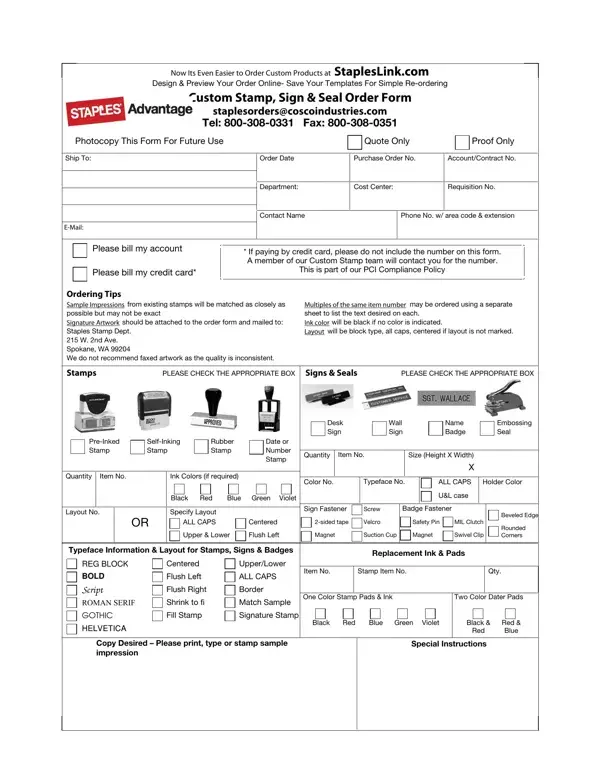
In today’s fast-paced business environment, having access to customizable office supplies can significantly streamline operations, ensuring that everything from documentation to branding is consistent and professional. Staples, a leading name in office supplies and services, offers a comprehensive solution for custom product orders through its user-friendly Staples Photocopy form. This form is designed to make ordering custom stamps, signs, and seals an effortless process. Customers can easily design and preview their orders online, and save their templates for hassle-free reordering in the future. With options to choose from various types of stamps such as pre-inked, self-inking, rubber, and date or number stamps, as well as signs and seals in different configurations, the form caters to a wide range of business needs. It adheres to PCI Compliance Policy for safe credit card transactions and recommends that artwork for stamps be mailed for optimum quality. The form also guides on selecting ink colors, typefaces, layouts, and fasteners, ensuring that every detail of the order is customized to meet the specific requirements of the customer. Beyond just stamps, customers can order replacement ink and pads, underlining the form’s role as a one-stop solution for all their stamping and signage needs. This in-depth guide unpacks the many layers of the Staples Photocopy form, making it easier for businesses to navigate the ordering process and get exactly what they need without the fuss.
| Question | Answer |
|---|---|
| Form Name | Staples Photocopy Form |
| Form Length | 1 pages |
| Fillable? | No |
| Fillable fields | 0 |
| Avg. time to fill out | 15 sec |
| Other names | 2nd, 2-sided, staplesorderscoscoindustries, inking |