
Texas Certificate of Insurance (COI) at a glance
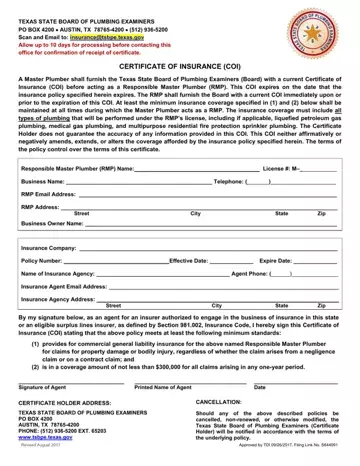
What it is: Certificate of Insurance (COI) of the Texas State Board of Plumbing Examiners.
Who signs: By signing, an agent for an insurer authorized to engage in the business of insurance in this state or an eligible surplus lines insurer, as defined by Section 981.002, Insurance Code, signs the Certificate of Insurance (COI) stating that the above policy provides for commercial general liability insurance for the above named Responsible Master Plumber for claims for property damage or bodily injury, regardless of whether the claim arises from a negligence claim or on a contract claim; and is in a coverage amount of not less than $300,000 for all claims arising in any one-year period. (checked November 1, 2026)
A Master Plumber shall furnish the Texas State Board of Plumbing Examiners (Board) with a current Certificate of Insurance (COI) before acting as a Responsible Master Plumber (RMP). This COI expires on the date that the insurance policy specified herein expires. The RMP shall furnish the Board with a current COI immediately upon or prior to the expiration of this COI. At least the minimum insurance coverage specified in (1) and (2) of this certificate shall be maintained at all times during which the Master Plumber acts as a RMP. The insurance coverage must include all types of plumbing that will be performed under the RMP's license, including if applicable, liquefied petroleum gas plumbing, medical gas plumbing, and multipurpose residential fire protection sprinkler plumbing. The Certificate Holder does not guarantee the accuracy of any information provided in this COI. This COI neither affirmatively or negatively amends, extends, or alters the coverage afforded by the insurance policy specified herein. The terms of the policy control over the terms of this certificate.
A filled-in Texas Certificate of Insurance (COI) example: a master plumber and the insurance agent
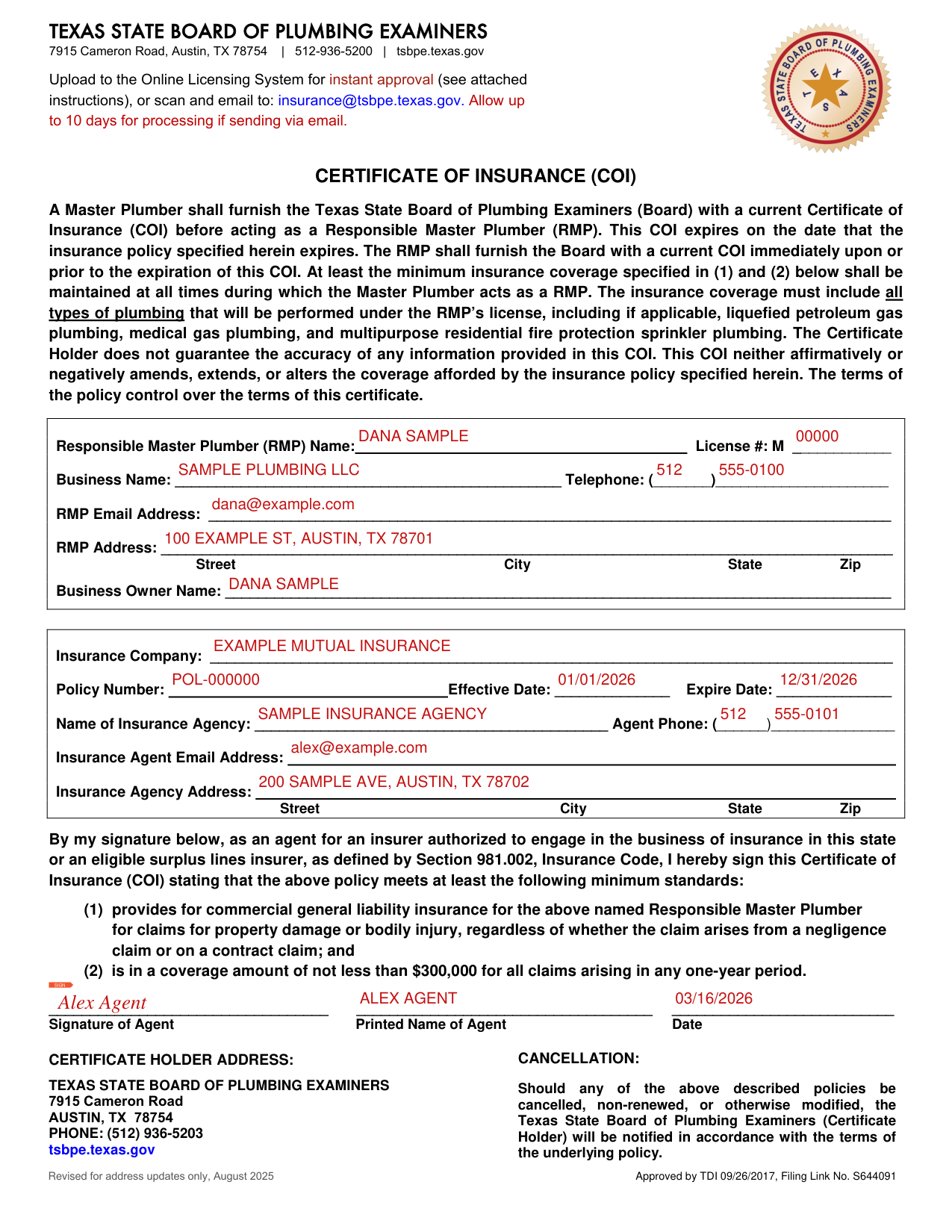
How to fill out Texas Certificate of Insurance (COI), box by box
Responsible Master Plumber and business
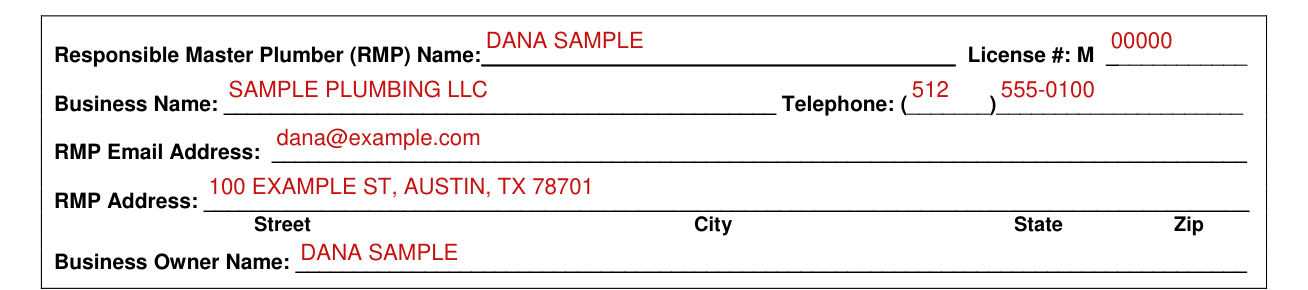
Fill in the Responsible Master Plumber (RMP) Name and the License # (M-).
Fill in the Business Name and the Telephone.
Fill in the RMP Email Address.
Fill in the RMP Address as Street, City, State and Zip.
Fill in the Business Owner Name.
Insurance company, policy and agency
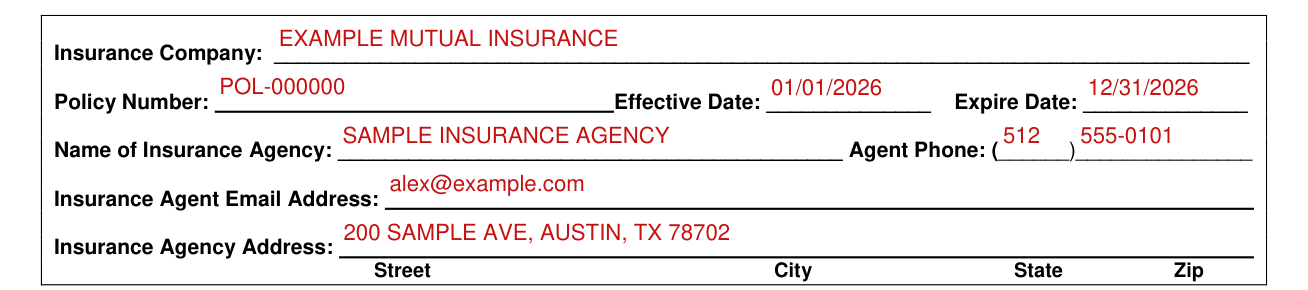
Fill in the Insurance Company.
Fill in the Policy Number, the Effective Date and the Expire Date.
Fill in the Name of Insurance Agency and the Agent Phone.
Fill in the Insurance Agent Email Address.
Fill in the Insurance Agency Address as Street, City, State and Zip.
Signing as the agent
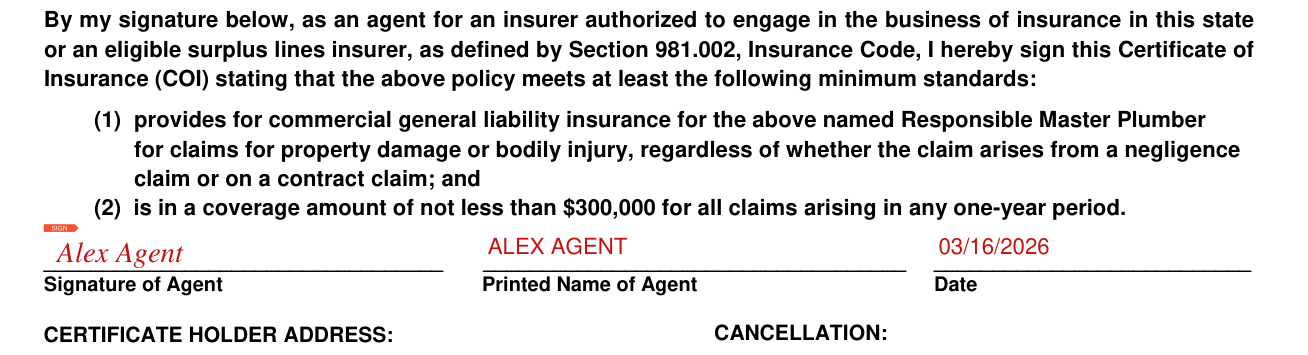
Sign the Signature of Agent, then add the Printed Name of Agent and the Date.
More rules for Texas Certificate of Insurance (COI)
On the Certificate of Insurance page, be sure to check the accuracy of every field before proceeding to the next page, including the "Effective" and "Expiration" dates. If the information on the Certificate of Insurance page does not match the information on the COI form you're uploading, your COI will not be processed.
DO NOT FORGET to press Attach after you've chosen the file and pressed "open." Doing so may feel redundant, but you will not be able to advance without this step.
Should any of the policies described on the form be cancelled, non-renewed, or otherwise modified, the Texas State Board of Plumbing Examiners (Certificate Holder) will be notified in accordance with the terms of the underlying policy.
If your situation is different
Upload or email the form
Upload to the Online Licensing System for instant approval (see attached instructions), or scan and email to: insurance@tsbpe.texas.gov. Allow up to 10 days for processing if sending via email.
When to upload a new COI
A new COI should not be uploaded until 3-5 days of the previous COI's expiration date.
ACORD forms are not accepted
IMPORTANT: ACORD FORMS ARE NOT ACCEPTED. The only document the TSBPE considers to be a valid COI is the TSBPE Certificate of Insurance which features the TSBPE seal on the top right of the page.
Sources
[1] Certificate of Insurance (COI), revised for address updates only, August 2025, Texas State Board of Plumbing Examiners (the Official source link on this page).
