
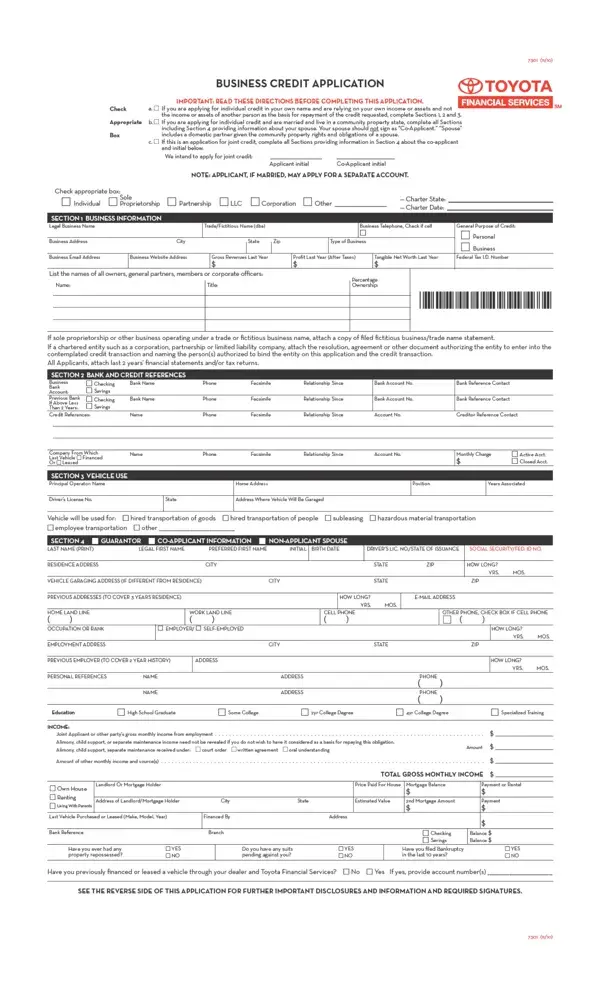

Credit Application at a glance
What it is: Credit Application, a form for an application for credit.
Who signs: Sign at Applicant Signature, and at Co-Applicant Signature only if Box c. is checked.
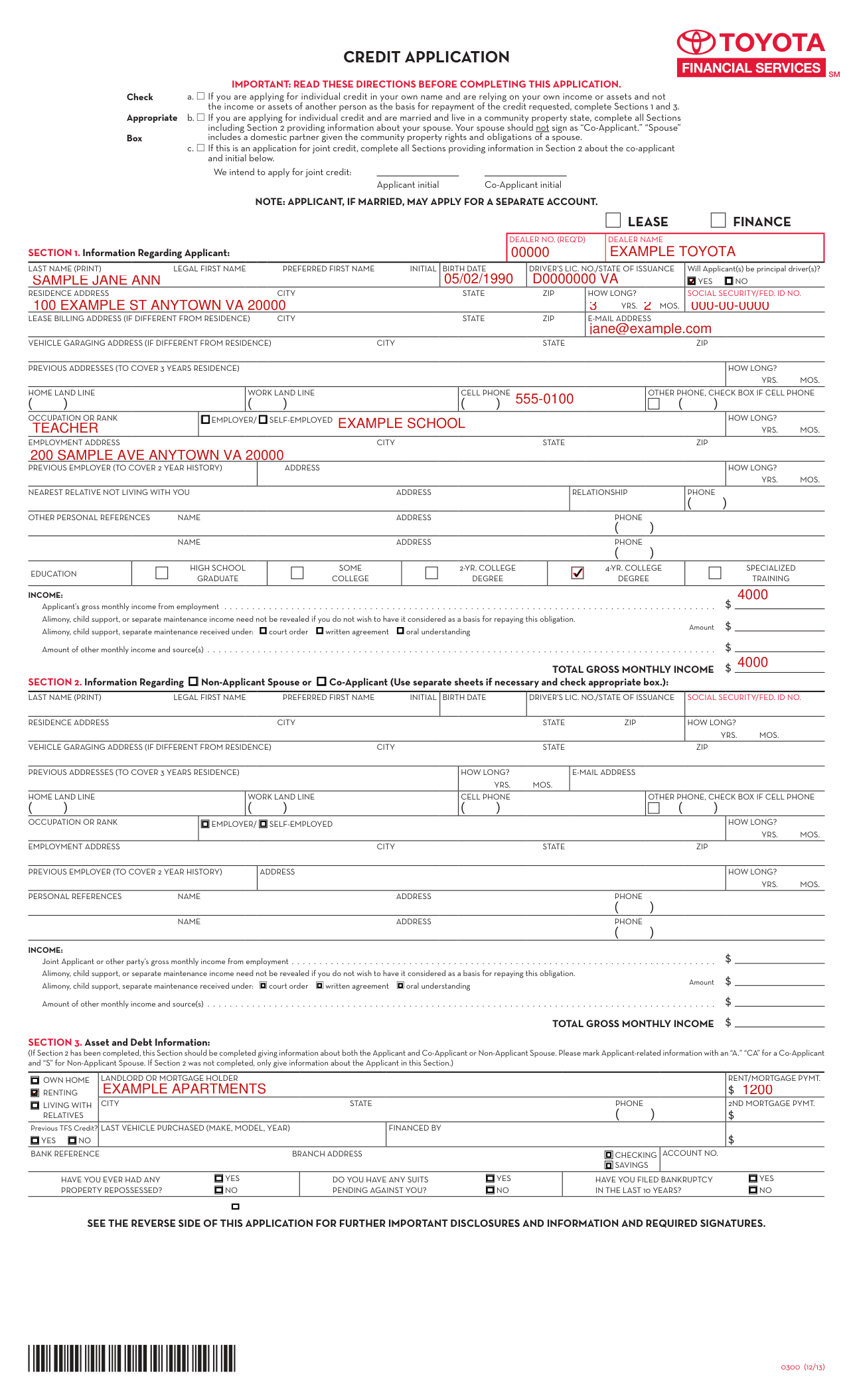
A filled-in Credit Application example: an individual applicant renting her home
How to fill out Credit Application, box by box
Which sections to complete and who initials

Read the directions before completing this application. a. If you are applying for individual credit in your own name and are relying on your own income or assets and not the income or assets of another person as the basis for repayment of the credit requested, complete Sections 1 and 3. b. If you are applying for individual credit and are married and live in a community property state, complete all Sections including Section 2 providing information about your spouse; your spouse should not sign as "Co-Applicant." "Spouse" includes a domestic partner given the community property rights and obligations of a spouse. c. If this is an application for joint credit, complete all Sections providing information in Section 2 about the co-applicant and initial at "intend to apply for joint credit": Applicant initial and Co-Applicant initial.
The Applicant, if married, may apply for a separate account.
Lease or finance, dealer number and dealer name

Check the Appropriate Box, lease or finance, and enter the dealer no. (req'd) and the dealer name.
Section 1, name, birth date, driver's lic. no. and principal driver(s)

Under Section 1, Information Regarding Applicant, enter the last name (print), legal first name, preferred first name, initial, birth date and driver's lic. no./state of issuance.
Mark YES or NO for "Will Applicant(s) be principal driver(s)?"
Section 1, residence, Social Security number and addresses

Enter the residence address, city, state, zip and how long? in yrs. mos., and the social security/fed. ID no.
Enter the lease billing address (if different from residence) and the vehicle garaging address (if different from residence), each with city, state and ZIP, and the e-mail address.
Enter the previous addresses (to cover 3 years residence) with how long? in yrs. mos., and the home land line.
Section 1, phones, employment, relative, references and education
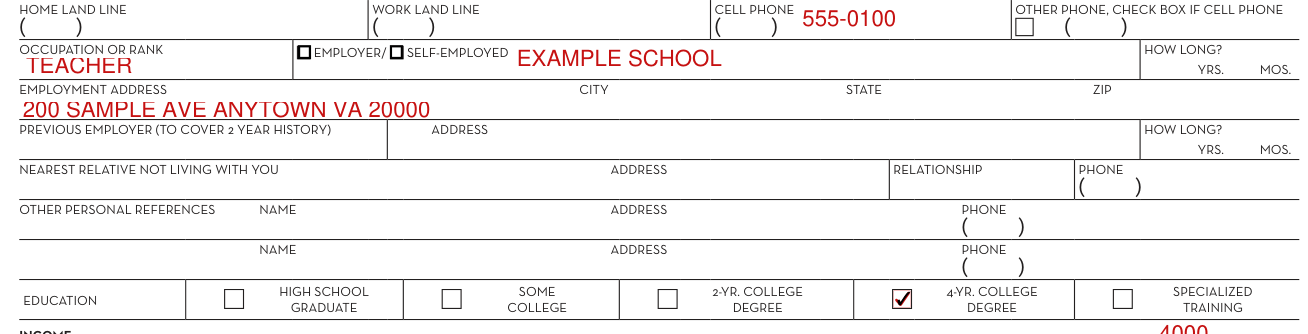
Enter the work land line and cell phone, and an other phone, checking the box if it is a cell phone.
Enter the occupation or rank, employer/ self-employed, how long? in yrs. mos., and the employment address with city, state and ZIP.
Enter the previous employer (to cover 2 year history) with address and how long? in yrs. mos., the nearest relative not living with you with address, relationship and phone, and the other personal references with name, address and phone.
Mark the education: high school graduate, some college, 2-yr. college degree, 4-yr. college degree or specialized training.
Section 1, income

Enter the Applicant's gross monthly income from employment.
Alimony, child support, or separate maintenance income need not be revealed if you do not wish to have it considered as a basis for repaying this obligation.
Mark court order, written agreement or oral understanding for alimony, child support, separate maintenance received, and enter the Amount.
Enter the Amount of other monthly income and source(s).
Enter the total gross monthly income.
Section 2, Non-Applicant Spouse or Co-Applicant
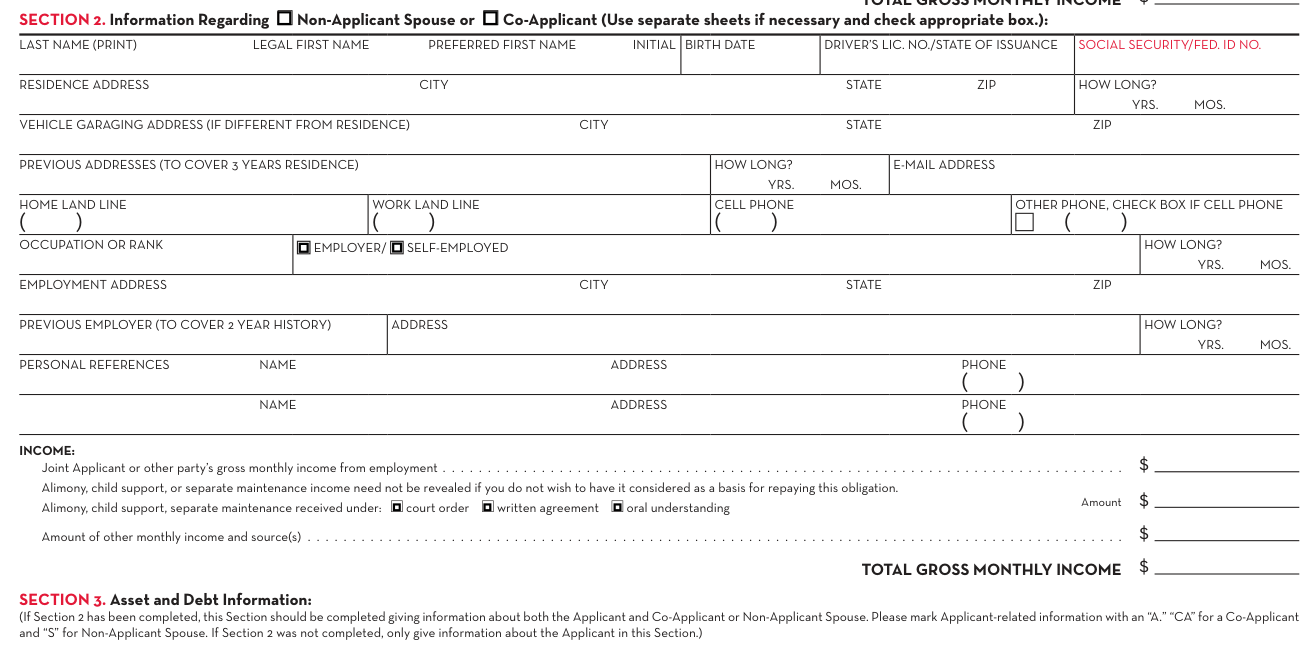
Under Section 2, Information Regarding Non-Applicant Spouse or Co-Applicant, check the appropriate box, with separate sheets if necessary.
Enter the last name (print), legal first name, preferred first name, initial, birth date, driver's lic. no./state of issuance and social security/fed. ID no.
Enter the residence address with city, state, zip and how long? in yrs. mos., the vehicle garaging address (if different from residence), the previous addresses (to cover 3 years residence) and the e-mail address.
Enter the home land line, work land line, cell phone, other phone, occupation or rank, employer/ self-employed, employment address, previous employer (to cover 2 year history) and personal references.
Enter the Joint Applicant or other party's gross monthly income from employment.
Enter the Amount received under a court order, a written agreement or an oral understanding.
Enter the total gross monthly income of the Joint Applicant or other party.
Section 3, Asset and Debt Information
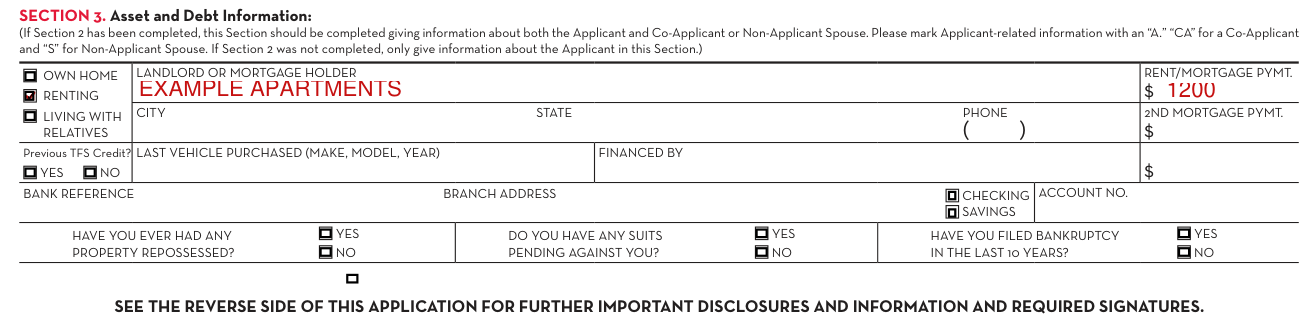
If Section 2 has been completed, give information in Section 3, Asset and Debt Information, about both the Applicant and Co-Applicant or Non-Applicant Spouse, marking Applicant-related information with an "A," "CA" for a Co-Applicant and "S" for Non-Applicant Spouse. If Section 2 was not completed, only give information about the Applicant in this Section.
Mark own home, renting or living with relatives.
Enter the landlord or mortgage holder with the rent/mortgage pymt., city, state and phone.
Enter the 2nd mortgage pymt.
Mark YES or NO for "Previous TFS Credit?"
Enter the last vehicle purchased (make, model, year) and financed by.
Enter the bank reference branch address, mark checking or savings and enter the account no.
Mark YES or NO for "Have you ever had any property repossessed?", "Do you have any suits pending against you?" and "Have you filed bankruptcy in the last 10 years?"
Signing as the Applicant and the Co-Applicant

See the reverse side of this application for further important disclosures and information and required signatures.
Date and sign at Applicant Signature, promising that all information provided in connection with this application is true, correct and complete.
Sign and date at Co-Applicant Signature only if Box c. is checked.
More rules for Credit Application
Minimum physical damage insurance is required for the full term of the installment or lease contract to protect all interests thereunder against collision, fire, theft and the additional hazards covered by Combined Additional Coverage.
You may choose the person through which any of this insurance is obtained.
By signing, the Applicant authorizes the dealer and any creditor to which the dealer submits the application, together with any affiliates, agents, service providers or assignees of the dealer or creditor, to investigate credit and employment history, obtain consumer reports and contact references in connection with this application.
Wisconsin
Wisconsin
If the credit is granted to you pursuant to this application, your spouse will also receive notification that credit has been granted to you.
Under the Wisconsin statement of marital purpose ("I am applying for credit which, if granted, will be incurred in the interest of my marriage and family."), sign and date at Signature Date.
Sources
[1] Credit Application (12/13), the served file; no issuer file found (the Official source link on this page).