
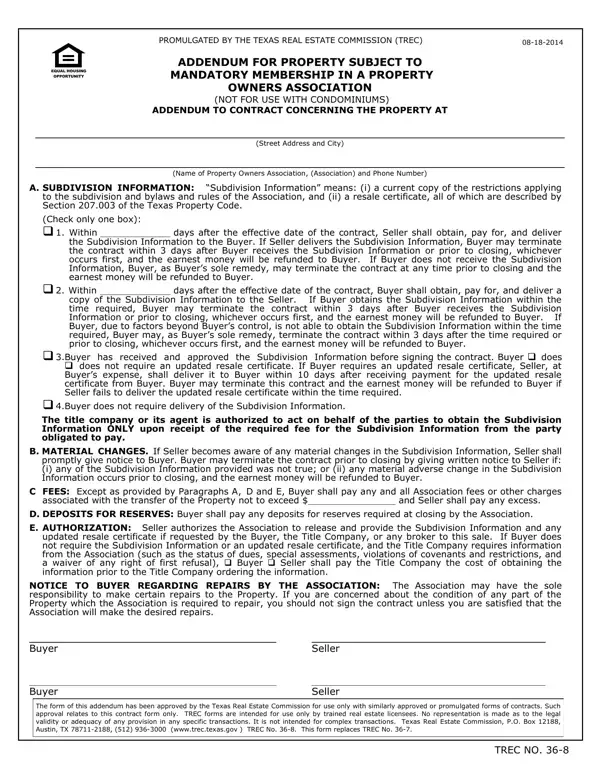
Subdivision Information means a current copy of the restrictions applying to the subdivision and bylaws and rules of the Association, and a resale certificate.
Terminate: if Seller delivers the Subdivision Information, Buyer may terminate the contract within 3 days after receiving it or prior to closing, whichever occurs first.
Material changes: if Seller becomes aware of any material changes in the Subdivision Information, Seller shall promptly give notice to Buyer.
Repairs: the Association may have the sole responsibility to make certain repairs to the Property.
Who uses it: TREC forms are intended for use only by trained real estate licensees.
| Question | Answer |
|---|---|
| Form Name | TREC 36-11 |
| Form Length | 1 page |
| Fillable? | Yes |
| Fillable fields | 17 |
| Avg. time to fill out | 3 min |
| Edition | 05-04-2026 |
| Issuing agency | Texas Real Estate Commission |
| Other names | TREC 36-11, TREC No. 36-11, 36-11, TREC 36-8, Form 36-8, Addendum for Property Subject to Mandatory Membership in a Property Owners Association |
| Official source | TREC 36-11 (Rev 05-04-2026), Texas Real Estate Commission |
Trec 36 8 Form isn’t the one you’re looking for?