
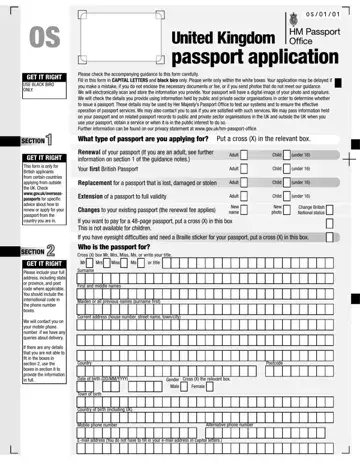
Form OS/01 at a glance
What it is: Form OS/01 is the application for a British passport, only for British applicants from certain countries applying from outside the UK.
Who signs: Section 9, the Declaration, must be filled in by the person named in section 2. If under 16, their parent or guardian must fill this in instead.
A filled-in Form OS/01 example: Anna Sample renews an adult passport
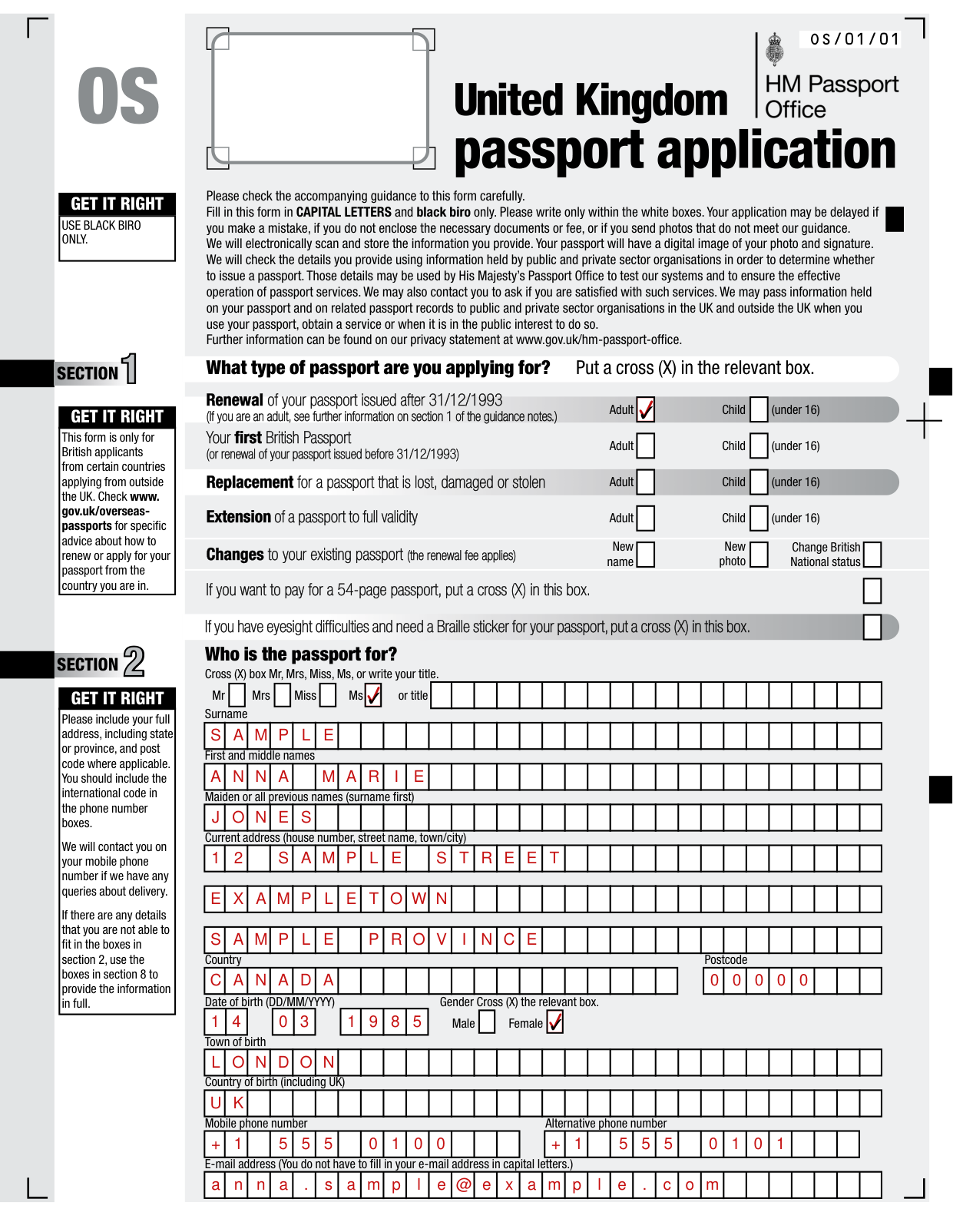
How to fill out Form OS/01, box by box
What type of passport are you applying for?
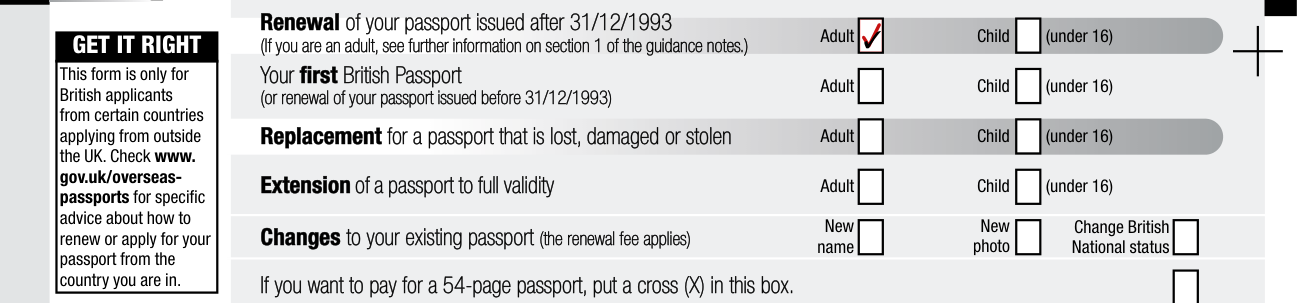
Put a cross (X) in the relevant box for the type of passport you are applying for, Adult or Child (under 16).
Renewal is for renewal of your passport issued after 31/12/1993. If you are an adult, see further information on section 1 of the guidance notes.
Your first British Passport is also for renewal of your passport issued before 31/12/1993.
Replacement is for a passport that is lost, damaged or stolen.
Extension is for extension of a passport to full validity.
Changes to your existing passport are Change British National status, New photo and New name (the renewal fee applies).
54-page passport and Braille sticker

If you want to pay for a 54-page passport, put a cross (X) in this box.
If you have eyesight difficulties and need a Braille sticker for your passport, put a cross (X) in this box.
Who is the passport for?
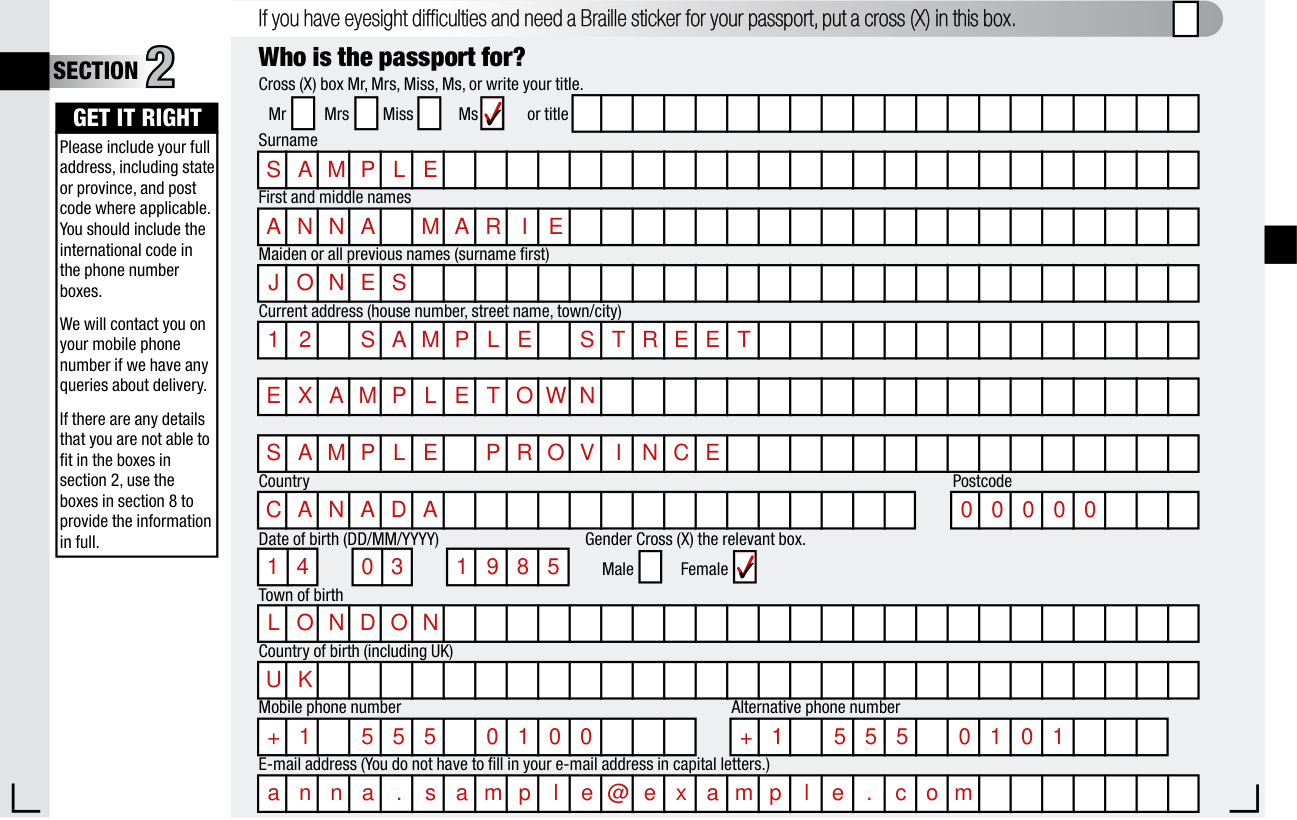
Who is the passport for? Cross (X) box Mr, Mrs, Miss, Ms, or write your title.
Write Maiden or all previous names (surname first).
Please include your full address, including state or province, and post code where applicable. You should include the international code in the phone number boxes.
Write the Date of birth as (DD/MM/YYYY).
Cross (X) the relevant box for Gender.
Write the Country of birth (including UK).
You do not have to fill in your e-mail address in capital letters.
Have you had or been included on any sort of passport before?
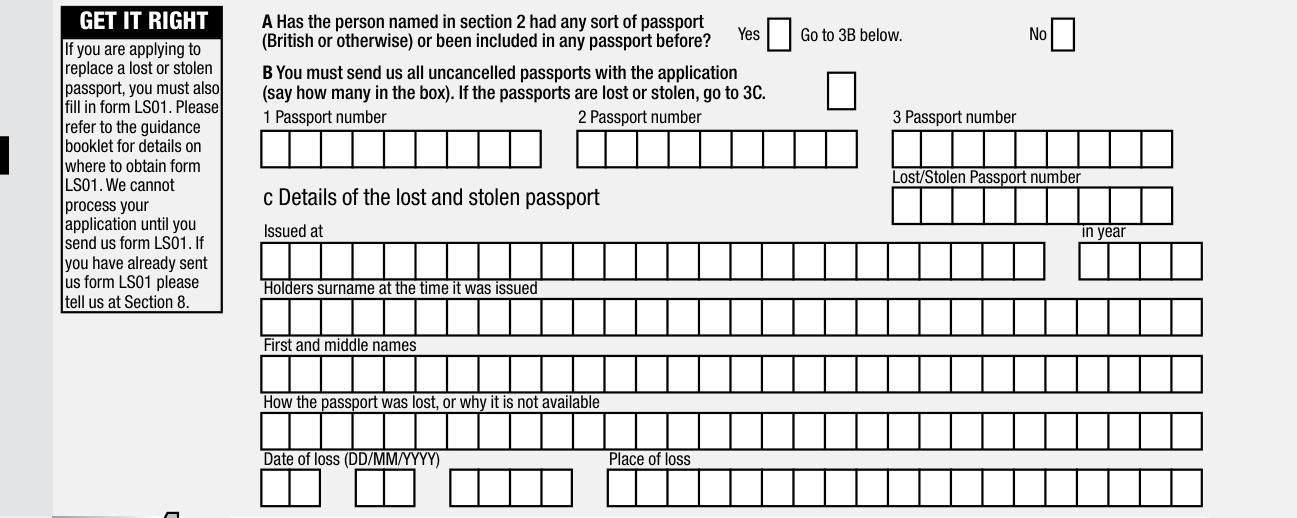
Has the person named in section 2 had any sort of passport (British or otherwise) or been included in any passport before? You must fill in this section.
You must send all uncancelled passports with the application (say how many in the box). If the passports are lost or stolen, go to 3C.
If you are applying to replace a lost or stolen passport, you must also fill in form LS01. Your application cannot be processed until you send form LS01. If you have already sent form LS01 please tell them at Section 8.
Details of the lost and stolen passport: How the passport was lost, or why it is not available, the Date of loss (DD/MM/YYYY), and the Place of loss.
Parents' details
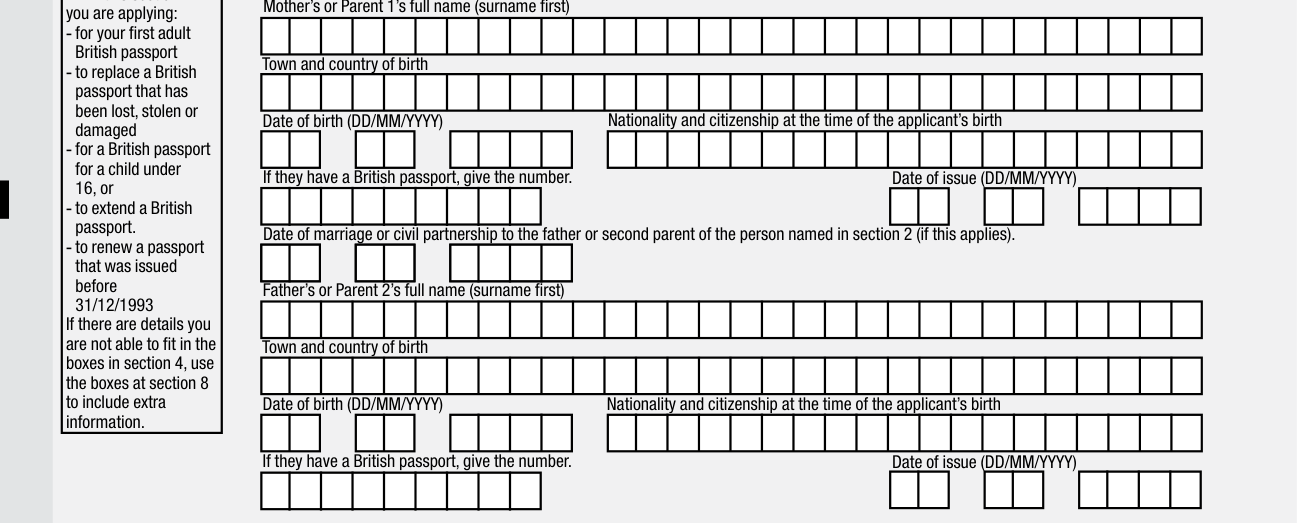
Fill in this section if you are applying for your first adult British passport, to replace a British passport that has been lost, stolen or damaged, for a British passport for a child under 16, to extend a British passport, or to renew a passport that was issued before 31/12/1993. If there are details you are not able to fit in the boxes in section 4, use the boxes at section 8 to include extra information.
Write the Mother's or Parent 1's full name (surname first) and the Father's or Parent 2's full name (surname first).
If they have a British passport, give the number.
Date of marriage or civil partnership to the father or second parent of the person named in section 2 (if this applies).
If both parents named in section 4 were born after 31st December 1982 OR were born outside the UK, you will also need the full name, town, country, date of birth and date of marriage of your grandparents (or details of your parents claim to British nationality).
Write these details in Section 8, or on a separate piece of paper.
Certificate of registration or naturalisation

Has the person named in section 2 been granted a certificate of registration or naturalisation? Cross (X) the box.
Give the date of issue and details in section 5.
Children aged 12-15

If the person named in section 2 is aged 12 to 15, they must sign and date this section.
Section 9 must be signed by a person with parental responsibility for the child.
More information
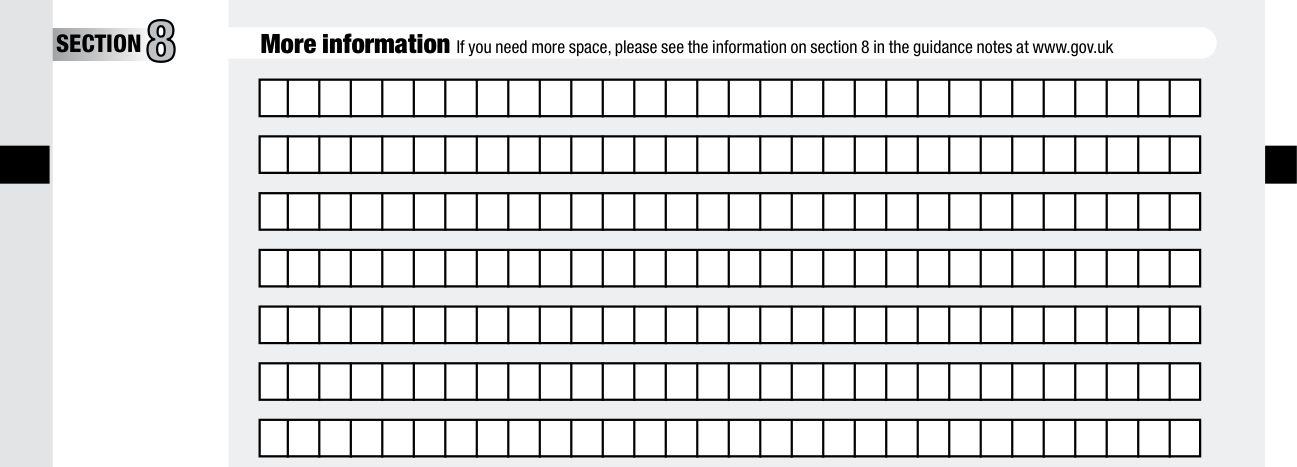
If you need more space, please see the information on section 8 in the guidance notes at www.gov.uk.
Signing section 9
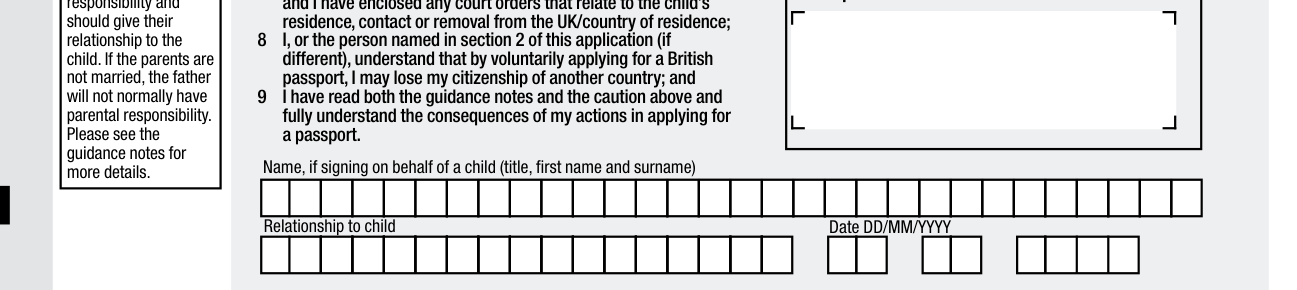
If a parent or guardian is signing section 9, they must have parental responsibility and should give their relationship to the child.
If the parents are not married, the father will not normally have parental responsibility.
If the application is for a child, I have parental responsibility and I have enclosed any court orders that relate to the child's residence, contact or removal from the UK/country of residence.
Write the Name, if signing on behalf of a child (title, first name and surname).
You must sign in the centre of the signature box and keep within the borders. The date must be added in the date box.
Before signing, please read the guidance booklet. Applications are only valid if you sign the white signature box using black biro and keep within these marks.
Countersignatory
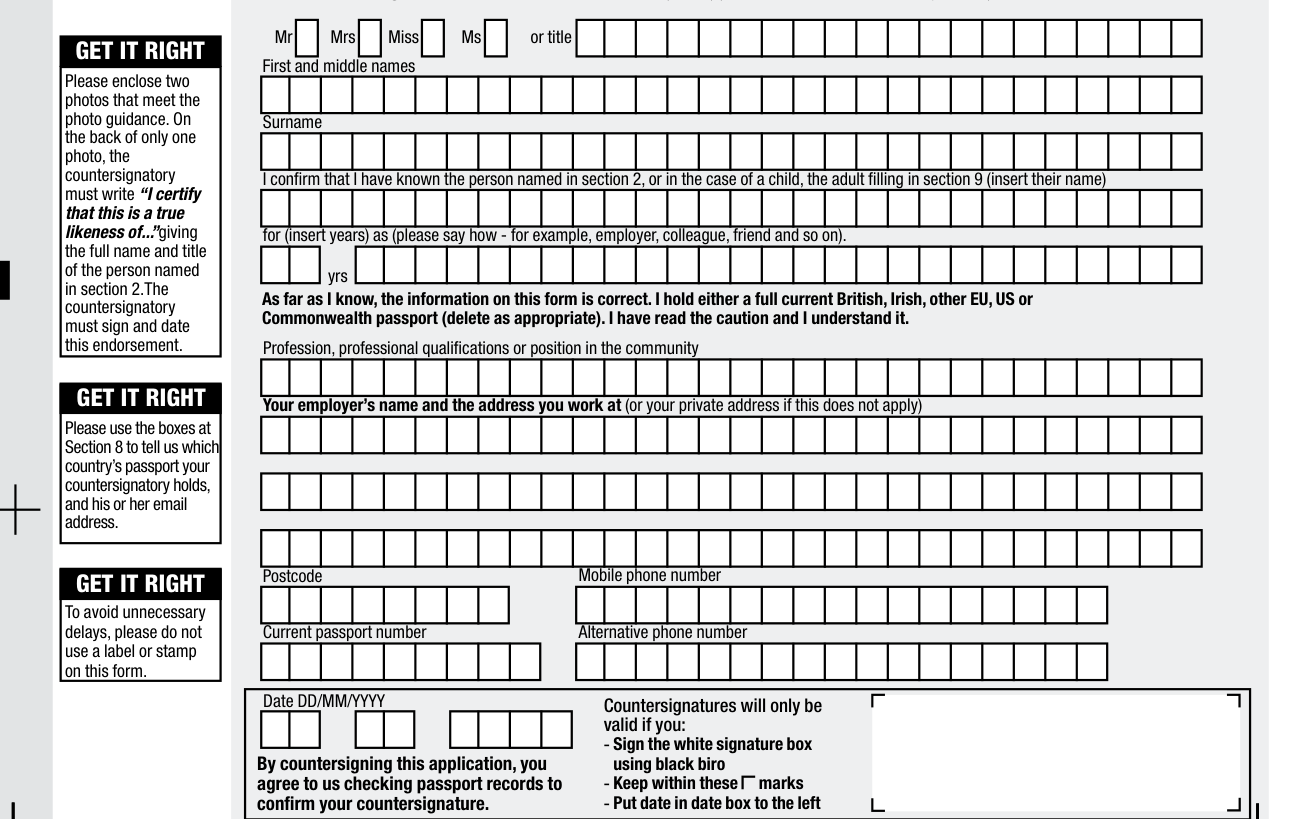
If a countersignature is needed, they must fill in this section after the rest of the form has been filled in. Check the form properly before you fill in this section.
You should not sign this form if you are a relative of the person applying. If the application is for a child, you are confirming the identity of the adult signing in section 9. You must also be able to identify the child in order to certify the photograph.
Fill in the following in CAPITAL LETTERS and black biro.
Please enclose two photos that meet the photo guidance. On the back of only one photo, the countersignatory must write “I certify that this is a true likeness of...” giving the full name and title of the person named in section 2. The countersignatory must sign and date this endorsement.
I hold either a full current British, Irish, other EU, U.S. or Commonwealth passport (delete as appropriate).
Countersignatures will only be valid if you sign the white signature box using black biro, keep within these marks and put date in date box to the left.
More rules for Form OS/01
USE BLACK BIRO ONLY.
Section 7: This area is intentionally blank, please do not write in this area.
It is a criminal offence to make a false statement to get a passport.
Common questions about Form OS/01
Is there a penalty?
If you have made a false statement on this form, you could be prosecuted and could go to prison.
When is this form not the right one?
This form is only for British applicants from certain countries applying from outside the UK. Check www.gov.uk/overseas-passports for specific advice about how to renew or apply for your passport from the country you are in.
Sources
[1] Form OS/01, Online Overseas Passport Application Form, His Majesty's Passport Office (the Official source link on this page).
