
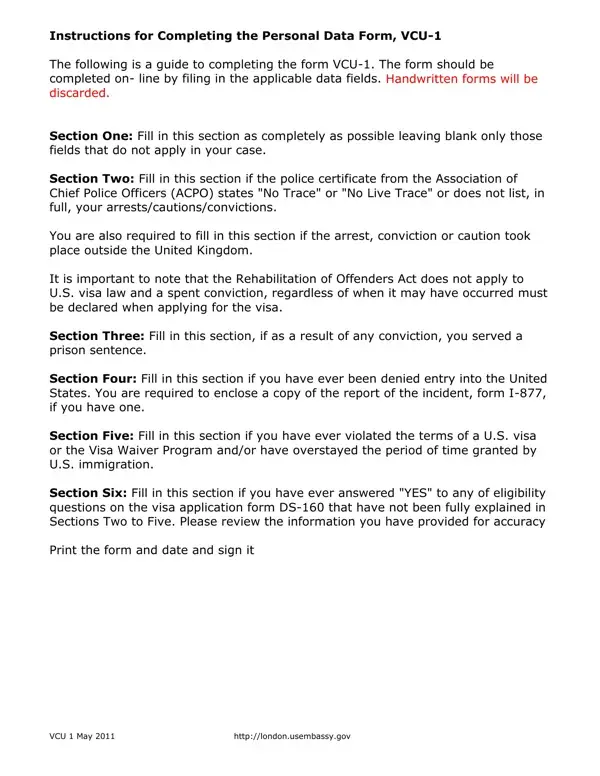
The VCU-1 Personal Data Form plays a crucial role for individuals engaging with the U.S. visa application process, acting as a comprehensive tool to gather personal data in a structured and detailed manner. Designed to be completed online, this form ensures efficiency and accuracy by discouraging handwritten submissions, which are rejected. It is divided into several sections to capture a wide array of information critical for assessing an applicant’s eligibility and background concerning U.S. visa requirements. The form meticulously requires applicants to disclose any past arrests, cautions, convictions, or encounters with law enforcement, regardless of their geographic location or whether these incidents have been expunged under the Rehabilitation of Offenders Act. This detail underscores the stringent criteria applied by U.S. visa law, which differs from domestic UK regulations. Additionally, it probes into instances of prior denial of entry into the United States, violations of visa terms, or overstays, demanding accurate historical data to evaluate the applicant's compliance with immigration guidelines. The form culminates in a section dedicated to clarifying any potentially disqualifying factors previously indicated, ensuring applicants provide a full disclosure. By signing the VCU-1, applicants affirm the truthfulness and accuracy of the information provided, underscoring the form's role in maintaining the integrity of the U.S. visa application process.
| Question | Answer |
|---|---|
| Form Name | Vcu 1 Form |
| Form Length | 3 pages |
| Fillable? | No |
| Fillable fields | 0 |
| Avg. time to fill out | 45 sec |
| Other names | completing form vcu1, vcu 01, vcu01 form 6, data form vcu 1 |
Vcu 1 Form isn’t the one you’re looking for?