
Virginia Form St 10B PDF Details

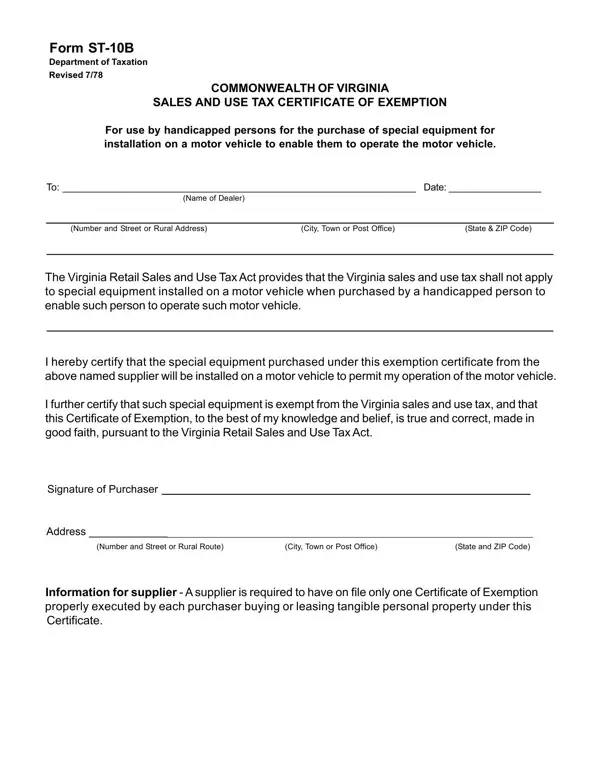
In the realm of tax exemptions, certain forms align closely with specific beneficiary categories, serving as a crucial bridge between legislative intentions and actionable benefits for eligible individuals. The Virginia ST-10B form embodies such a bridge in the Commonwealth of Virginia, offering a noteworthy exemption under the Virginia Retail Sales and Use Tax Act specifically tailored for handicapped persons. This document facilitates the purchase of special equipment to be installed on motor vehicles, enabling handicapped individuals to operate these vehicles more effectively. The form itself constitutes a declaration to vendors, elucidated by both the purchaser’s certification that the equipment is necessary for their motor vehicle operation and an affirmation that such equipment is exempt from the state's sales and use tax. Furthermore, it underpins the legal framework ensuring that the tax relief is appropriately applied, mandating that purchasers provide truthful and good faith attestations in line with the law. The requirement for suppliers to retain the Certificate of Exemption indicates a regulatory mechanism for compliance and verification, underscoring the form’s role in the broader tax exemption governance structure. This detailed approach not only facilitates the financial and functional empowerment of handicapped individuals within Virginia but also delineates the responsibilities and procedural steps for both purchasers and suppliers, ensuring transparency and adherence to the stipulations of the Virginia Retail Sales and Use Tax Act.

QuestionAnswer
Form NameVirginia Form St 10B
Form Length1 pages
Fillable?No
Fillable fields0
Avg. time to fill out15 sec
Other namesvirginia st 10 fill in form, leasing, EXEMPTION, Revised

How to Edit Virginia Form St 10B Online for Free

With the online editor for PDFs by FormsPal, you're able to complete or modify Taxation right here. The tool is continually upgraded by our staff, getting useful features and turning out to be more convenient. If you're looking to get started, here is what it's going to take:

Step 1: Click the "Get Form" button at the top of this page to get into our PDF tool.

Step 2: With our state-of-the-art PDF editor, it is possible to accomplish more than merely fill out blanks. Try all of the features and make your documents appear sublime with customized textual content added in, or optimize the original content to excellence - all that comes along with the capability to incorporate just about any graphics and sign it off.

This PDF form will need specific information; to guarantee accuracy, please take heed of the suggestions further on:

1. Fill out your Taxation with a selection of necessary blanks. Gather all of the necessary information and make certain absolutely nothing is overlooked!

Find out how to complete pursuant portion 1

2. Just after this array of blank fields is done, proceed to type in the applicable information in these: Address, Number and Street or Rural Route, State and ZIP Code, and Information for supplier A.

Number and Street or Rural Route, Information for supplier  A, and Address in pursuant

A lot of people often make some errors when completing Number and Street or Rural Route in this part. Remember to reread whatever you type in right here.

Step 3: Before obtaining the next stage, make certain that blanks are filled in right. As soon as you believe it's all fine, click on “Done." Join FormsPal right now and easily access Taxation, prepared for download. Every edit made is handily saved , which enables you to customize the file at a later point when required. We don't share the details that you use when dealing with documents at our website.