The Vermont general financial power of attorney form is a legal document in which one person, the principal, names another person, the agent, to manage their financial affairs. This authority can include handling banking transactions, managing real estate, dealing with government benefits, entering into contracts, and handling other financial matters. You can build the form online in a few minutes or download the PDF and fill it in yourself.
Create a high-quality Vermont General Financial Power of Attorney Form now!
Build Your Document
Answer a few simple questions to make your document in minutes
Save and Print
Save progress and finish on any device, download and print anytime
Sign and Use
Your valid, lawyer-approved document is ready
... or download your Vermont General Financial Power of Attorney Form as a PDF file
What Is the Vermont General Financial Power of Attorney Form?
The laws governing a General Power of Attorney are detailed in the Vermont Statutes Annotated, Title 14, Chapter 127. It enables a principal to grant comprehensive powers to an agent, allowing the agent to perform nearly any act the principal could do themselves. These powers, as outlined in Sections 4034 to 4046, include managing:
This POA form is generally broad, giving the agent extensive powers to act on the principal’s behalf. Importantly, a general power of attorney in Vermont terminates when the person granting the power becomes incapacitated. Check out all Vermont POA forms to get a durable power of attorney that will be effective in such cases.
How to Fill Out the Vermont General Financial Power of Attorney
Completing the Vermont general financial power of attorney form involves a series of precise steps to ensure the document is legally valid and reflects your intentions. Have your own details and your agent's name and address ready before you start. The ten steps below follow the template page by page.
The screenshots under each step show the FormsPal Vermont Vermont General Financial Power of Attorney template filled with sample entries in blue, so you can see where each answer goes. The names, addresses, dates and amounts are examples only.
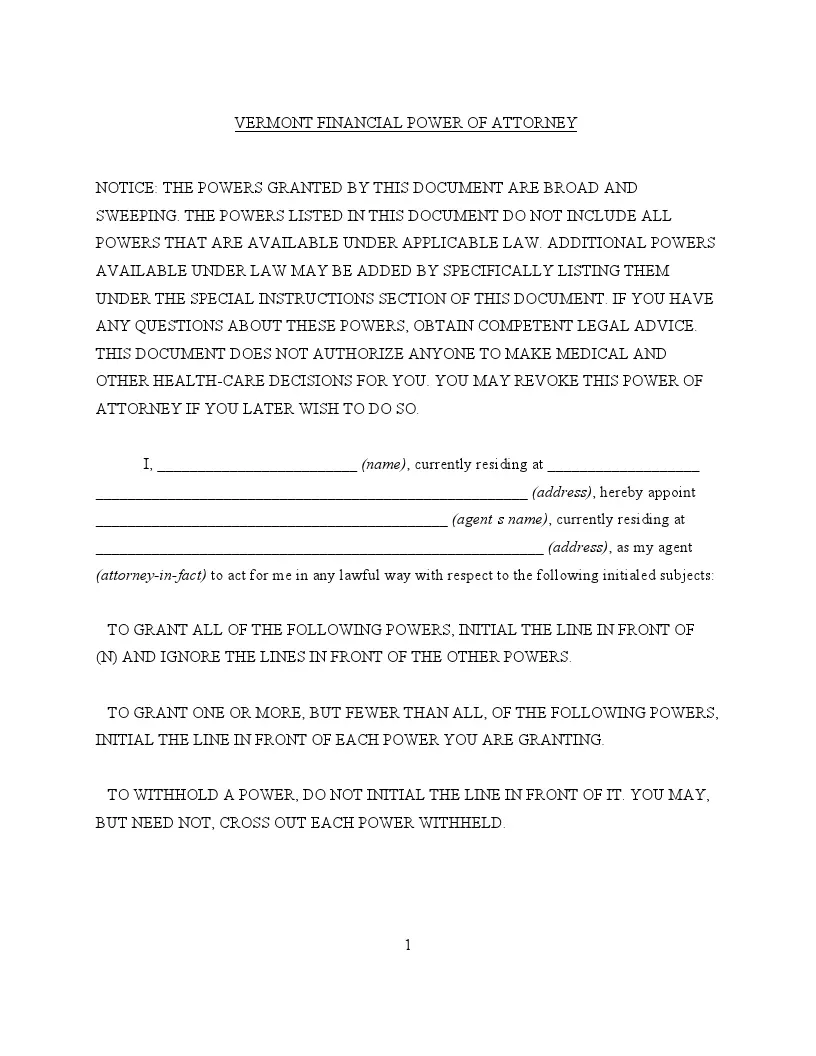
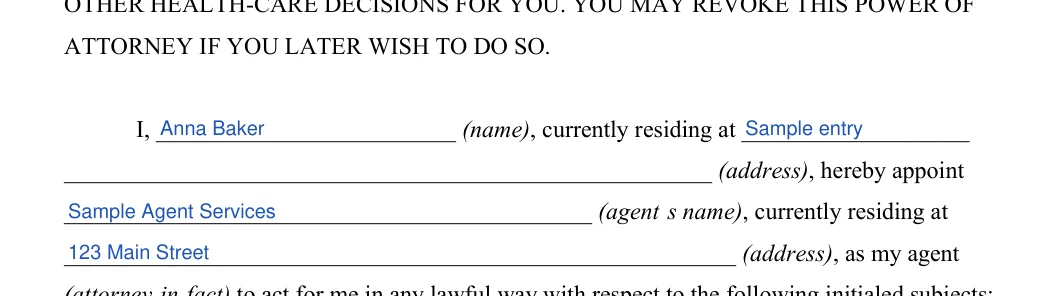
Principal and agent names and addresses. On page 1, enter your name and address in the appointment paragraph, then your agent's name and address. Step 1: sample entries, not a real document.
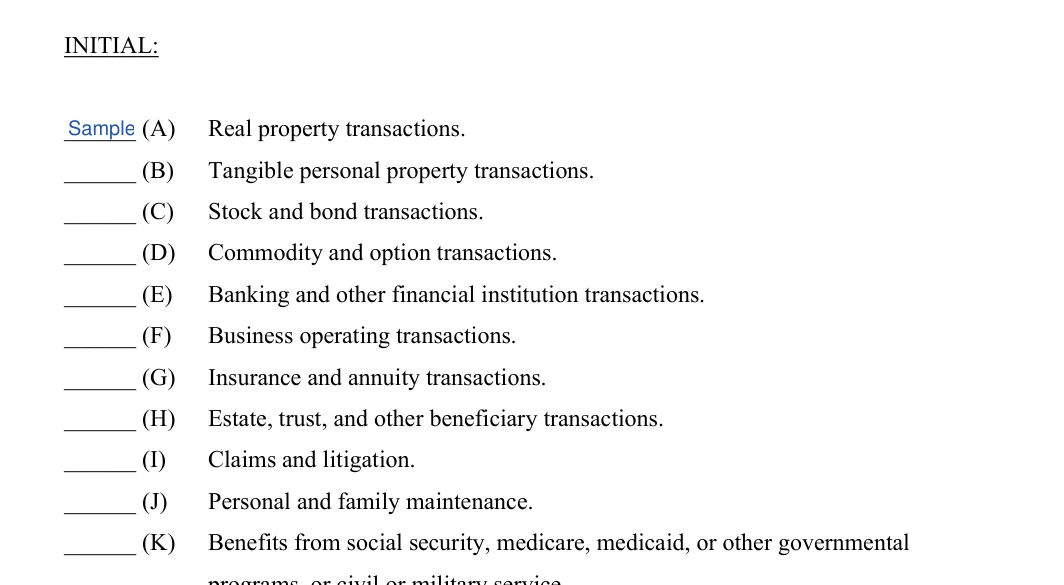
Initial the powers (A) through (K). On page 2, go through the list from (A) Real property transactions to (K) Benefits from social security, medicare, medicaid, or other governmental programs. You must initial next to each specific authority you wish to grant. Leave a line blank to withhold a power. Step 2: sample entries, not a real document.
Initial (L), (M) and (N) and read the Special Instructions. Still on page 2, initial (L) Retirement plan transactions and (M) Tax matters if you want to grant them. To grant every power in the list, initial only (N) ALL OF THE POWERS LISTED ABOVE. The SPECIAL INSTRUCTIONS that follow on pages 2 and 3 are printed text with no blanks, so read them through before you sign. Step 3: sample entries, not a real document.
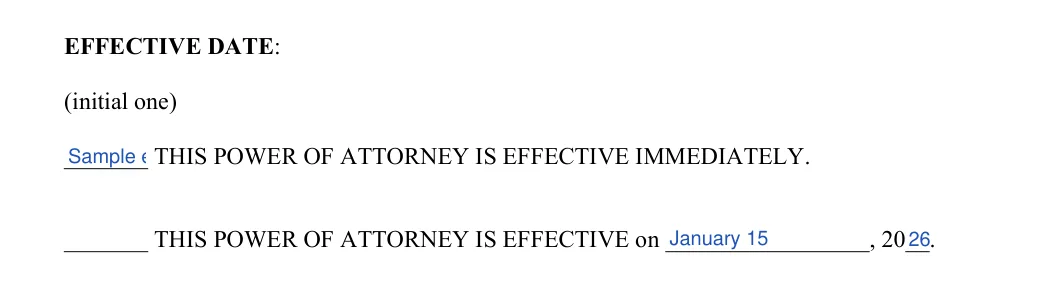
Effective date. On page 3, initial one line under EFFECTIVE DATE: effective immediately, or effective on a date. If you choose the date line, fill in the date and year. Step 4: sample entries, not a real document.
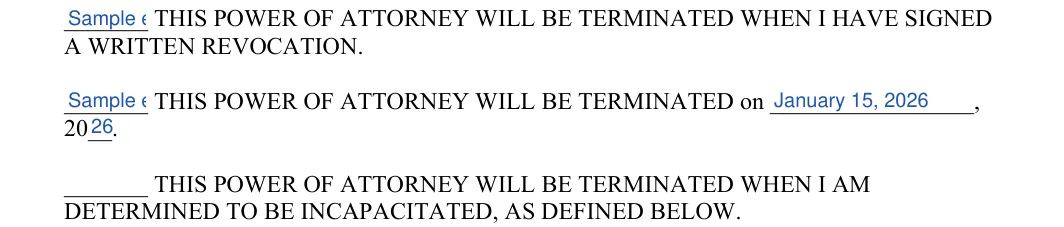
Termination date: written revocation. Under TERMINATION DATE, initial one of the three lines. Initial the first line if the power of attorney should end when you have signed a written revocation. Step 5: sample entries, not a real document.
Termination date: a set date or incapacity. Initial the second line and fill in the date and year to end the power of attorney on a set date. Initial the third line to end it when you are determined to be incapacitated, as the paragraph that follows on pages 3 and 4 defines that term. Step 6: sample entries, not a real document.
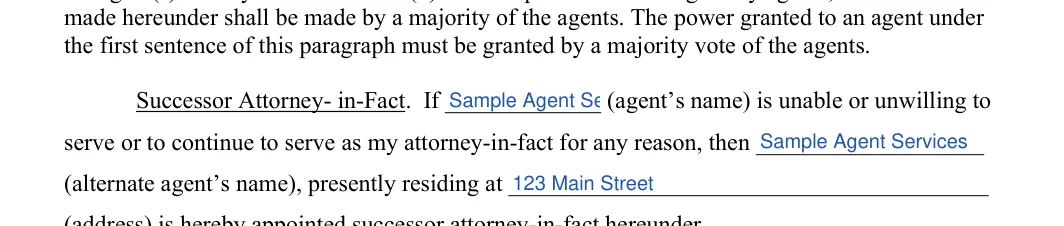
Agent and successor attorney-in-fact. On page 4, enter your agent's name, then the alternate agent's name and address in the Successor Attorney-in-Fact sentence. Step 7: sample entries, not a real document.
Date, sign and print your name. On the Signed this line, fill in the day, month and year. Then sign above the signature line and print your name on the printed name line. Read the signing steps below before you add your signature. Step 8: sample entries, not a real document.
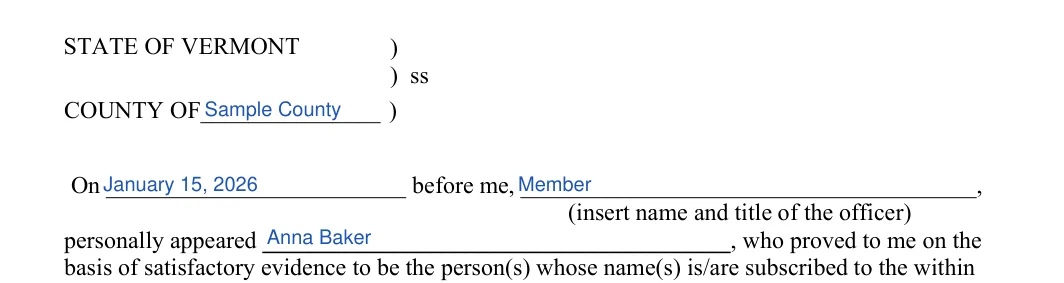
Acknowledgment: county, date and officer. On page 5, enter the county, the date, the name and title of the officer and your name as the person who appeared. Step 9: sample entries, not a real document.
Officer's signature and seal. The notary or other officer signs on the Signature line and adds the seal. Check that every line on the page is complete. Step 10: sample entries, not a real document.
Fill in a printed copy in pencil first. Once every line looks right, complete the final copy in ink.
How to Sign and Use the Vermont General Financial Power of Attorney
To execute a general power of attorney, the document must be signed by the principal or another at the principal’s direction and in their presence. This signature must be acknowledged before a notary public or another authorized official to be considered valid (14 V.S.A. § 4005).
Sign the form. The form must be signed in the presence of a notary or another individual authorized by law to take acknowledgments.
Have your signature acknowledged. Your signature must be acknowledged to ensure it is genuine, which is crucial for the form’s legality.
Make copies. Once all sections are completed and the form is signed and notarized, make copies for your records and your agent.
Store the original. Keep the signed original in a safe place and tell your agent where to find it.
Create a high-quality Vermont General Financial Power of Attorney Form now!
Frequently Asked Questions
What does this template let me do?
It is a template that lets you name an agent to manage your finances, such as banking, real estate and government benefits. The FormsPal template has 41 fillable fields and comes as a PDF you can fill in online.
What do I need before I start filling it out?
Have your full name and address and your agent's name and address ready. If you want an alternate agent, have that person's name and address too. Decide which powers you want to grant before you start initialing.
Can I fill out the form online?
Yes. Select Create My Document to answer a few questions and build the form online. You can also download the PDF file and complete it with the PDF editor.
What should I do with the form after it is signed?
Make copies for your records and for your agent. Keep the signed original in a safe place and tell your agent where to find it.
General information, not legal or tax advice.
Mara Erlach
Writer & Attorney
Mara has been practicing estate planning and trust law in California since 2003, taking pride in helping clients of all backgrounds and asset profiles form a complete and customized estate plan. Her specialties are: estate planning, wills and trusts, trust and probate administration.