
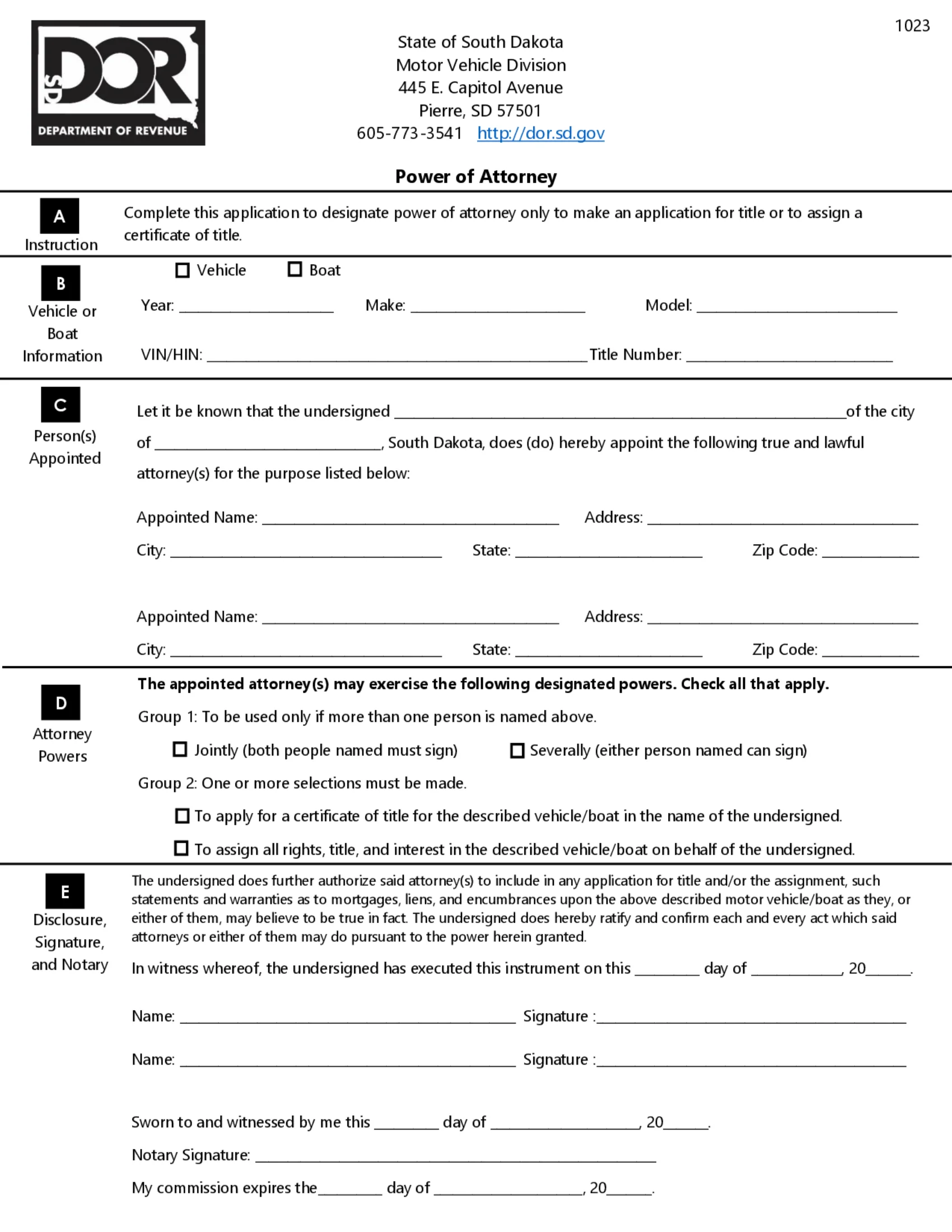
The South Dakota vehicle power of attorney is a legal document allowing you to appoint someone else to handle specific matters related to your car or boat. This could include registering the vehicle, transferring the title, or completing other necessary tasks at the Motor Vehicle Division. In South Dakota, the Department of Revenue (DOR) publishes MVD Form 1023, Power of Attorney, which designates power of attorney only to make an application for title or to assign a certificate of title.[1] This page hands out that form as its PDF.
Last Updated: October 2026. This guide is reviewed and updated regularly to reflect current law. If you notice an error or outdated information, please contact us.
Build Your Document
Answer a few simple questions to make your document in minutes
Save and Print
Save progress and finish on any device, download and print anytime
Sign and Use
Your valid, lawyer-approved document is ready
A motor vehicle power of attorney lets you name an agent to act for you on one specific vehicle. The PDF this page hands out is MVD Form 1023, a one-page printable form from the South Dakota Department of Revenue.[1] The FormsPal template from Create My Document is a separate document that you can fill in online, print and sign.
| Document Name | South Dakota Motor Vehicle Power of Attorney Form |
| State Form Name | MVD Form 1023, Power of Attorney |
| Relevant Link | South Dakota Department of Revenue – Motor Vehicle |
| Avg. Time to Fill Out | 15 minutes |
| # of Fillable Fields | 0 |
| Available Formats | Adobe PDF |
A few items on your desk make the form quicker to complete. Most of the blanks ask for details that appear on the vehicle or boat title, so having it beside you saves repeated trips to the glovebox. Collect these items first:
The steps below follow MVD Form 1023, the official form this page hands out, section by section. Section A only states the form’s purpose: it designates power of attorney only to make an application for title or to assign a certificate of title.[1] The form has no fillable fields, so print it and fill in the blanks by hand, or add typed text with the PDF editor before you print it.
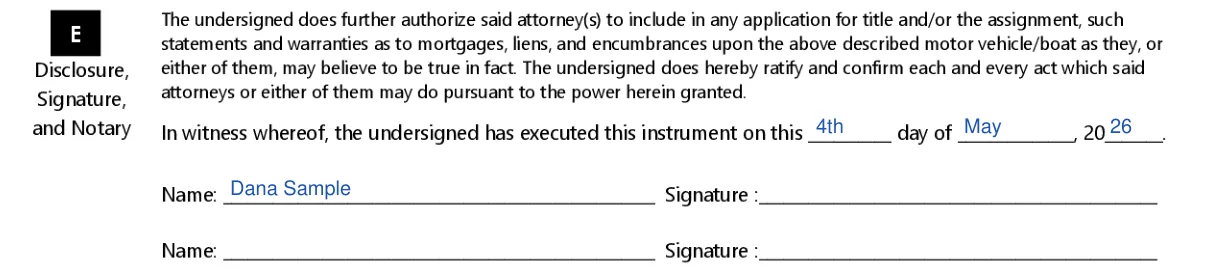
The screenshots under each step show MVD Form 1023, the official South Dakota form, filled with sample entries in blue, so you can see where each answer goes. The names, dates and vehicle details are examples only.



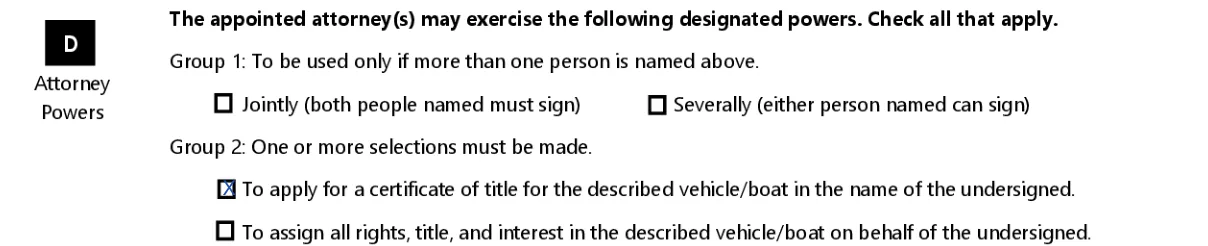

Powers are the personal tasks you let your agent manage on your behalf. A vehicle is property, so typical examples include applying for a title and transferring ownership. Section D of Form 1023 lists them as boxes to check, and these are the options it offers.[1]
Choosing the correct option here is vital as it defines the scope of authority granted to the agent.
Once the form is filled in, print it and work through the signing steps in order. Read each step through before you sign, so nothing gets missed. Take your time with this part, since the printed pages are the ones that get handed around, and a calm pass now is quicker than correcting pages later.
Completing the South Dakota motor vehicle power of attorney using Form 1023 is essential for delegating authority to handle vehicle-related transactions, such as applying for or assigning a title.[1] The principal can revoke the power of attorney granted by Form 1023 unless the agent's power is coupled with an interest in the subject of the agency. A revocation ends the agent's authority as to everyone who has notice of it.[3]
The revocation must be in writing and, like the power of attorney itself, properly notarized and submitted to the relevant authorities. In South Dakota, all power of attorney forms must be signed by the principal and notarized, as mandated by SDCL 59-12-4. This ensures the signature’s authenticity and the principal’s consent.
On our site, you can find specific South Dakota POA forms that cater to different needs and ensure your wishes are followed accurately.
These short answers cover the practical questions that come up most often when people complete the form. They describe how the form works and how to handle it, so you can finish the paperwork with fewer interruptions.
MVD Form 1023 has no fillable fields. You can add typed text with a PDF editor and save the file before you print it, or print it first and write in the blanks by hand. You can also fill in the FormsPal template online with Create My Document.
The VIN is printed on the vehicle title and the registration. Copying it from there keeps every character exactly as issued.
Download a fresh copy of the form and fill it in again. A clean printout is easier for everyone to read.
Yes. Save the filled-in file on your computer and keep the signed form in one folder with your title papers.
General information, not legal or tax advice.
