
A bicycle bill of sale is a receipt that records the sale of a bike between a buyer and a seller. It is a legal document that binds both parties through signatures and acknowledgment of liability as per the purchase agreement. The bill of sale form provides details about the bicycle, the purchase price, names of the seller, buyer, and witnesses, and other relevant information. Download the free template below or fill it in online before you hand over the bike.
Last Updated: October 2026. This guide is reviewed and updated regularly. If you notice an error or outdated information, please contact us.
Although you may sell your bicycle without a bill of sale form, it is more secure to use one due to many reasons. Apart from the record-keeping, it shows the real owner of the bicycle. It can be used to prove the bicycle is yours in case it is stolen. A properly completed and signed bicycle bill of sale offers transparency and accountability for both the seller and the buyer.
This form offers convenience in carrying out a quick “as-is” (no warranties) bike sale without complications.
| Document Name | Bicycle Bill of Sale Form |
| Other Name | Bike Bill of Sale |
| Avg. Time to Fill Out | 10 minutes |
| # of Fillable Fields | 56 |
| Available Formats | Adobe PDF, Microsoft Word |
If you want to make this document yourself, you can do a bit of research and write one based on the samples of these bill of sale forms. But if you don’t want to waste time, you can download a free template here or use our step-by-step builder for a personalized experience.
Select a suitable format that works well for you, whether you want a Microsoft Word document or a PDF.
With the FormsPal template, you can:
Selling a bike takes four steps. Describe the bicycle, set a price, put it up for sale, and then record the sale in a bill of sale. Follow the guide below to see how each step works.
Step 1. Describe the Bicycle

The first step is to describe your bicycle in detail. The make, model, color, year of manufacture, tire size, serial number, and other specifics make up the basic set of features that you should indicate in the document. Ensure the bike is in good state with no faulty parts. Buyers are more likely to buy a bicycle that does not require any repairs after the sale. Clean it up and start marketing it.
Step 2. Set the Price

Before you start advertising the sale, ensure that you set a reasonable selling price. Do not overstate the cost because you might chase away potential buyers. Do extensive research and set an adequate price that will favor both parties.
Step 3. Put Your Bicycle Up for Sale

There are websites that can assist you to evaluate and sell your bicycle. Sites such as BikeExchange and BicycleBlueBook can assist you in evaluating the bike and making a quick sale.
When you are approached by a serious buyer, set up a meeting to discuss the sale’s details, including the inspection date.
Step 4. Finalize the Bicycle Bill of Sale

Once you agree with the buyer on the final price, fill out the bicycle bill of sale template. It is simple and will take just a few minutes. Here are the details that can typically be found in such a document:
After finalizing the deal, both parties receive copies (each signed by hand) of the bill of sale form upon the completion of payment as per the agreement by the buyer.
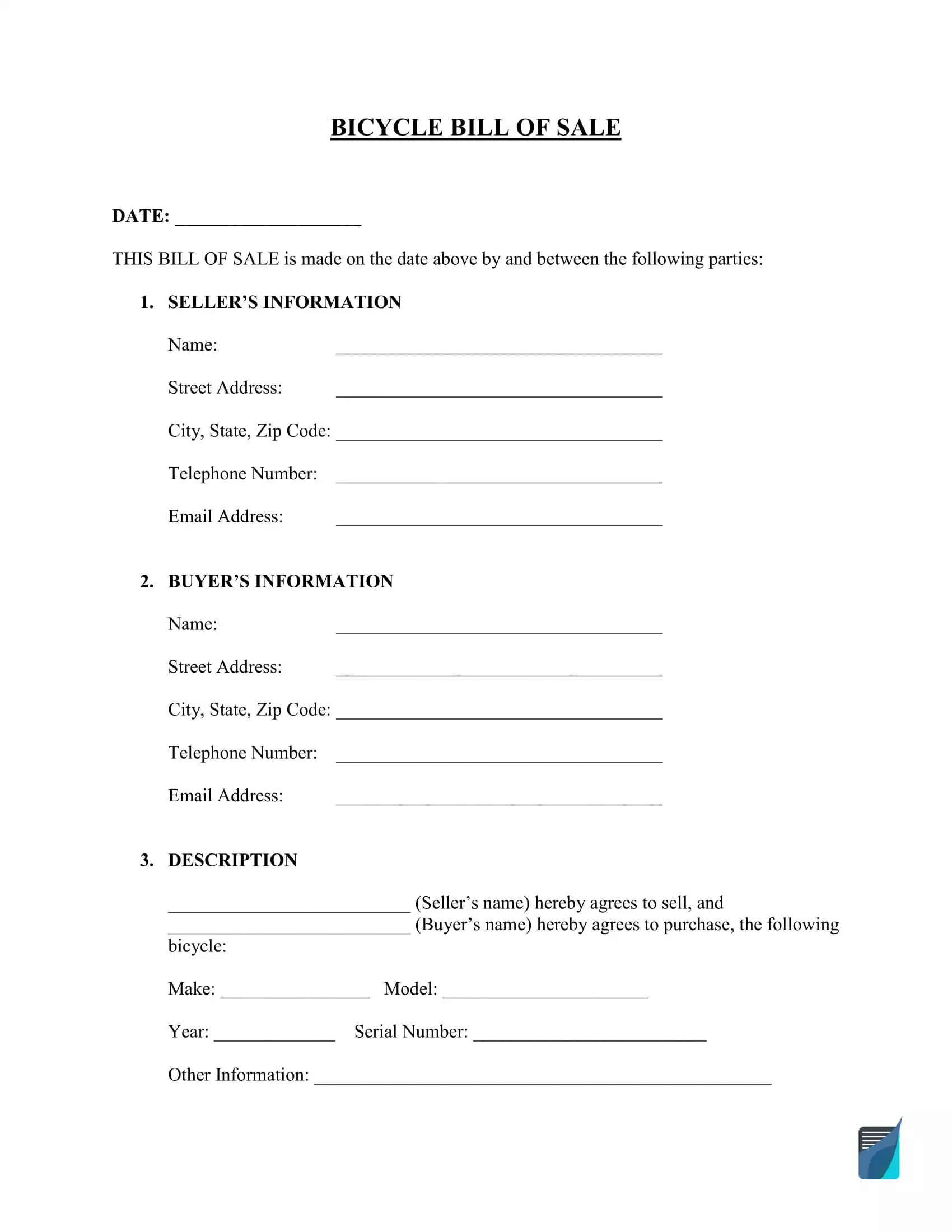
The steps below follow the FormsPal bicycle bill of sale template, so you can check each part of your form against the screenshots. The form has four pages, and each step tells you where to look.
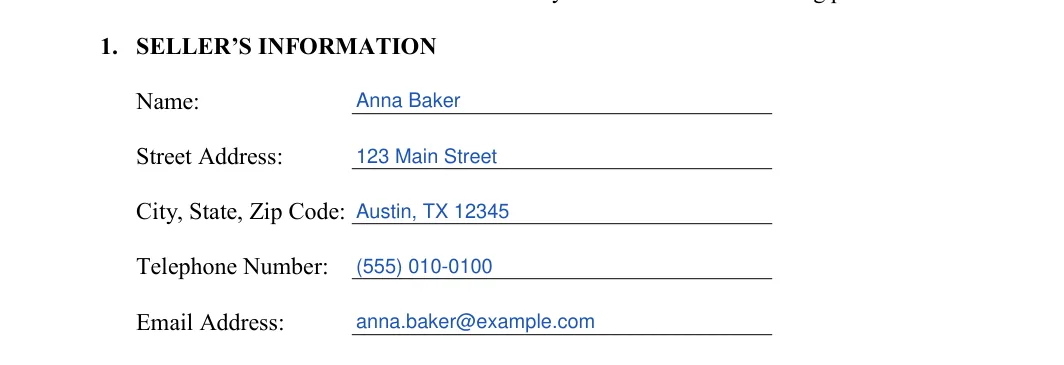
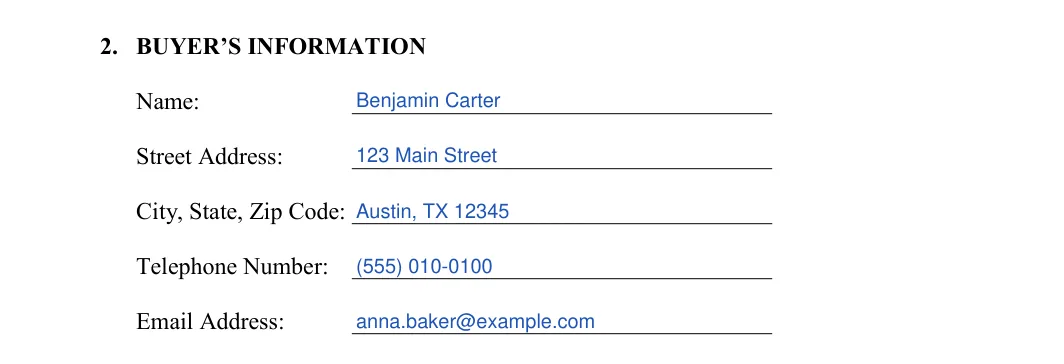
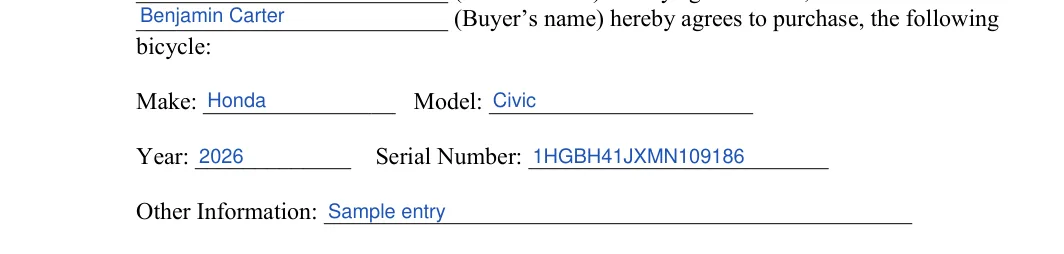
The screenshots under each step show the FormsPal Bicycle Bill of Sale template filled with sample entries in blue, so you can see where each answer goes. The names, addresses, dates and amounts are examples only.
Step 1: Date
Enter the date of the bill of sale on the DATE line at the top of page 1.


Step 2: 1. Seller’s information
Enter the seller’s particulars in section 1 of page 1:

Step 3: 2. Buyer’s information
Write the buyer’s name, street address, city, state and zip code. Then add a phone number and an email address.
Step 4: 3. Description: the parties
Write the seller’s name and the buyer’s name again on the two lines of the sentence that opens Section 3.

Step 5: 3. Description: the bike
Enter the make, model, year and serial number of the bike. Use the Other Information line for anything else that helps identify it, such as the color or the tire size.

Step 6: 4. Purchase date, price and payment plan
On page 2, enter the purchase date and the total price in U.S. dollars. Then initial one option: the full amount paid at once, or a deposit with the balance paid later. For a deposit, add the deposit amount, its date and the date the balance is paid in full.

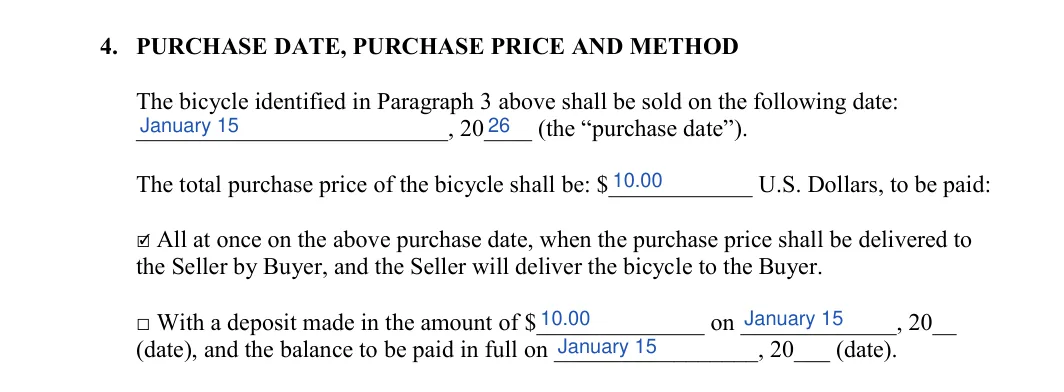
Step 7: 4. Payment type
Initial one payment type: Cash, Check, Cashier’s check or Money Order. If you choose Check, write the check number on the line beside it.

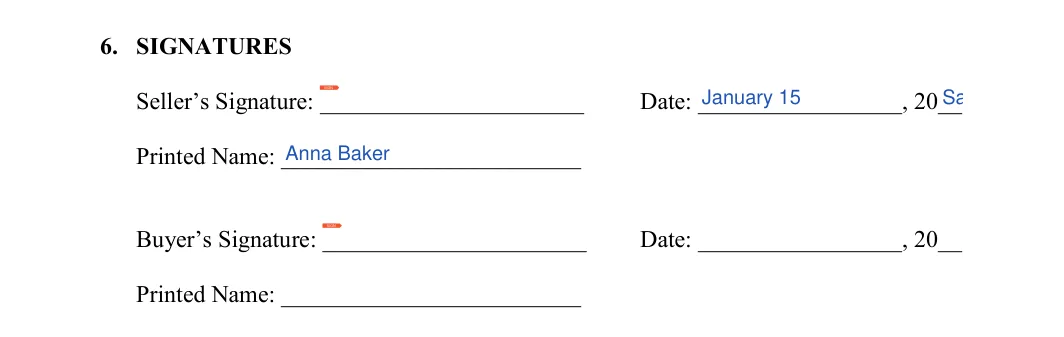
Step 8: 6. Signatures
In the Signatures section on page 2, the seller and the buyer each sign, date and print their name.
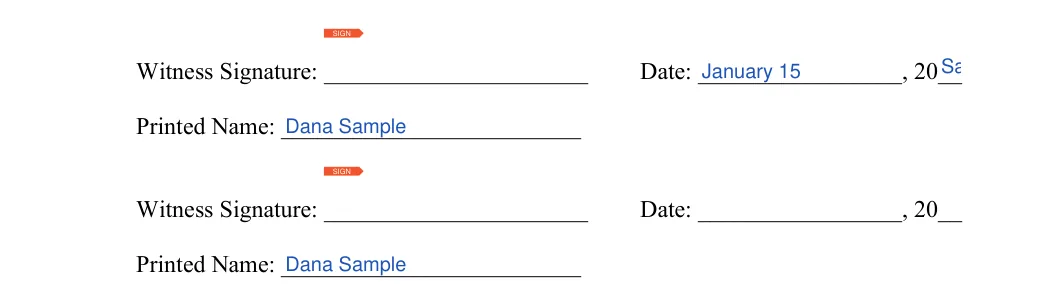
Step 9: Witness lines
On page 3, each witness signs, dates and prints a name on one of the two lines.
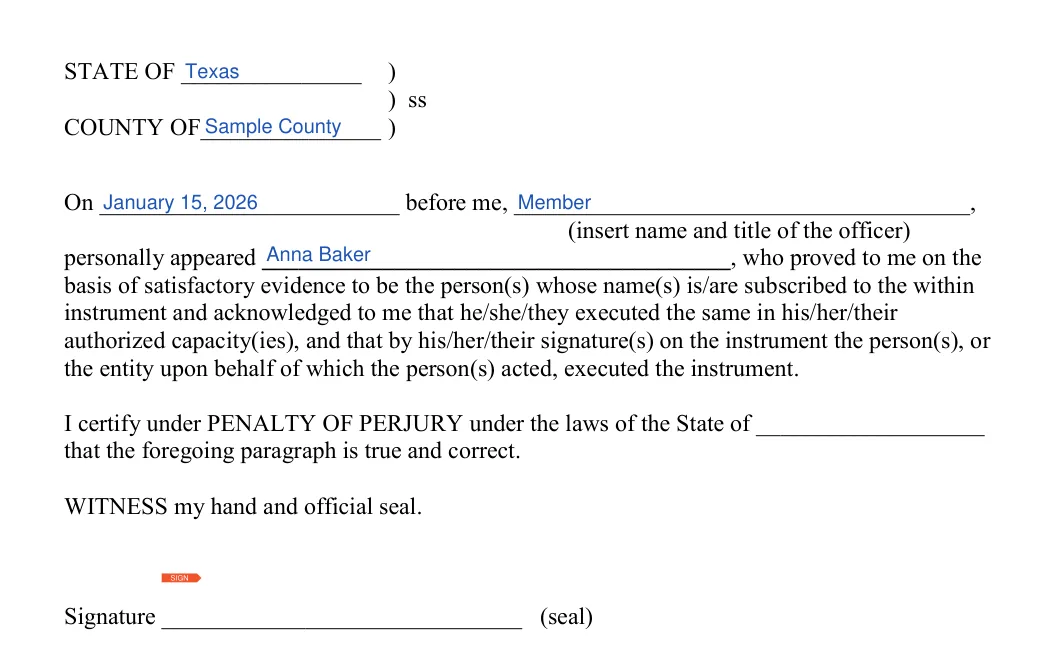
Step 10: Acknowledgment
If you add the acknowledgment on page 4, sign it in front of the notary or other officer. They fill in the state, county, date and their own details, then add the seal.
Once every line is filled in, the last steps are to read the printed terms together, sign the form and decide whether to add a notary. Keep a signed copy of the finished bill of sale for your records.
Read the standard terms. Go through standard terms and ensure all parties are aware of them.
This part generally contains the “as-is” passage that indicates the bicycle is sold without any warranties.

Sign the form. Now, the bill of sale has to be signed.
The buyer is usually not requested to sign the form. But, it’s advised to get the bicycle bill of sale signed by each party. To play it safe, the parties can choose a person who will attest the transaction and sign the bill of sale as well.

Step 7: Have a notary public attest the form
Notarization is generally not needed, but it is a solid option to create another layer of legal safety to your deal.

Hand over the signed copy.
The original copy should be given to the buyer. There are two approaches here: you need to either prepare and sign a pair of identical documents or get a copy for the seller to keep.
It is a written record of a bike sale. It lists the buyer, the seller, the bike, the price and how the buyer paid, so both sides keep the same record of the sale.
Yes. Use the Create My Document button to build the form online. You can also download the template as a PDF or Word file and fill it in on your computer or by hand.
Add the make, model, year and serial number. Use the Other Information line for details such as:
The template lists cash, check, cashier’s check and money order. It also lets you choose between one payment and a deposit with the balance paid on a later date.
Choose the deposit option on page 2. Enter the deposit amount and its date, then add the date the balance is paid in full. Keep the payment receipts with the signed form, so both sides can show when each payment arrived.
Make a copy for each party and keep the signed form with your sales records. A scan of the signed form also works as a backup if the paper copy gets lost.
Yes. The Word file is editable, so you can add details that fit your sale.
General information, not legal or tax advice.
