
Updated:
An equipment bill of sale is written proof that machinery changed owners. It names the buyer and seller, the item's make, model and serial number, and the price. Sellers of skid steers, forklifts, tractors and mowers use it, especially in private sales.
This page gives you the form as a free PDF and Word template and as an online builder, a list of what to include, notes for each kind of machine and a walkthrough of every part of the form.
An equipment bill of sale is a signed document between a seller and a buyer that shows which machine was sold, for what price, on what date and how the buyer paid. It works as the buyer's proof of purchase and the seller's proof that the machine left their hands.
The form describes the equipment by make, model, year and serial number, so anyone who reads it can tell which machine changed owners. Both sides keep a signed copy. If a question comes up later about the price, the payment or the condition of the machine, that copy shows what the parties agreed.
The table below sums up the FormsPal equipment bill of sale, with its other names, the formats you can download and the kinds of equipment people sell with it.
| Document Name | Equipment Bill of Sale Form |
| Other Names | Farm Equipment Bill of Sale, Machinery Bill of Sale |
| # of Fillable Fields | 56 |
| Available Formats | Adobe PDF, Microsoft Word |
| Often used for | Kitchen equipment, complex machinery, musical instruments, outdoor equipment, staging equipment, storage solutions, fax machines, agriculture machinery, and power and office tools. |
The FormsPal equipment bill of sale template comes as a free PDF and as a Word (.docx) document, and the online builder fills in the same form from your answers. Pick the version that suits the way you work.
The online form builder lets you answer a few simple questions and customize the document further. FormsPal also offers other bill of sale forms for sales that are not equipment.
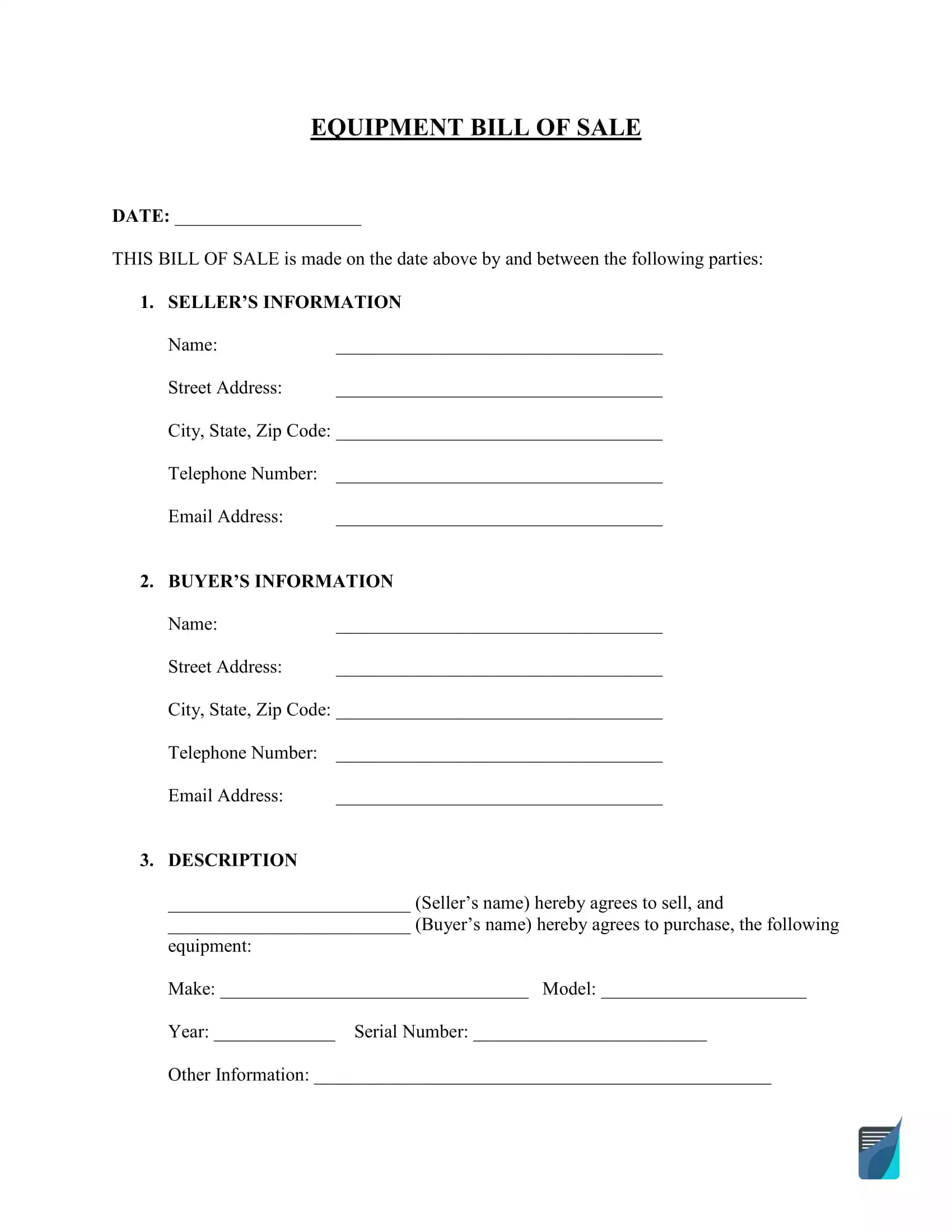
An equipment bill of sale includes the date, the names and contact details of both parties, a description of the machine, the price, the way the buyer pays and both signatures. The FormsPal form has a place for each of these:
The serial number does the most work in this list. It ties the paper to a single machine, so copy it from the maker's plate rather than from an old invoice.
A skid steer, forklift, excavator or tractor bill of sale is the same equipment form, and only the detail you add under Other Information changes from machine to machine. The sections below say what to add for each kind.
For a skid steer or an excavator, such as a Bobcat skid steer or a Caterpillar excavator, write the make, model, year and serial number from the machine's plate, then the reading on the hour meter.
List every attachment that comes with the sale, such as a bucket, forks, an auger or a hydraulic breaker. Note recent work the buyer will ask about, like new tracks, tires or hoses.
A bill of sale for a forklift, such as a Toyota forklift, names the make, model, year and serial number, plus the details a forklift buyer checks first: lift capacity, mast type, fuel type and hours of use.
For an electric forklift, say whether the battery and the charger are part of the sale. Copy the capacity from the data plate on the truck rather than from a listing.
A farm equipment bill of sale covers tractors, balers, mowers and other implements, such as a John Deere tractor, a Kubota mower or a New Holland baler, sold between farmers or from a farm to a private buyer.
When a tractor sells with implements, give each implement its own line under Other Information with its make, model and serial number. The printable PDF suits a sale made at the farm, where you fill in the form by hand and both parties sign on the spot.
A lawn mower bill of sale uses the same form for a push mower, a riding mower or a zero-turn mower, with the make, model and serial number from the label on the deck or the frame.
The free printable PDF fits a quick lawn mower sale. Add the engine model and any bagger, mulching kit or spare blades that come with the mower.
The equipment form also fits workshop tools, office machines and business gear, such as Lincoln welders, Honda generators, Ingersoll Rand compressors, a metal lathe, Dell computers, HP printers, restaurant kitchen gear and vending machines.
Use a different bill of sale when the item is a car, truck, trailer or boat, because FormsPal has a separate form for each of them with the lines those sales need.
When a skid steer and the trailer that carries it sell together, fill in the equipment form for the machine and the trailer form for the trailer.
Selling equipment goes smoothly when you prepare the machine, advertise it, agree on a price with a buyer and finish with a signed bill of sale that both sides keep.

Clean the equipment and fix small problems before you list it, because buyers lean toward machines that look well maintained or nearly new.
Gather the manuals, the service history and the receipts for recent repairs, so a buyer can see how the machine was kept.

Take clear photos of the equipment from every side and list it where buyers of that kind of machine look, with its make, model, year, hours of use and your contact details.

Buyers often try to bring the price down, so set your bottom-line price before the first call and leave some room in your asking price to make the deal attractive.
Compare similar listings for the same make, model and age, and note the hours of use. A buyer who sees the evidence behind your asking price tends to negotiate with less back and forth, and the sale closes sooner.

Complete the bill of sale once you and the buyer agree on the price and the payment, and give each side a signed copy to keep. The walkthrough below shows what goes in each part of the FormsPal form.
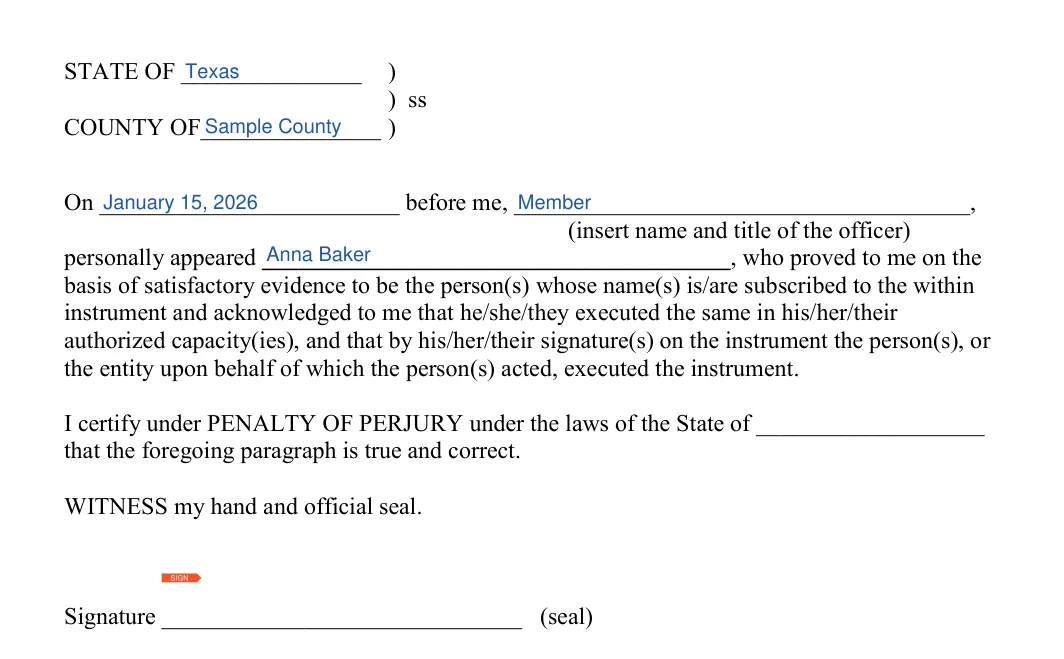
This walkthrough follows the FormsPal Equipment Bill of Sale template, from the date line at the top of page 1 to the acknowledgment block on page 4. Each step names the part of the form it covers. Fill in the parts in the same order, and use the sample screenshots to see where each answer goes.
The screenshots under each step show the FormsPal Equipment Bill of Sale template filled with sample entries in blue, so you can see where each answer goes. The names, addresses, dates and amounts are examples only.
Write the date the bill of sale is made on the DATE line at the top of page 1.


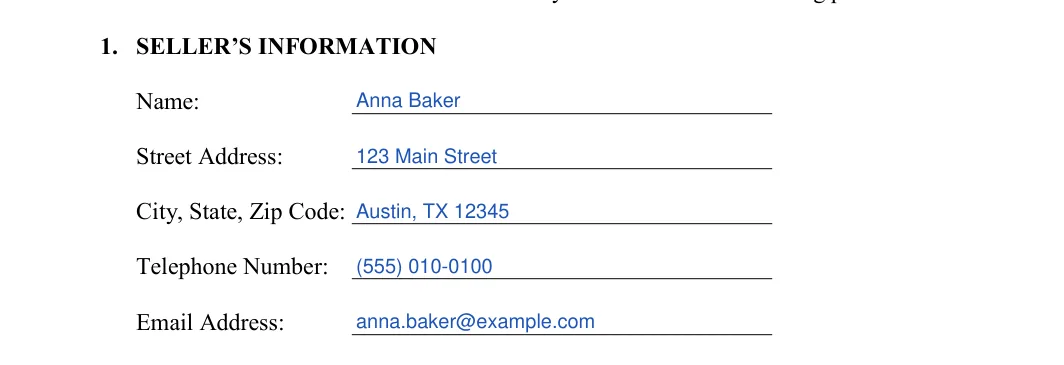
Enter the seller's contact details in the Seller's Information part, each item on its own line, spelled exactly as they appear on the seller's ID:

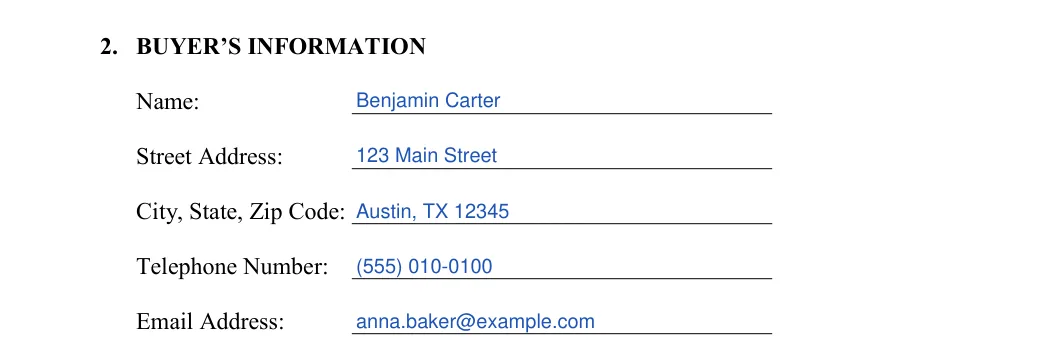
Enter the buyer's contact details in the Buyer's Information part, each item on its own line, spelled exactly as they appear on the buyer's ID:
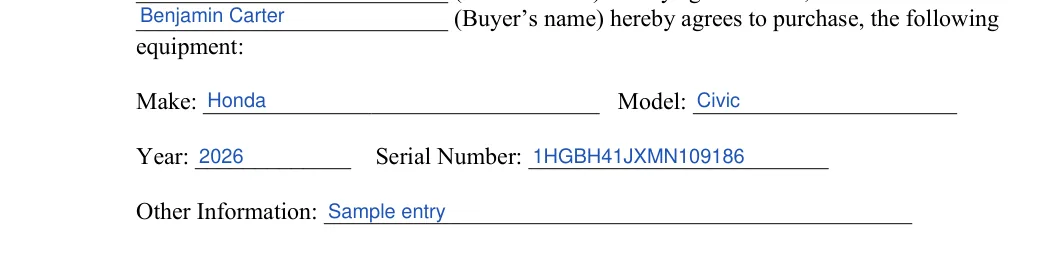
Write the seller’s name and the buyer’s name in the two blanks of the sentence that begins paragraph 3.

Fill in these lines, then add anything else that identifies the equipment under Other Information:
Under Other Information, name the attachments, the hours of use and the color, and say whether any taxes are included in the price.

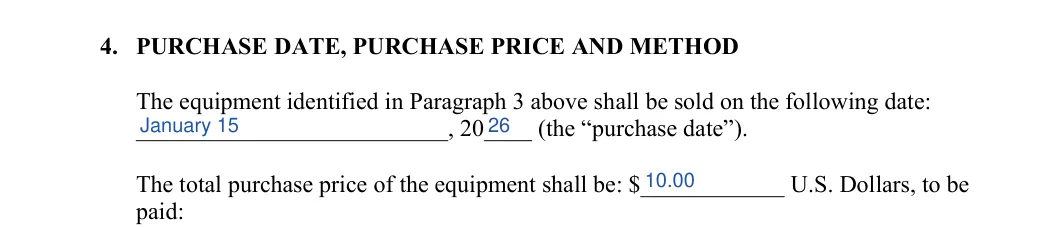
On page 2, write the sale date and year on the purchase date line, then the total purchase price in U.S. dollars.
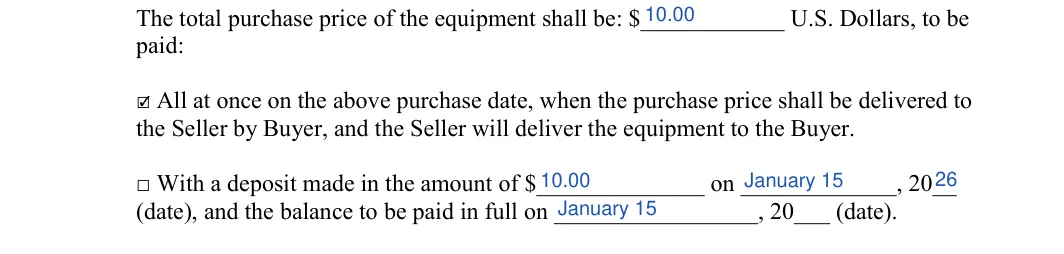
Tick the box for payment all at once on the purchase date, or the box for a deposit. For a deposit, enter the deposit amount and date, and the date the balance is paid in full.

Tick the box for the way the buyer pays the price, choosing among the payment types the form lists:
If you tick Check, write the check number in the space.

Read the standard terms together before anyone signs, so the seller and the buyer agree on what the bill of sale says about ownership, accuracy and the condition of the equipment.
In these terms the seller confirms owning the equipment and having the right to sell it, and confirms that the details on the form are accurate. The buyer accepts the equipment in "as-is" condition and takes responsibility for it once the sale is complete.
The as-is wording describes the deal the two parties agree to. Whether it removes implied warranties for a given sale depends on the warranty rules where the sale happens, which this page does not cover, so ask a lawyer if that matters to you.
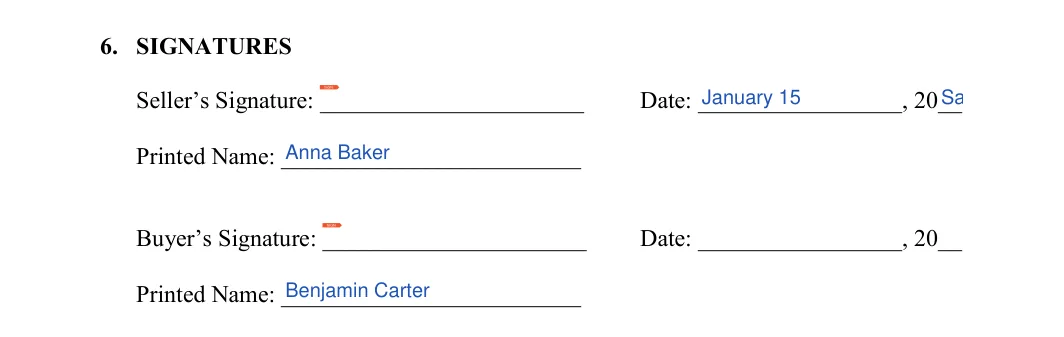
Then the seller and the buyer each sign, date and print their name on their own line.


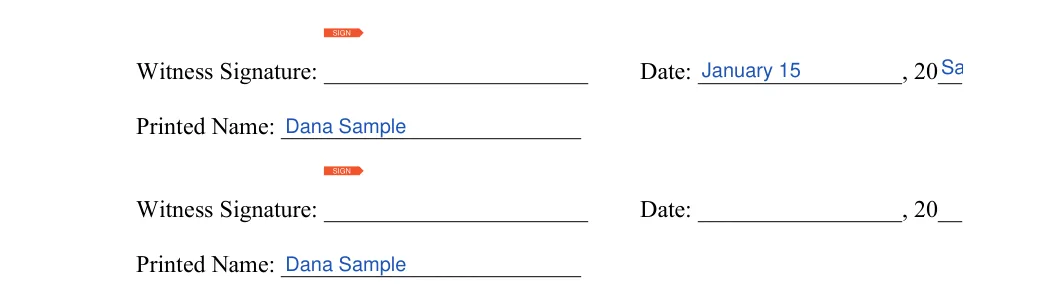
If you use witnesses, each witness signs on page 3, adds the date and prints their name. The form has room for two witnesses.
If you want the document notarized, take page 4 to the notary public or other officer. The state and county, the date, the officer’s name and title, the signer’s name and the officer’s signature and seal go on this page.

These answers cover what sellers and buyers of skid steers, forklifts, tractors and other machines ask most about the equipment bill of sale: where it works, how to pay and what to do after signing.
The FormsPal equipment bill of sale has no Georgia-only version, so a seller in Georgia fills in the same form with the Georgia addresses in the seller's and the buyer's lines.
When an owner in Georgia transfers a vehicle other than by creating a security interest, the owner signs an assignment and warranty of title on the certificate of title at the time of delivery of the vehicle and has it delivered to the buyer (O.C.G.A. § 40-3-32(a)).
The buyer then has 30 days from the date of the purchase or transfer to apply for a title at the buyer's County Tag Office (Ga. DOR MVD; Motor Vehicles Fees, Fines, and Penalties).
Georgia asks for a bill of sale if the vehicle is 1985 or older and does not require a title (Ga. DOR MVD; Title and Register a Vehicle Purchased in a Casual Sale); the Georgia DOR publishes its own Form T-7 Bill of Sale for vehicle sales.
These Georgia rules cover vehicles. For a machine that is not a vehicle, such as a forklift or a generator, this page lists no Georgia title or registration rule.
No, the equipment bill of sale names only the seller and the buyer and has no line where a lender gives up its claim on the machine.
Before paying, ask the seller whether a loan or lien is tied to the equipment. If one is, get a signed release from the lender before you hand over the money.
Yes, click Create My Document at the top of the page, answer a few questions and save your progress as you go, then finish on any device. You can also download the PDF or Word file and fill it in yourself.
Tick the deposit box and enter the deposit amount, the deposit date and the date the balance is paid in full. Add any other payment details you agreed on under Other Information.
Yes, list each machine on its own line under Other Information with its make, model, year and serial number, or fill in a separate form for each machine in the deal.
Name each attachment next to the main machine in Other Information, for example a bucket, a set of forks or a trailer that comes with the sale. The buyer then sees exactly what the price covers.
Make a copy for the seller and a copy for the buyer, and store yours with the purchase records. A photo or scan of the signed pages also works as a backup.
Check each name against the person's ID, copy the serial number straight from the machine's plate, and read the price and the dates aloud before anyone signs.
General information, not legal or tax advice.
