
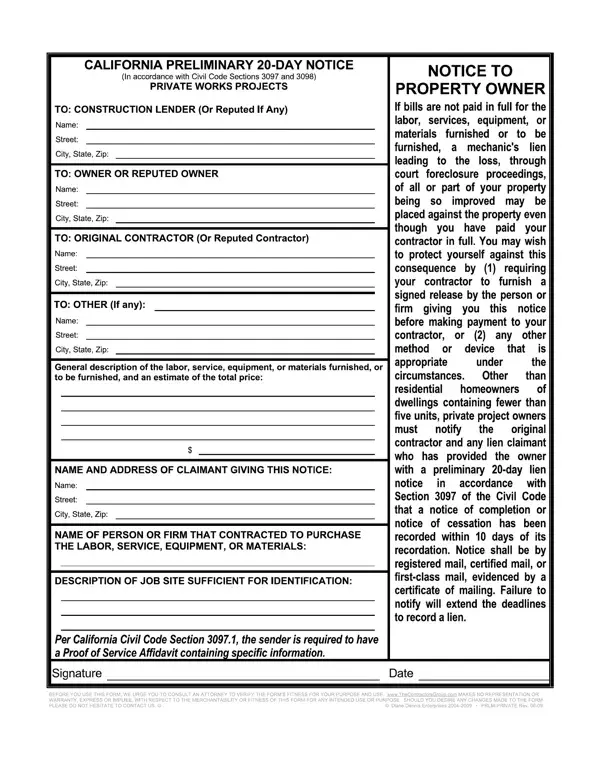
The 20 Day Notice California form is a required preliminary notice that protects the lien rights of subcontractors, material suppliers, and equipment lessors on construction projects. It must be served within 20 days of first furnishing labor, materials, or equipment to the project. Work performed more than 20 days before the notice is served is not protected by lien rights.
The following parties are generally required to serve a 20 Day Notice in California:
General contractors with a direct contract with the property owner are typically exempt from this requirement.
A valid California 20 Day Preliminary Notice must include the following information:
In California, the 20 Day Notice must be served on the property owner, the general contractor, and the construction lender (if any). It must be delivered by first-class mail, certified mail, or personal delivery. Failing to serve all required parties may limit or void your lien rights.
Serving the notice after 20 days does not eliminate your lien rights entirely. A late 20 Day Notice protects labor and materials furnished in the 20 days before the notice was sent. However, any work or materials provided more than 20 days before the notice date lose lien protection. For this reason, it is best to send the notice at the start of your work on the project.
You may also need these related forms for your California construction project:
| Question | Answer |
|---|---|
| Form Name | 20 Day Notice California Form |
| Form Length | 1 page |
| Fillable? | Yes |
| Fillable fields | 35 |
| Avg. time to fill out | 15 min |
| Other names | california preliminary notice form pdf, 20 day preliminary notice california form, california 20 day notice form, prlm |