
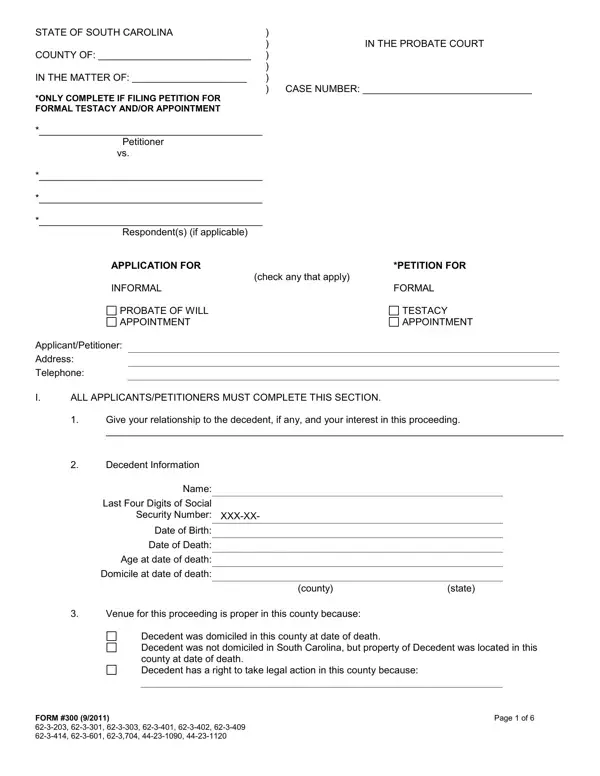
The 300PC Form is used to open formal probate in South Carolina when a decedent leaves a will. It applies to formal testacy proceedings and the appointment of a personal representative to manage the estate.
To complete this form, you will need: the decedent's full name, date of death, county of domicile, last four digits of their Social Security number, and details about any wills or codicils. You must also disclose any changes in marital status or children born after the will was written, and whether the decedent was ever a patient at a mental health facility in South Carolina.
Once filed with the probate court, the court reviews the application and may schedule a hearing. The appointed personal representative then manages the estate, pays debts, and distributes assets to heirs.
Related South Carolina estate forms: the South Carolina Small Estate Affidavit for smaller estates, the South Carolina Living Will for healthcare decisions, and the Informal Probate Form for estates where the will is uncontested.
| Question | Answer |
|---|---|
| Form Name | 300PC Form |
| Form Length | 6 pages |
| Fillable? | No |
| Fillable fields | 0 |
| Avg. time to fill out | 1 min 30 sec |
| Other names | form 300pc, south carolina form 300, sc form 300pc, sc probate court forms, lexington county probate court forms |
| Related forms | SC Small Estate Affidavit, Informal Probate Form |