
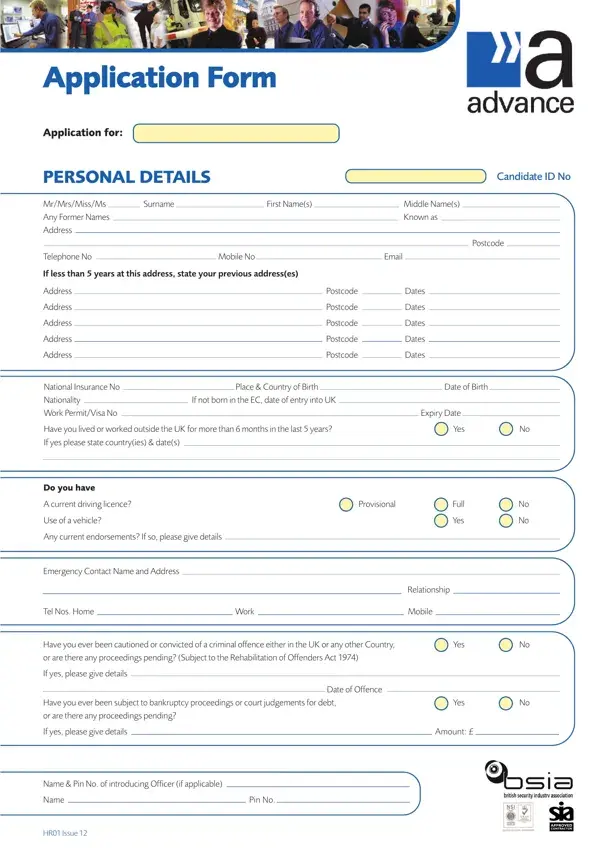
Follow the seven steps below to complete the Advance Security Application Form correctly before submitting it to your prospective employer.
Step 1: Download and print the PDF
Click the download button above to save the advance security application form PDF to your device. Open it in a PDF viewer and read each section before you start writing so you know exactly what information is required.
Step 2: Complete your personal details
Print clearly in black ink. Enter your full legal name, all addresses covering the past five years (each with the full postcode), date of birth, telephone numbers, and National Insurance number. Incomplete address histories are the most common reason applications are rejected at the vetting stage.
Step 3: Record a full five-year work history
List every period of employment, self-employment, education, or unemployment in date order. Leave no gaps. Even short periods out of work must be recorded with start and end dates. Include the full address and telephone number of every employer so references can be taken up independently.
Step 4: Disclose all criminal convictions
You must declare all cautions and convictions, including those that are normally spent under the Rehabilitation of Offenders Act 1974. Security roles are exempt from the Act's standard rules, so even old convictions must be disclosed. Failure to disclose is grounds for instant dismissal and may constitute a criminal offence under the Fraud Act 2006.
Step 5: Enter your SIA licence information
Record your current Security Industry Authority (SIA) licence number, door supervisor or security guard category, and the expiry date. If you are applying before receiving a licence, note the application reference number instead and specify the category you are applying for.
Step 6: Nominate two referees
Provide one professional referee (a former employer or supervisor) and one character referee (not a family member). Include their full names, job titles, addresses, telephone numbers, and email addresses. You may also need to complete a separate reference check form for each referee.
Step 7: Sign the declaration
Read the final declaration carefully before signing and dating it. Your signature confirms that all information is true and complete. A false declaration is a criminal offence.
Related security forms
You may also need the Weiser Security Pre-Application Form or the Wise Security Application Form when applying to multiple security companies. For daily site documentation, see the security guard daily report.
Frequently asked questions
What is the advance security application form used for?
It is used by UK security employers to collect the background information required for BS7858:2019 pre-employment vetting of security officer candidates.
Is this form the same as a standard job application?
No. It is more detailed than a standard CV-based application. It includes sections for security industry licensing, full criminal record disclosure, and military service that ordinary job application forms do not cover.
Can I fill out the advance security application form online?
Yes. Use FormsPal's PDF editor to complete it digitally, then save or print the finished form before returning it to your employer.
How long does the form take to complete?
Allow 30 to 45 minutes for a thorough completion, including gathering all employment dates, reference contact details, and driving licence information before you start.
