
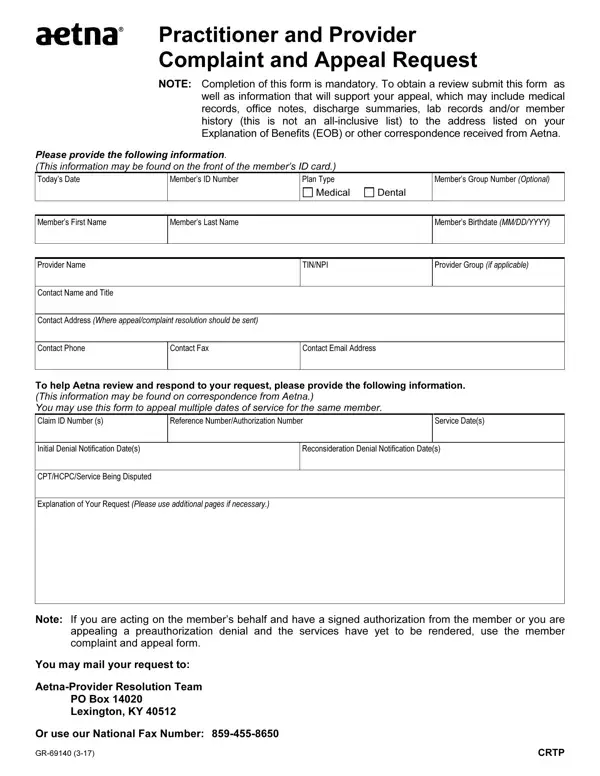
When healthcare providers face Aetna claim denials or coverage disputes, the Practitioner and Provider Complaint and Appeal Request form is the official channel for challenging those decisions. The form covers both medical and dental plan types and applies to a range of dispute situations, including payment denials, authorization disputes, and benefit determination challenges.
After completing the form, mail it with all supporting documents to the address listed on your EOB or Aetna notice. Aetna typically requires appeals to be filed within 180 days of the denial date. Keep copies of all submitted materials for your records.
Providers appealing decisions from other insurers can use the Capital Blue Cross Provider Appeal Form or the general appeal form available on FormsPal. For additional Aetna documentation, the Aetna Attending Physician Statement and the Aetna Cover Sheet are also available to complete online.
| Question | Answer |
|---|---|
| Form Name | Aetna Appeal Form |
| Form Length | 1 pages |
| Fillable? | No |
| Fillable fields | 0 |
| Avg. time to fill out | 15 sec |
| Other names | aetna provider appeal request form, aetna complaint and appeal request, aetna provider appeals form, aetna reconsideration form 2021 |
Aetna Appeal Form isn’t the one you’re looking for?