
Page 2 holds the explanation of changes to income, exemptions, deductions, and credits.
Explanation: enter the line reference from page 1 for which you are reporting a change, and give the reason for each change.
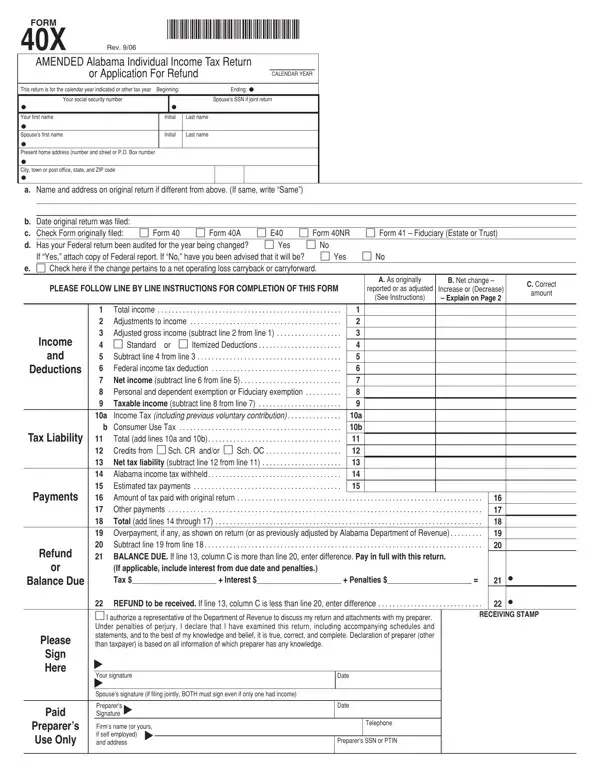
Federal audit: if your Federal return has been audited for the year being changed, attach a copy of the Federal report.
Balance due: pay in full with this return; if applicable, include interest from due date and penalties.
Signatures: if filing jointly, BOTH must sign even if only one had income.
Original return: check the Form originally filed: Form 40, Form 40A, E40, Form 40NR or Form 41 - Fiduciary (Estate or Trust).
| Question | Answer |
|---|---|
| Form Name | Form 40X |
| Form Length | 2 pages |
| Fillable? | Yes |
| Fillable fields | 99 |
| Avg. time to fill out | 17 min |
| Edition | Rev 6/08 |
| Where to send | Alabama Department of Revenue, Individual and Corporate Tax Division, P.O. Box 327464, Montgomery, AL 36132-7464 |
| Other names | 40X, Form 40X, AL 40X, Alabama 40X, Amended Alabama Individual Income Tax Return |
Alabama Form 40X isn’t the one you’re looking for?