
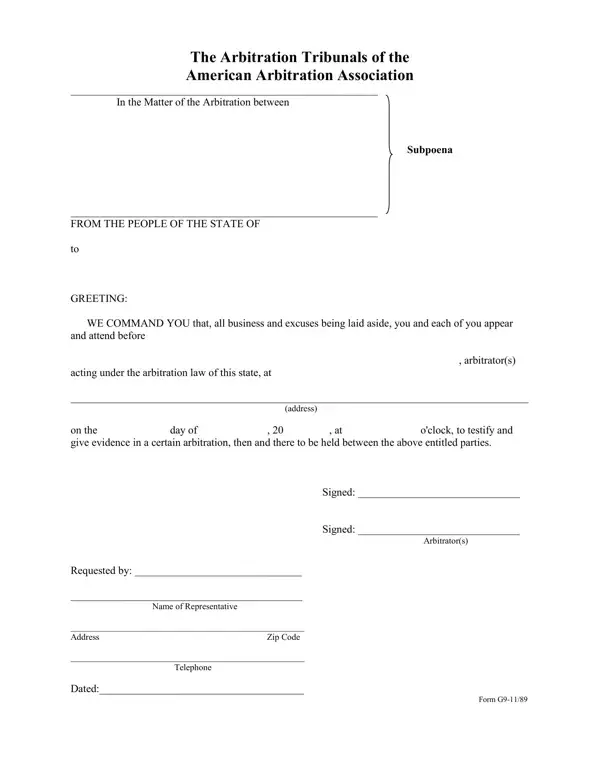
The American Arbitration Association (AAA) subpoena form is issued under the authority of arbitration tribunals operating under AAA rules. It serves two primary functions: compelling witness testimony at an arbitration hearing and requiring the production of documents or other evidence. The form includes fields for the arbitration case number, the names of the parties to the dispute, the date and location of the hearing, and the specific testimony or documents required. The arbitrator signs the subpoena, and service must comply with applicable state law procedures for valid delivery to the recipient.
State arbitration statutes govern the enforceability of AAA subpoenas. In many states, if a subpoena recipient fails to comply, the arbitrator or a party can petition a court to enforce it. Common situations where this form is used include commercial contract disputes, insurance claim arbitrations, employment disagreements, and construction industry cases. Witnesses may be compelled to appear even if they are not parties to the original dispute, provided they have relevant knowledge of the matter.
| Question | Answer |
|---|---|
| Form Name | American Arbitration Association Subpoena Form |
| Form Length | 1 pages |
| Fillable? | No |
| Fillable fields | 0 |
| Avg. time to fill out | 15 sec |
| Other names | tampa american arbitration association, american arbitration association subpoena to produce, american arbitration association philadelphia, association subpoena form |
American Arbitration Association Subpoena Form isn’t the one you’re looking for?