
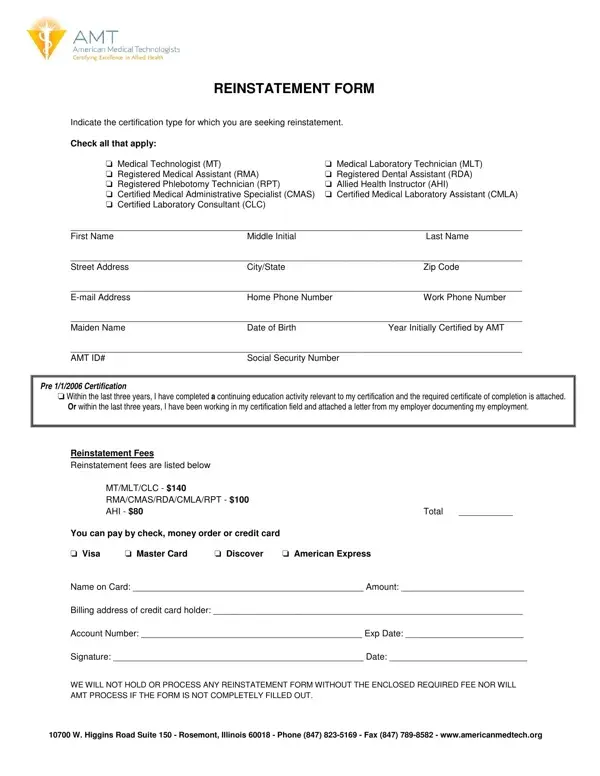
The reinstatement form is submitted to American Medical Technologists (AMT), the non-profit certifying body at 10700 W. Higgins Road, Rosemont, IL 60018. Applicants who have not maintained their credentials through the Certification Continuation Program (CCP) must complete this application to reactivate their professional status and restore their certification status.
The reinstatement pathway is open to professionals who hold a lapsed credential in any of the following specialty areas:
Professionals whose certification lapsed within the past five years are typically eligible to reinstate without retaking the exam. Check the AMT eligibility requirements to confirm your certification status before applying. Those who lapsed longer may need to reapply for initial certification. Related certification documents are also available through medical certification forms and healthcare professional forms on FormsPal.
Before submitting your reinstatement application, prepare the following materials:
For additional related forms, review nursing reinstatement forms and phlebotomy license documentation available on FormsPal.
| Question | Answer |
|---|---|
| Form Name | Amt Reinstatement Form |
| Form Length | 1 pages |
| Fillable? | No |
| Fillable fields | 0 |
| Avg. time to fill out | 15 sec |
| Other names |
Amt Reinstatement Form isn’t the one you’re looking for?