Please rate Cdph Phlebotomy License

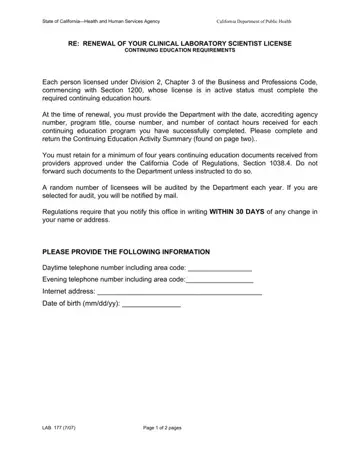
Renewing a California phlebotomist certification requires submitting the LAB 101 form to the California Department of Public Health. This document serves as both a renewal application and a record of your continuing education activities completed during the license period.
When completing the form, report each continuing education course with its date, accrediting agency number, program title, course number, and contact hours. Retain copies of all continuing education records for at least four years. The CDPH may request these documents during a random audit of your certification status.
California phlebotomists must complete a required number of continuing education hours before each renewal cycle. Accepted programs include courses accredited by recognized agencies as well as relevant college or university coursework. Make sure each entry on the form matches your supporting documentation to avoid delays in processing.
Notify the department within 30 days of any changes to your name, address, or other personal information. Keeping your contact information current ensures the CDPH can reach you about renewal notices, audit requests, or certification status updates. Phlebotomists who do not renew on time risk having their California certification lapse, which may require reapplication and additional training.
| Question | Answer |
|---|---|
| Form Name | Cdph Phlebotomy License |
| Form Length | 2 pages |
| Fillable? | No |
| Fillable fields | 0 |
| Avg. time to fill out | 30 sec |
| Other names | cdph lab101, ca phlebotomy license renewal, california phlebotomist licence board, cdph lab 101 form |
Cdph Phlebotomy License isn’t the one you’re looking for?
Please rate Cdph Phlebotomy License
