
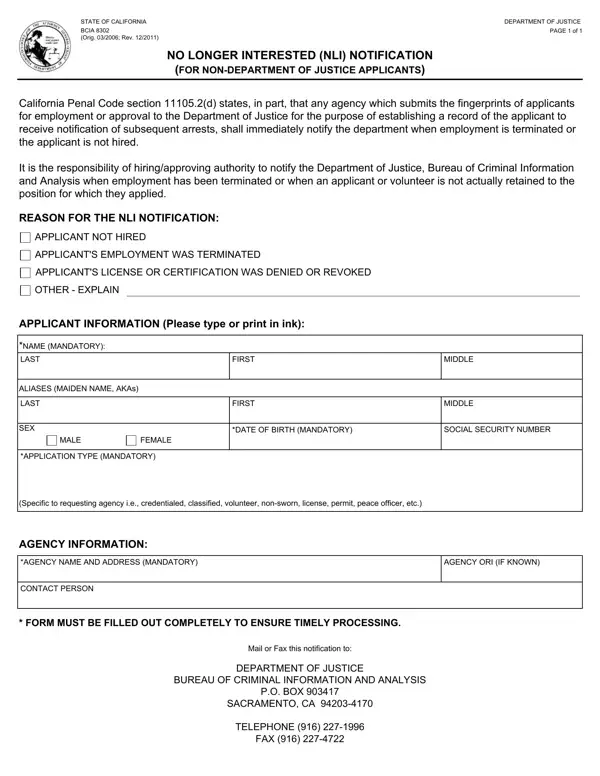
The BCIA 8302 is an official California state form issued by the Bureau of Criminal Information and Analysis to help agencies maintain legal compliance. Under California Penal Code section 11105.2(d), any agency that submits fingerprints to obtain a background security check for a job applicant must file this notification the moment that applicant is no longer considered for the position, license, or approval.
This form applies to four categories of applicants: those not hired following the screening process, those whose employment was terminated after hiring, and those whose license or permit application was denied or revoked. By submitting the BCIA 8302 notification, the agency ensures that the DOJ database reflects accurate, current information about each applicant's status so that future background check queries return correct results. This supports public safety and workplace security across California.
Completing the form requires the agency to supply the applicant's full name, date of birth, and California Identification or Social Security Number, plus the agency's name, ORI number, and contact information. The agency also selects the applicable reason for submission: non-hire, termination, license denial, permit revocation, or approval withdrawal. This gives the Bureau of Criminal Information and Analysis the context needed to update its statewide records. The completed form must be mailed or faxed to the DOJ at the Sacramento address printed on the form.
Agencies that routinely handle California employment screening may also need other related forms. The BCIA 8016RR form is used to request Criminal Record Information from the DOJ, and the BCIA 8374 form covers fingerprint submissions for live scan services. A background check consent form may also be required before fingerprinting begins. FormsPal provides all of these California forms and many more as fillable PDFs so your agency can stay on top of its legal submission and compliance obligations.
| Question | Answer |
|---|---|
| Form Name | Bcia 8302 Form |
| Form Length | 1 pages |
| Fillable? | No |
| Fillable fields | 0 |
| Avg. time to fill out | 15 sec |
| Other names | 2011, bcia 8302, no longer interested form, submits |
Bcia 8302 Form isn’t the one you’re looking for?