
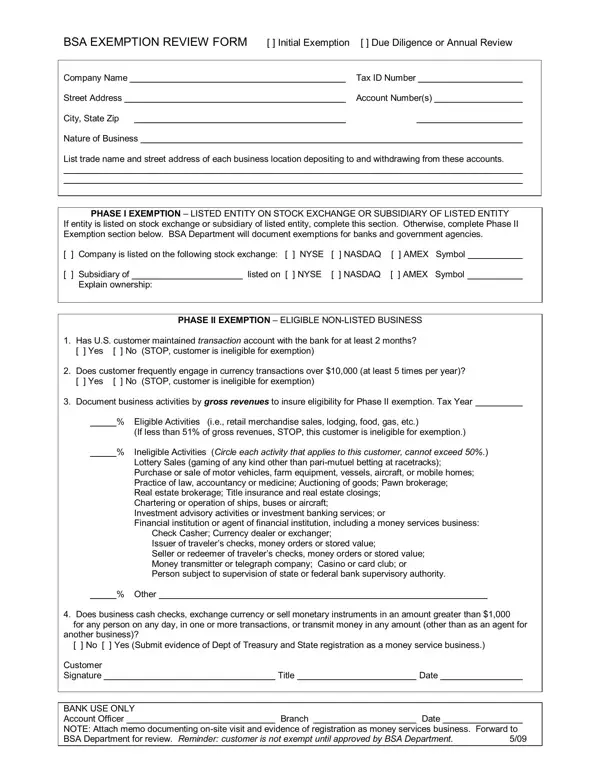
The BSA Exemption Review Form lets banks exempt qualifying customers from Currency Transaction Report (CTR) filings. Banks use it to grant an initial exemption. They also use it for required annual reviews. With a valid exemption, the customer avoids CTR paperwork on each large cash transaction.
The form covers two types of exempt customers. Listed entities are companies on a national stock exchange or their subsidiaries. Non-listed businesses include payroll processors, retailers, and other firms with high routine cash volumes.
To qualify as a non-listed business, a company must hold a bank account for at least two months. It must regularly conduct cash transactions over $10,000. The bank must also verify that the business presents a low risk of money laundering or other illegal activity.
Check cashers, currency exchangers, and money transmitters need additional supporting documents. These include proof of state licensing and records showing that large cash transactions match the company's normal business operations.
| Question | Answer |
|---|---|
| Form Name | Bsa Exemption Review Form |
| Form Length | 1 pages |
| Fillable? | No |
| Fillable fields | 0 |
| Avg. time to fill out | 15 sec |
| Other names | fillable bsa ctr exemption annual review form, NYSE, Casher, exchanger |
Bsa Exemption Review Form isn’t the one you’re looking for?