Please rate C 27 Form Rev. Feb. 18, 2026

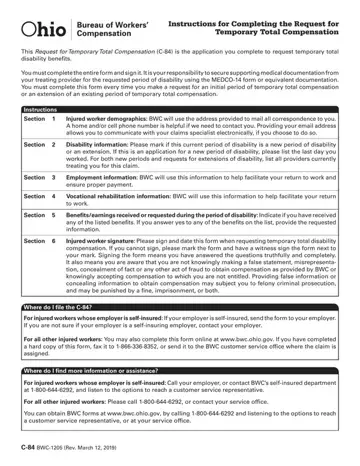
The C 27 Form, officially known as the Medical Proof of Change in Condition, is a key document in the New York workers compensation system. The New York Workers' Compensation Board (NY WCB) requires attending physicians and chiropractors to file this form whenever an injured worker's medical status changes in a meaningful way during an active or closed compensation case.
Workers compensation claims in New York can be reopened or modified when current medical evidence supports such a change. The C 27 form provides this medical evidence in a standardized format accepted by the NY WCB. Doctors complete the form after examining the injured worker and documenting changes in diagnosis, functional limitations, disability status, or capacity to return to work. Complete and accurate information on the C 27 workers compensation form is essential for the board to evaluate claims without delays.
The C 27 form is filed by attending physicians, chiropractors, and other licensed medical providers treating injured workers who have an existing workers compensation claim. Both treating doctors and specialists may submit the form when they observe a significant change in condition. Legal representatives and the injured worker may also reference the C 27 as part of the claims review process. Employers and insurers use the information in the form to evaluate the injured worker's current ability to perform work duties.
Completing the C 27 form requires detailed information from both the treating medical provider and the injured worker. Required details typically include the nature and extent of the condition change, the injured worker's current work capacity, vocational rehabilitation status, and any wages or salary continuation benefits received during the disability period. The form also asks about prior employment history and whether the injured worker has returned to any work duties since the original injury.
The injured worker must sign the C 27 workers compensation form to confirm the accuracy of the information provided. Providing false or inaccurate details may affect the outcome of the compensation claim and could have legal consequences. Workers should retain copies of all submitted forms and supporting medical documentation for their records. If you are unsure about any section of the C 27 form, consult your attending physician or a licensed workers compensation legal professional.
For additional workers compensation resources, you may also need the Workers' Compensation C-4 Form (attending doctor's report) or the Workers' Compensation Injury Report for initial filing. Use FormsPal's free PDF editor to complete the C 27 form and other workers compensation forms online at no cost.
| Question | Answer |
|---|---|
| Form Name | C 27 Form |
| Form Purpose | Medical Proof of Change in Condition |
| Issuing Authority | NY Workers' Compensation Board |
| Filed By | Attending physician or chiropractor |
| Used For | Reopening or modifying compensation claims |
| Form Length | 2 pages |
| Fillable? | Yes |
| Fillable fields | 68 |
| Avg. time to fill out | 30 sec |
| Other names | c27 workers form, c27 form, c 27 workers, workers compensation c27 form |
C 27 Form isn’t the one you’re looking for?
Please rate C 27 Form Rev. Feb. 18, 2026
