
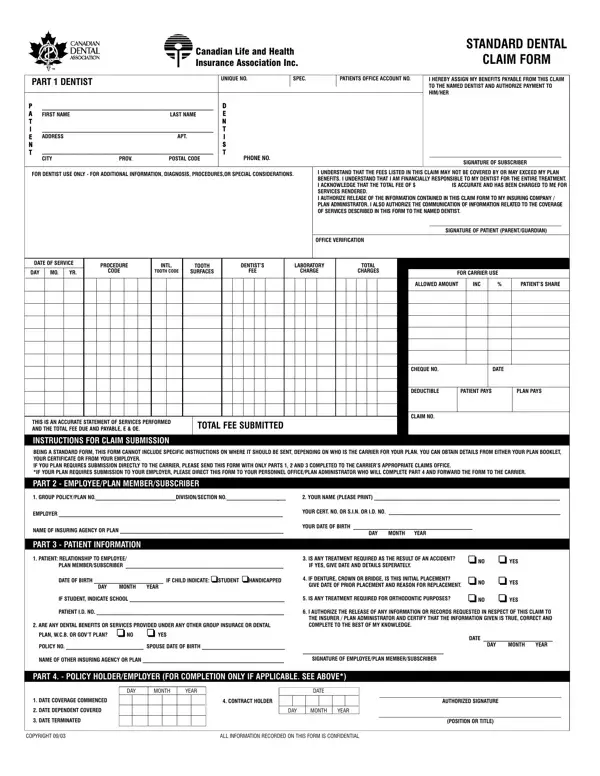
Navigating the complexities of dental insurance claims in Canada can be simplified using the Standard Dental Canadian Life and Health Claim Form. This comprehensive document, created by the Canadian Life and Health Insurance Association Inc., serves as a key tool for patients to communicate with their insurance carriers regarding dental services. The form encompasses multiple sections designed to capture essential details about the patient, the dentist, the dental procedure performed, and the financial aspects of the claim. From assigning benefits directly to the dentist to providing specific information on procedure codes, tooth numbers, and fees charged, the form facilitates a streamlined claim submission process. It also addresses other crucial aspects, including the possibility of other insurance coverage, accident-related treatments, and treatments for orthodontic purposes. The form includes a declaration by the patient or plan member, confirming the accuracy of information provided and authorizing the release of relevant records to the insurer or plan administrator.
This claim form is used by patients who hold employer-sponsored group dental coverage or a private dental insurance policy in Canada. You will need it whenever you receive dental services and want to receive reimbursement or assign benefits directly to your dentist. It is also required for orthodontic treatments, accident-related dental procedures, and situations where you hold coverage under more than one dental plan. Canadian residents enrolled in the Canadian Dental Care Plan (CDCP) may need to provide supporting documentation alongside this standard form when seeking government-assisted coverage for eligible dental services.
The form captures patient and plan member details, dentist identification and license number, procedure codes, tooth numbers and surfaces treated, dates of service, and fees charged. It addresses whether the services relate to an accident, whether the patient has secondary insurance coverage, and includes authorization for releasing records to the insurer. For orthodontic claims, additional fields capture the start date of treatment, the total contract fee, and the payment schedule breakdown. Each section must be completed accurately to avoid delays in claim processing or reimbursement.
Once completed, the form can be submitted directly to your insurance carrier or through your employer's benefits administrator. Most dentists submit claims electronically through the CDAnet system, which is the fastest path to direct payment and typically results in settlement within five to ten business days. For paper submissions, attach any required supporting documents such as X-rays or treatment notes specified by your insurer. Deadlines for submitting dental claims typically range from 12 to 24 months after the date of service, depending on your plan. Keep a copy of all submitted forms and correspondence for your records.
| Question | Answer |
|---|---|
| Form Name | Canada Dental Form |
| Form Length | 1 pages |
| Fillable? | No |
| Fillable fields | 0 |
| Avg. time to fill out | 15 sec |
| Other names | standard dental claim form canada, canada dental claim form, standard dental claim form, dental form canada |