Please rate Cdl Pretrip Exam

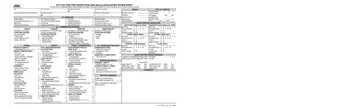
The CDL Pre-Trip Inspection and Skills Evaluation is required by the California Department of Motor Vehicles (DMV) for all CDL applicants. Candidates must pass this evaluation before taking any skill or road test.
The score sheet evaluates a commercial driver's knowledge and ability to inspect a vehicle. Key inspection areas include:
To pass the skills evaluation, candidates may have no more than 12 total errors. The exam uses Form A, Form B, Form C, or Form Full depending on vehicle type and the presence of air brakes. All forms comply with Federal Regulations and California DMV safety standards.
Class A and Class B CDL applicants in California must complete this evaluation. Bus applicants also face additional requirements covering passenger area inspections.
| Question | Answer |
|---|---|
| Form Name | Cdl Pretrip Exam |
| Form Length | 2 pages |
| Fillable? | No |
| Fillable fields | 0 |
| Avg. time to fill out | 30 sec |
| Other names | dmv pre trip inspection, cdl pre trip inspection california, cdl pre trip inspection pdf, cdl pre trip checklist |
Cdl Pretrip Exam isn’t the one you’re looking for?
Please rate Cdl Pretrip Exam
