Please rate Cctv Survey Form

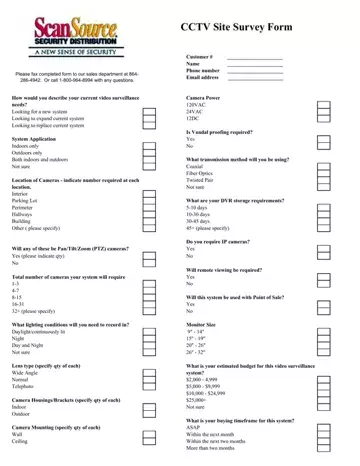
A CCTV survey form is the starting point for any video surveillance installation or upgrade. Security providers use it to understand your specific needs before designing a system. The form captures information about camera locations (indoor, outdoor, or both), the number of cameras required, and whether pan/tilt/zoom (PTZ) functionality is needed. It also records lighting conditions, lens types, camera housings, mounting preferences, and power supply options.
The document covers digital video recorder (DVR) storage requirements, IP camera compatibility, remote viewing capabilities, and integration with point-of-sale systems. Vandalism proofing, transmission methods, monitor sizes, estimated budget, and buying timeframe are also included. This level of detail allows a sales team to design a tailored surveillance solution from the first meeting.
Whether you are planning a new installation for a retail space, expanding coverage across a parking lot, or replacing outdated equipment, the CCTV survey form ensures nothing is overlooked. For related planning documents, see the general site survey form or the building security plan template.
| Question | Answer |
|---|---|
| Form Name | Cctv Survey Form |
| Form Length | 1 pages |
| Fillable? | No |
| Fillable fields | 0 |
| Avg. time to fill out | 15 sec |
| Other names | cctv camera site survey report, cctv camera service report format, cctv inspection report template, cctv site survey |
Cctv Survey Form isn’t the one you’re looking for?
Please rate Cctv Survey Form
