
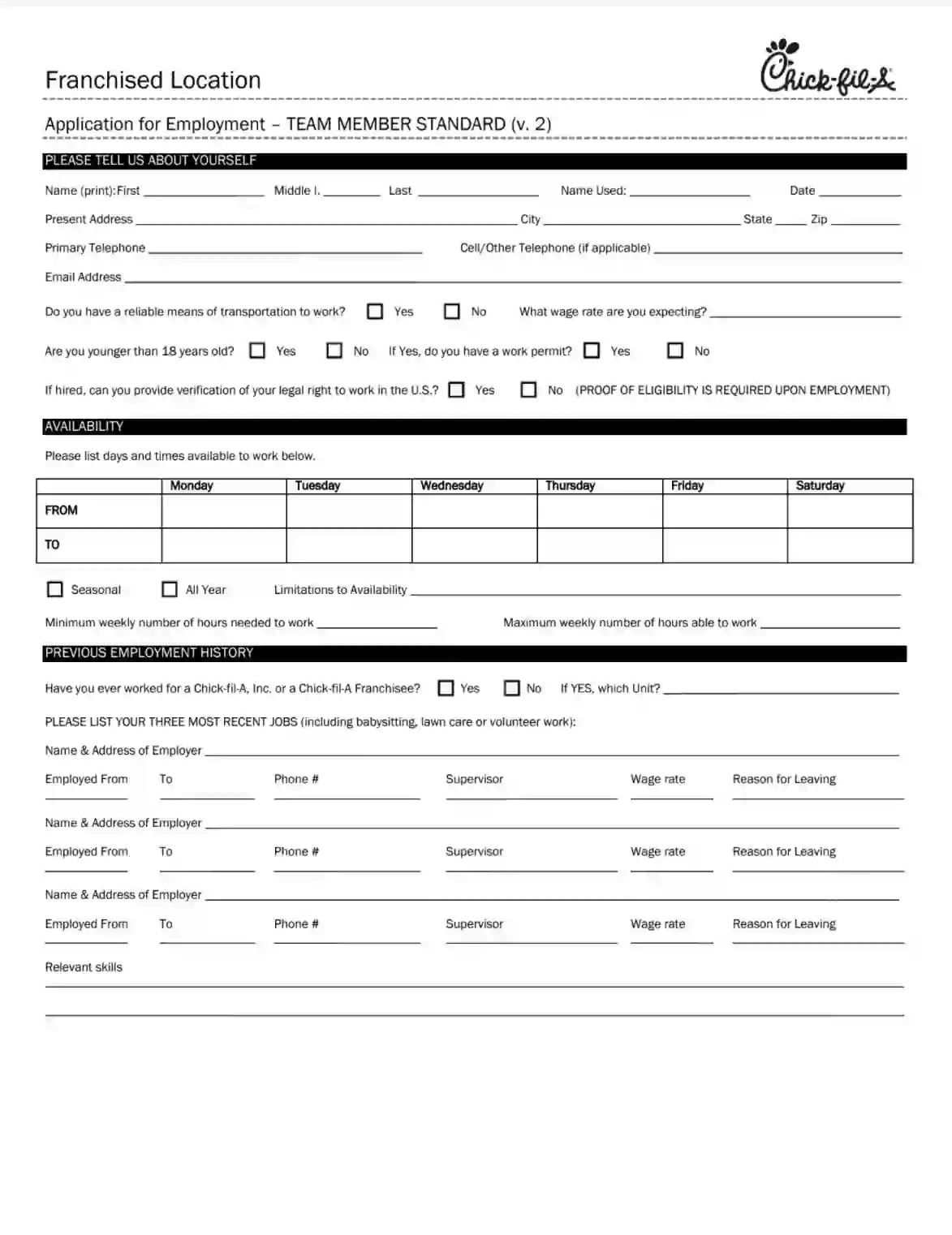
Chick-fil-A Job Application is a standardized form used by candidates who wish to apply for employment at Chick-fil-A, a popular fast-food chain known for its chicken sandwiches and customer service. This form gathers information from applicants, such as personal details, educational background, employment history, and availability. It may also include questions related to customer service experience and scenarios to assess the applicant’s problem-solving and communication skills. The application is the first step in the hiring process, allowing Chick-fil-A’s management to screen candidates and select those who best fit the company’s needs and culture.
Other Application Forms
Do you require other application PDF forms? Check out the selection just below to see what you’ll be able to fill out and edit with our tool. Besides that, remember that it is possible to upload, fill out, and edit any PDF document at FormsPal.
To become a Chick-Fil-A’s new team member, you need to apply, complete an employment application, and win the company’s approval. The form can be divided into several basic sections. Follow the guidelines to fill out the job application with minimum effort. Also, please make use of our online advanced software to tailor a relevant template.
At the top of the Chick-Fil-A team member application, enter the location of the franchised restaurant you wish to apply for.

Start completing the form online by presenting yourself. That’s precisely what the first part of the job application requests.

Please, continue filling in the form and share info about your expectations and permit:

This section requires that you enter relevant data regarding the working schedule. You are empowered to determine the preferable operating hours per week in the table below. The company will provide an appropriate program following your guidelines.

If there are possible limitations and moments when you cannot perform your job obligations (due to the education process or other personal reasons), submit this information.
There are also two alternatives for employment — seasonal and permanent. Check the appropriate variant.
The last thing to specify in this section is the minimum and the maximum number of hours you can devote to work at the Chick-Fil-A restaurant. Write down the approximate number.

First, let the company know whether you have experience working at any other Chick-Fil-A affiliate branch? If positive, check the appropriate box.

This section is devoted to working experience and includes self-employed activities as babysitting and volunteer work. There isn’t much space to write long research, so share your job experience in a free format shortly. Thus, check the appropriate box and enter the most relevant data.
The applicants are welcome to provide information regarding three recent places of work. Please, include the following data:

This section also allows you to share your most relevant skills. Please write a short description of your fortes in a couple of sentences or list them.

Describe your education following the guidelines of the form. The applicants should select relevant alternatives and check the boxes. Include the title and location of the educational institution and your degree, if applicable.

It is an improvisation and PR section that inspires you to talk about any business-related achievements and experiences you have ever had: school activities, university social and business programs, everyday life occupation, working experience, and talents that can gain you extra points. Though you get only two blank lines, do not be shy, and let your personality shine.

If you have a military background, let your potential employer collect this info. Tick the appropriate box and share the details of your branch, rank, and service period. You can see spare lines dedicated to skills related to business and military programs. Write shorty about your personal military achievements and acquired skills, if applicable.

Should you have no military experience, leave the section blank, or clarify the absence of your military background on the spare lines.
Most companies ask potential team members to provide reference contacts of people they have worked with or communicated on business-related matters. AChick-Fil-A restaurant asks the applicants to include these data into the form, too. These could be respected teachers, previous co-workers, clients, employers, or supervisors.
You are encouraged to share four reference contacts, including:

Prior to signing the job application, the applicants should read the below-listed paragraphs attentively and understand the responsibility following their choice. This application is valid only at the afore-mentioned affiliate branch of a Chick-Fil-A restaurant and does not have legal powers at other franchised venues.
If everything is correct and precise, please, append your signature and the current date at the bottom of this job application. You can sign the job application online using an electronic signature or print out the document and affix the signature.
