
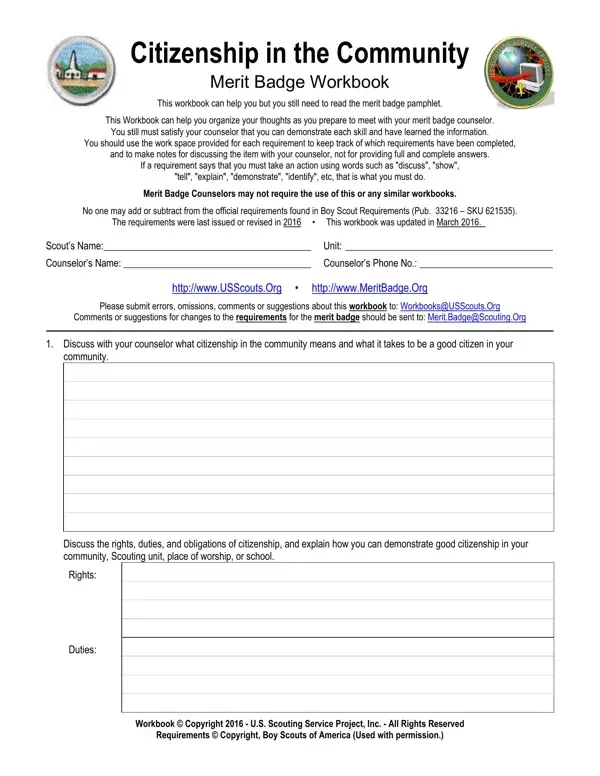
Working with PDF files online is straightforward with FormsPal. You can open and fill out the Citizenship in the Community Merit Badge workbook here and download it when finished. Our free PDF editor lets you type directly into each field, add text annotations, apply your signature, and save your progress. Follow these steps to complete the workbook:
Step 1: Open the editor by clicking the "Get Form" button at the top of this page.
Step 2: Once the editor loads, you can fill in the required fields. You can also add your own text, modify existing content, insert graphics, and apply your signature to the document.
This workbook requires specific details in each section. Review the section guidelines below before filling out the form:
1. Complete Section 1 of the citizenship in the community workbook, covering the required blank fields. Fill in all the information about rights, duties, and obligations of citizenship.
2. Fill in the following fields in Section 2: Discuss the rights duties and, Rights, Duties, Workbook Copyright US Scouting, and Requirements Copyright Boy Scouts.
3. In this section, complete the fields for Citizenship in the Community, Scouts Name, Obligations, Explain how you can demonstrate, and Do the following. Fill in each field carefully.
4. The next section covers community mapping. Complete the fields for: a map of your community showing chief government buildings, fire station, police station, parks, playgrounds, recreation areas, historical or other interesting locations, and a chart of the organization of your local government and its appointed officials.
5. The final section covers civic participation. Complete: Citizenship in the Community, Do the following, Scouts Name, attend a meeting of your city or local government session, Identify the meeting or session attended, Choose one of the issues discussed, explain to your counselor why you agree or disagree, Issue, and Explanation.
Pay close attention when completing the Explanation and Issue sections, as these are where most Scouts need extra care to record the full reasoning behind their position.
Step 3: Review all your entries and click "Done." Sign up for FormsPal to download the completed citizenship in the community merit badge workbook. Your edits are saved automatically so you can return to the form later. FormsPal does not record or share your form data.
Frequently Asked Questions About the Citizenship in the Community Merit Badge
What is the Citizenship in the Community Merit Badge?
The Citizenship in the Community Merit Badge is a BSA requirement that teaches Boy Scouts about local government, civic responsibilities, and community engagement. Scouts must complete four requirements covering civic discussions, community mapping, attending a government meeting, and delivering a public presentation about their experiences.
How many requirements does the Citizenship in the Community Merit Badge have?
There are four primary requirements: discussing rights and duties of citizenship, creating a community map with government and public service locations, attending a local government meeting and reporting on a local issue, and making a public presentation. The six-page workbook provides space to document each one.
Can I fill out the merit badge workbook online?
Yes. Use FormsPal free PDF editor to open, complete, and download the workbook. You do not need to print the form first. The editor runs in your browser and saves your progress as you go.
Who signs off on the Citizenship in the Community Merit Badge requirements?
Your registered merit badge counselor reviews the completed workbook and signs off on each requirement after you discuss or demonstrate your understanding. Troop leaders can help you find an approved counselor in your area.
For related BSA forms, see the Personal Merit Badge Application, Boy Scouts Advancement Report, Adult Boy Scouts Application, Cooking Merit Badge Workbook, and Clergy Badge Application.
