


Service Application: Commercial & Industrial Load Information at a glance
What it is: Service Application: Commercial & Industrial Load Information is the form to be completed by a Qualified Electrical Professional in the process to receive any type of electric service from ComEd.
Where and when to file: A completed load application is required for all load additions, regardless of size rating.
The form is to be completed by a Qualified Electrical Professional.
A filled-in Service Application: Commercial & Industrial Load Information example: a commercial office switchboard
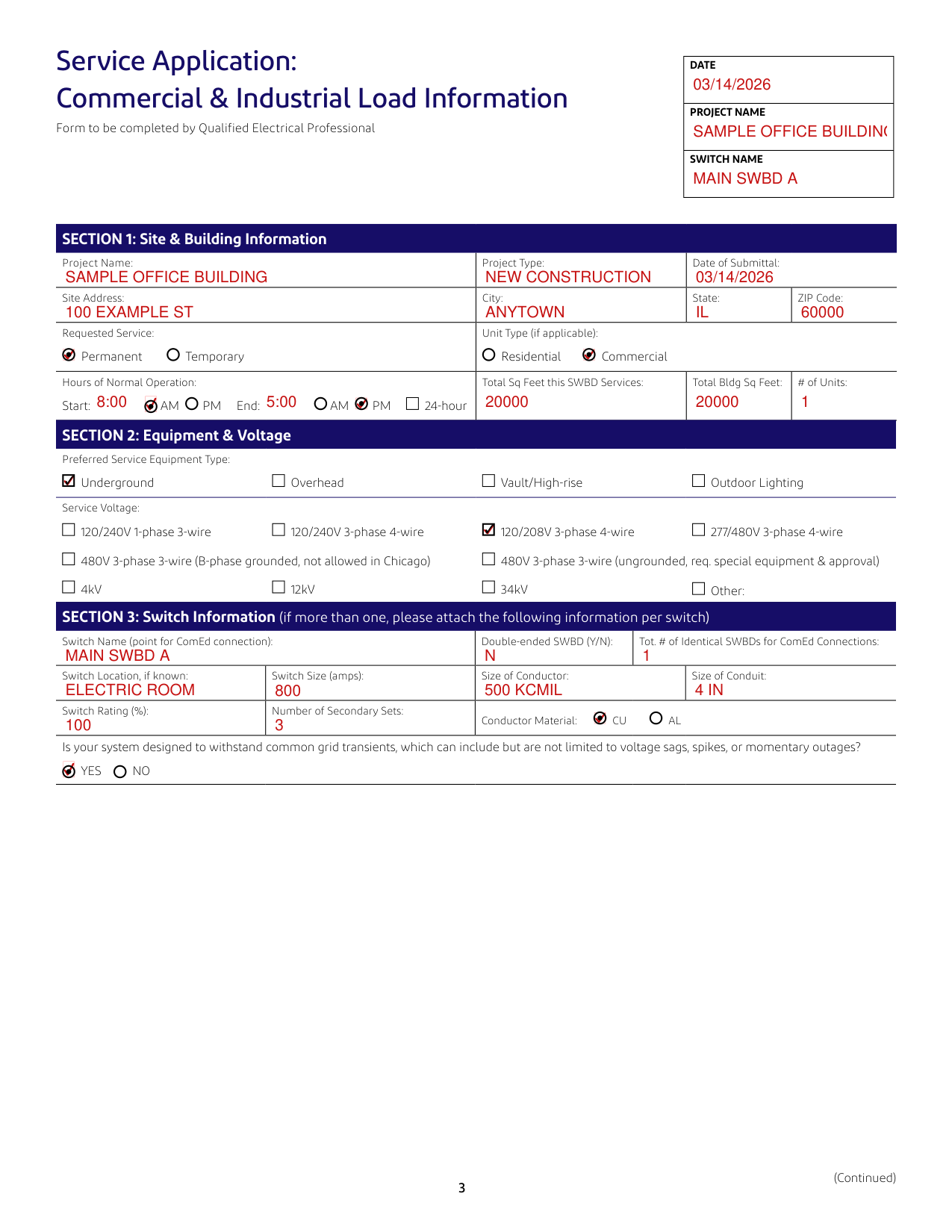
How to fill out Service Application: Commercial & Industrial Load Information, box by box
Section 1: Site & Building Information
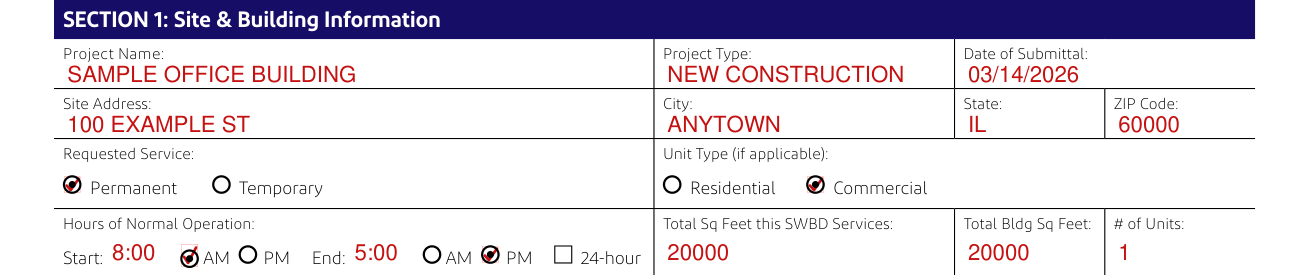
Enter the Project Name, Project Type and Date of Submittal.
Enter the Site Address, City, State and ZIP Code.
For Requested Service, mark Permanent or Temporary.
For Unit Type (if applicable), mark Residential or Commercial.
For Hours of Normal Operation, enter the Start and the End, mark AM or PM for each, or mark 24-hour.
Enter Total Sq Feet this SWBD Services, Total Bldg Sq Feet and # of Units.
Section 2: Equipment & Voltage

For Preferred Service Equipment Type, mark Underground, Overhead, Vault/High-rise or Outdoor Lighting.
For Service Voltage, mark 120/240V 1-phase 3-wire, 120/240V 3-phase 4-wire, 120/208V 3-phase 4-wire or 277/480V 3-phase 4-wire.
Or mark 480V 3-phase 3-wire (B-phase grounded, not allowed in Chicago), 480V 3-phase 3-wire (ungrounded, req. special equipment & approval), 4kV, 12kV, 34kV or Other.
Section 3: Switch Information (if more than one, please attach the following information per switch)

Switch Information (if more than one, please attach the following information per switch): enter the Switch Name (point for ComEd connection) and Double-ended SWBD (Y/N).
Enter Tot. # of Identical SWBDs for ComEd Connections.
Enter Switch Location, if known, Switch Size (amps), Size of Conductor and Size of Conduit.
Enter Switch Rating (%) and Number of Secondary Sets, and mark Conductor Material CU or AL.
Mark YES or NO: Is your system designed to withstand common grid transients, which can include but are not limited to voltage sags, spikes, or momentary outages?
Section 4: Load Information (all loads should be shown in kW, with a power factor of .85 used for conversion from kVA)
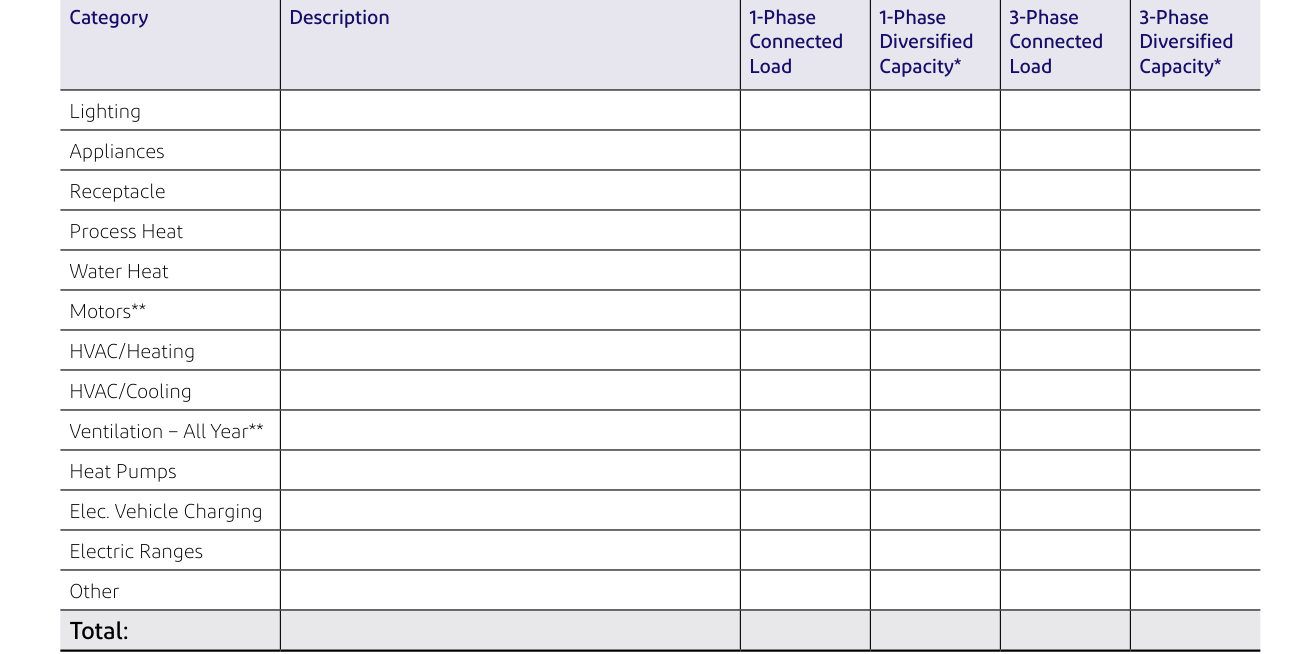
Show all loads in kW, with a power factor of.85 used for conversion from kVA.
For each Category Description (Lighting, Appliances, Receptacle, Process Heat, Water Heat, Motors**, HVAC/Heating, HVAC/Cooling, Ventilation - All Year**, Heat Pumps, Elec. Vehicle Charging, Electric Ranges, Other) and the Total, enter the 1-Phase Connected Load, 1-Phase Diversified Capacity*, 3-Phase Connected Load and 3-Phase Diversified Capacity*.
*Diversify connected load per Chicago Electrical Code in the City of Chicago and applicable areas, diversify per National Electrical Code in all other areas. For Motors** and Ventilation - All Year**, provide mechanical equipment schedule.
Section 5: Motor Information
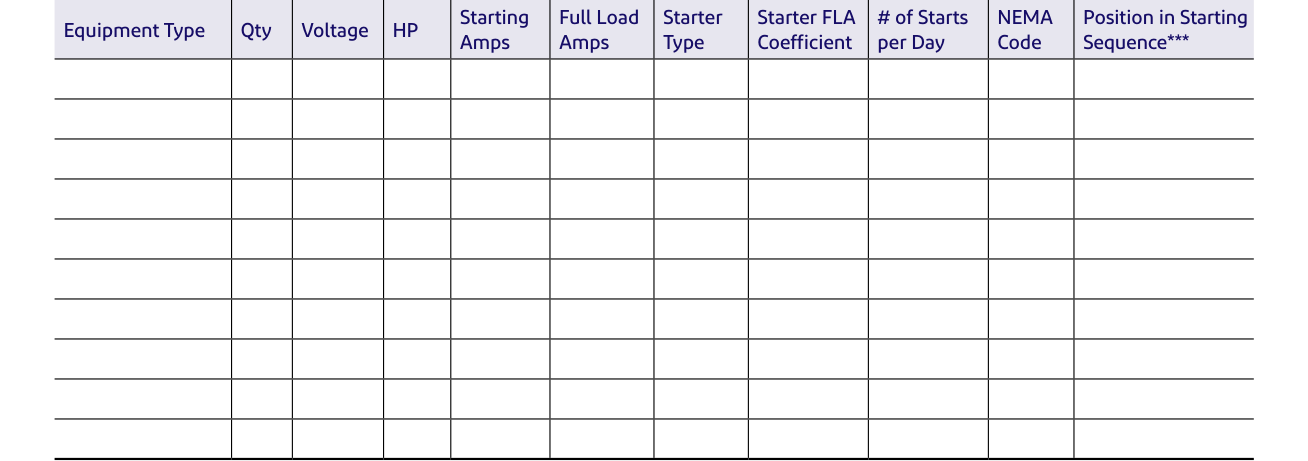
Enter Equipment Type, Qty, Voltage, HP, Starting Amps, Full Load Amps, Starter Type, Starter FLA Coefficient, # of Starts per Day, NEMA Code and Position in Starting Sequence***.
***Indicate potential simultaneous starts across all motors.
Section 6: Welder Information

For each welder, enter Description, Qty, Voltage, Size (kVA), Type, Full Load Amps, P.F. at Peak, Starter FLA Coefficient, Welds per Minute, Cycles per Weld and Hours per Day Use.
Fill out welder table if welder load required.
Section 7: Electric Vehicle Charger Information
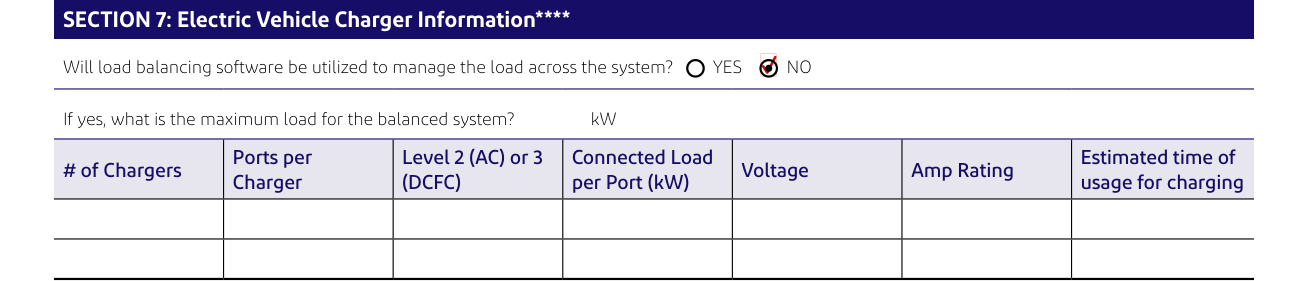
Mark YES or NO: Will load balancing software be utilized to manage the load across the system? If yes, enter the maximum load for the balanced system in kW.
Enter # of Chargers, Ports per Charger, Level 2 (AC) or 3 (DCFC), Connected Load per Port (kW), Voltage, Amp Rating and Estimated time of usage for charging.
Provide specifics for electric chargers to be installed. ****Provide any product spec sheets, if available.
Project Information, Section 1: Site Information
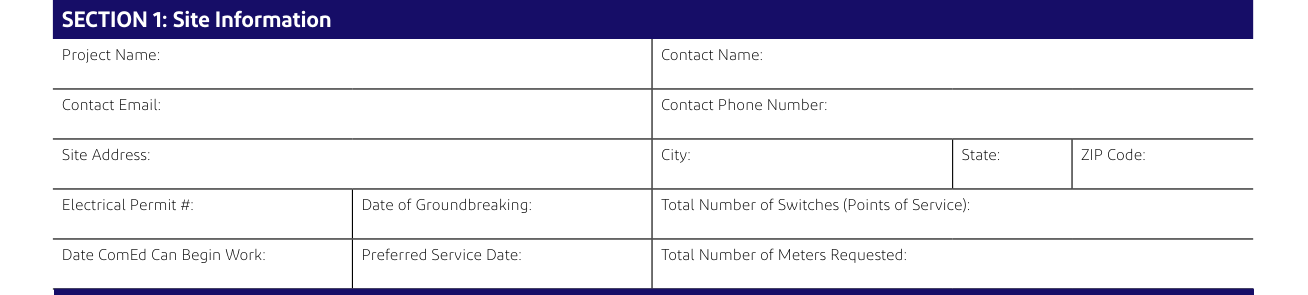
Enter Project Name, Contact Name, Contact Email and Contact Phone Number.
Enter Site Address, City, State and ZIP Code.
Enter Electrical Permit #, Date of Groundbreaking, Total Number of Switches (Points of Service), Date ComEd Can Begin Work, Preferred Service Date and Total Number of Meters Requested.
Project Information, Section 2: Business Information

Enter Legal Name of Entity (Electric Consumer), Tax I.D. and Existing ComEd Account #, and mark Corporation, Partnership, Sole Proprietor or Other.
Project Information, Section 3: Switch Information (if more than one, please attach the following information per switch)

Enter Property Owner, Property Owner Phone, Building Owner, Building Owner Phone, Building Manager and Building Manager Phone.
Project Information, Section 4: Mailing Address for Contracts and Section 5: Mailing Address for Electric Bills
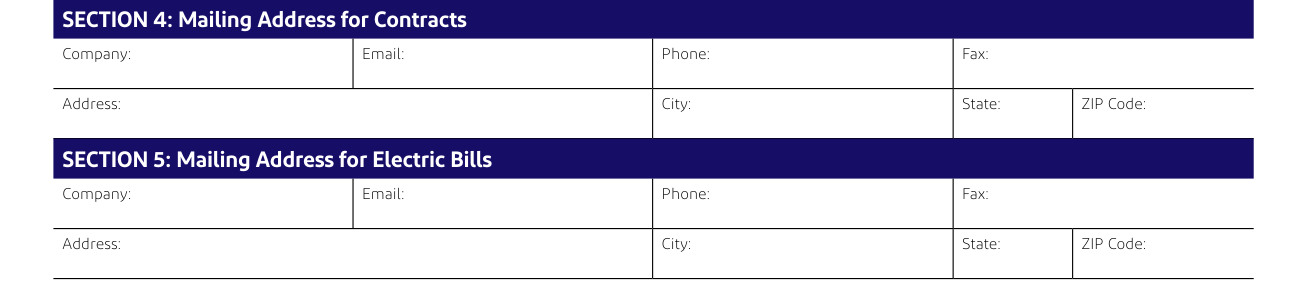
For Mailing Address for Contracts and Mailing Address for Electric Bills, enter Company, Email, Phone, Fax, Address, City, State and ZIP Code.
Project Information, Section 6: Project Contacts
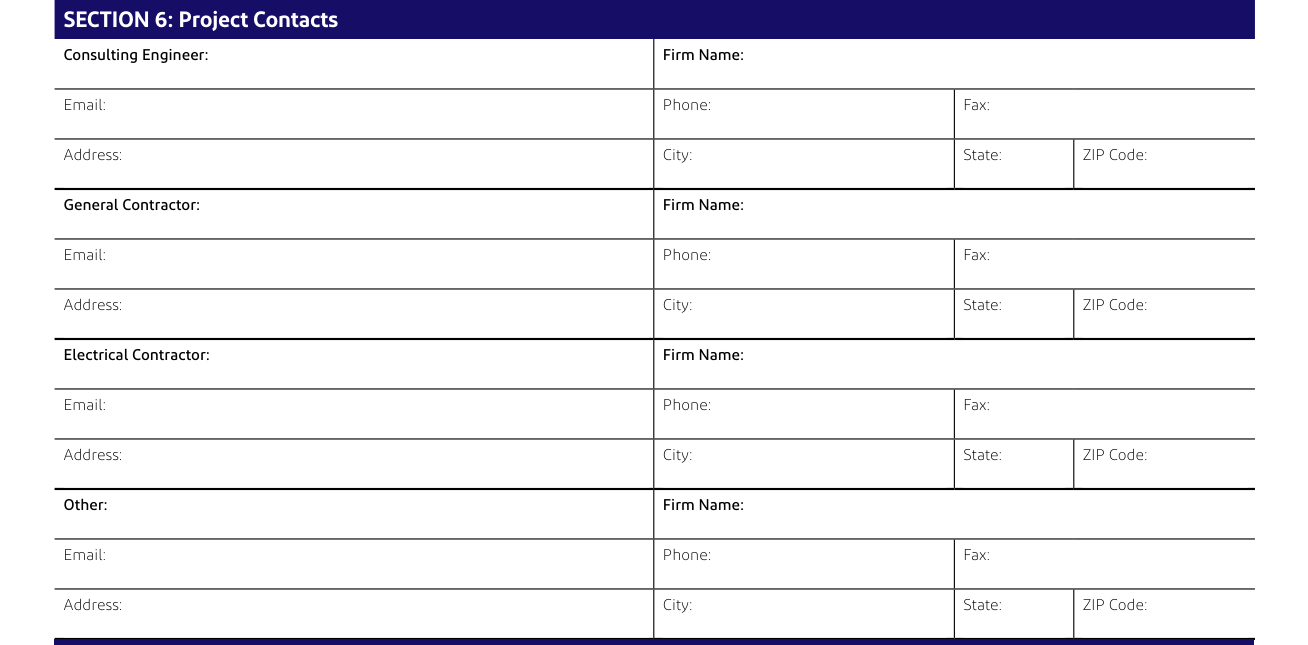
For the Consulting Engineer, General Contractor, Electrical Contractor and Other:, enter Firm Name, Email, Phone, Fax, Address, City, State and ZIP Code.
Project Information, Section 7: Required Documents

The following documents may be required (items are required for non-overhead services): Plat of Survey with legal description of property (for easement, if required), Site Plan showing building relative to property lines - mark service entrance location(s), Civil Drawings (showing water, sewer, gas, phone, electric, pavement, grading, etc.) and Complete electrical drawings and/or load detail sheets.
Project Information, Section 8: Information Provided By

Sign on the Signature line and enter the Printed Name and the Date.
Customer Meter Checklist
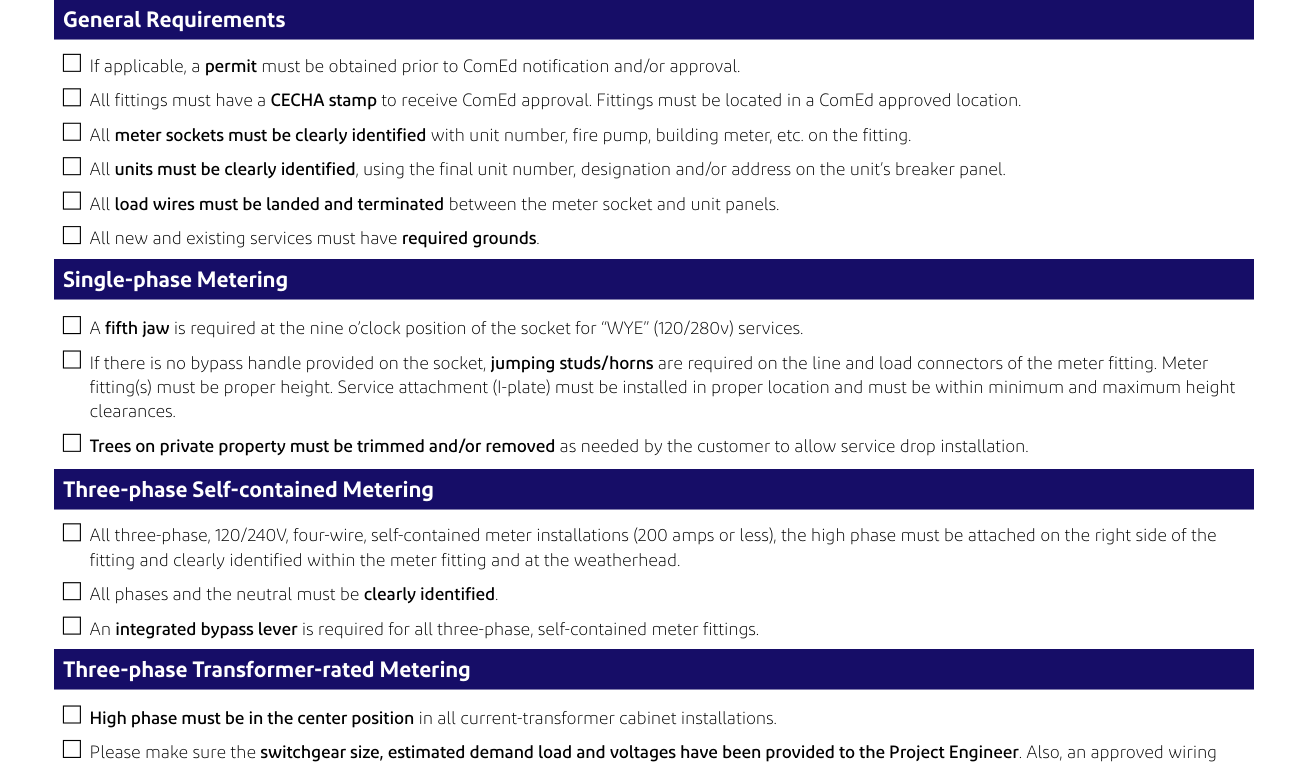
The following must be complete before any meters can be set (Check all that apply): if applicable, a permit must be obtained prior to ComEd notification and/or approval.
All fittings must have a CECHA stamp to receive ComEd approval.
All load wires must be landed and terminated between the meter socket and unit panels.
All new and existing services must have required grounds.
If your situation is different
You need System Meter approval
The ComEd System Meter department must approve the installation of main electrical panels and all associated new electrical equipment that are rated greater or equal to 1,200 amps & any service that is greater than 600 volts.
To obtain System Meter approval, email the following documents to swbd.approvals@comed.com: the ComEd Service Application (completely filled out).
A PDF of the existing or planned electrical/power system one-line diagram which illustrates the meter current transformer cabinet, switchgear, power panels and disconnect switch sequence.
A PDF diagram* of the physical equipment which you plan to install (e.g., meter current transformer cabinet, switchgear and/or power panels).
*A diagram must be provided for each switchboard needing approval.
Allow the ComEd System Meter department 10 business days to review and return your drawings.
All customer-submitted plans/drawings must be stamped “ComEd approved” before service can be provided.
Your ComEd representative contacts you
Review all documents provided by your ComEd representative, sign and return them to your representative along with payment, if applicable, to authorize work to begin.
Four weeks prior to the “start work” date, your ComEd representative will contact you to confirm whether work can begin. If the work cannot begin, the “start work” and “service need” dates will be adjusted accordingly.
Before you go
Establish or verify your account: if you have an existing ComEd account, enter the number in the “Existing ComEd Account #” field. If this is a new service and you need to establish a ComEd account, you must provide a SSN (Residential) or Tax ID (Commercial) for account setup by calling ComEd at 866-New-Elec (866-639-3532). If this information is not provided, you can continue your submission, but a customer service representative will have to contact you before your application can be processed.
Work with a licensed electrical professional to complete your application.
Common questions about Service Application: Commercial & Industrial Load Information
Where do I file it?
Preferred Method: Enter your information directly into the New Business Portal online form. You will immediately receive a confirmation number for tracking your project status. Alternative Method: You may email your completed pdf application to serviceapplications@comed.com.
Are there fees?
If ComEd crews are required to work outside of normal weekday hours, overtime labor charges will apply.
Sources
[1] Service Application: Commercial & Industrial Load Information, Customer Industrial Service Application_FINAL_0225, Commonwealth Edison Company (the Official source link on this page).