

Form 2028 at a glance
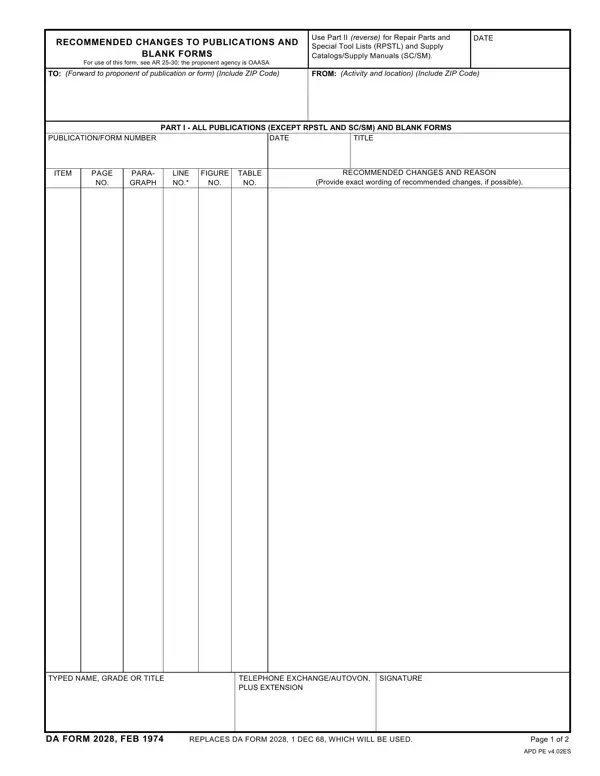
What it is: DA Form 2028 is Recommended Changes to Publications and Blank Forms.
Where and when to file: This DA Form 2028 may be submitted by mail or electronically.
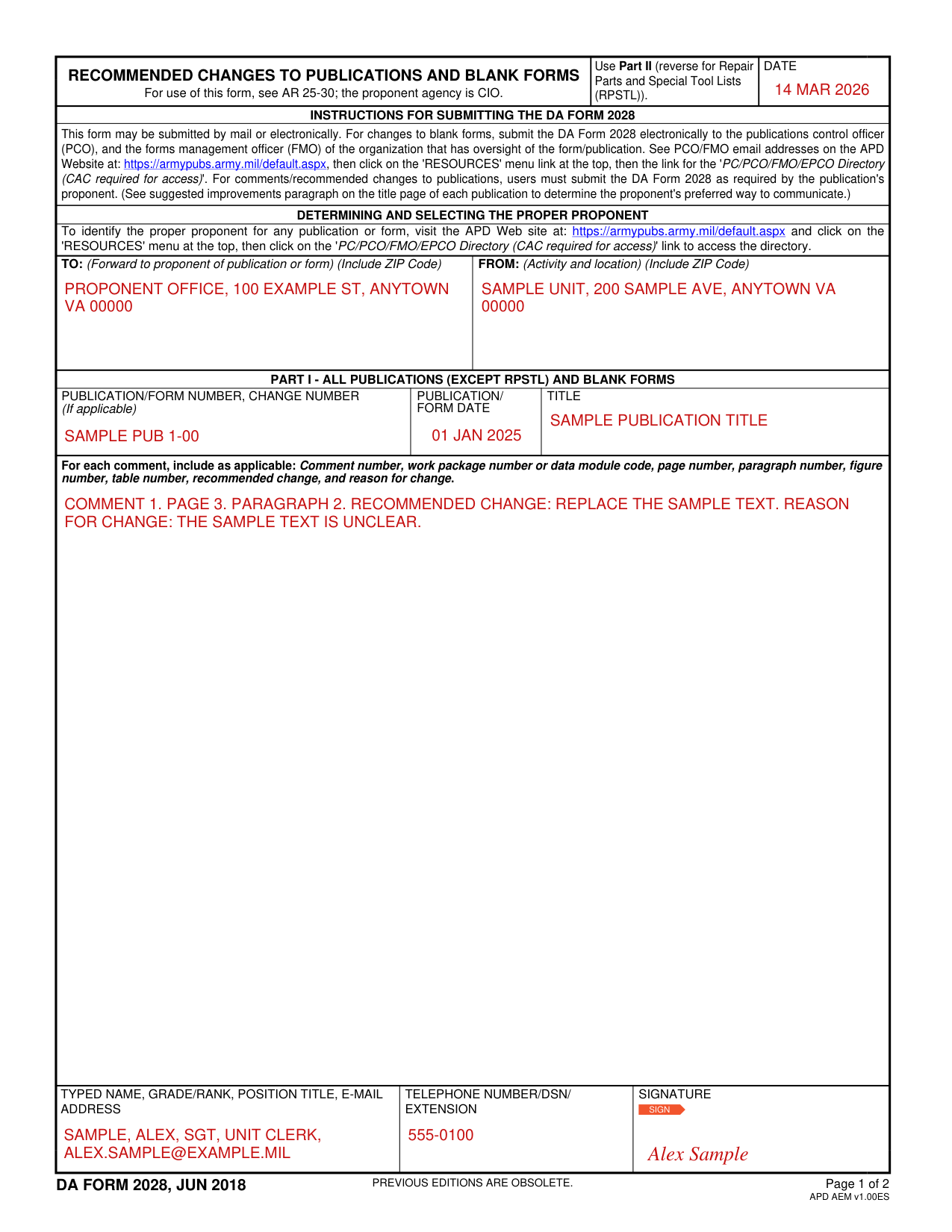
A filled-in Form 2028 example: a unit clerk recommends one change to a publication
How to fill out Form 2028, box by box
Date, TO and FROM
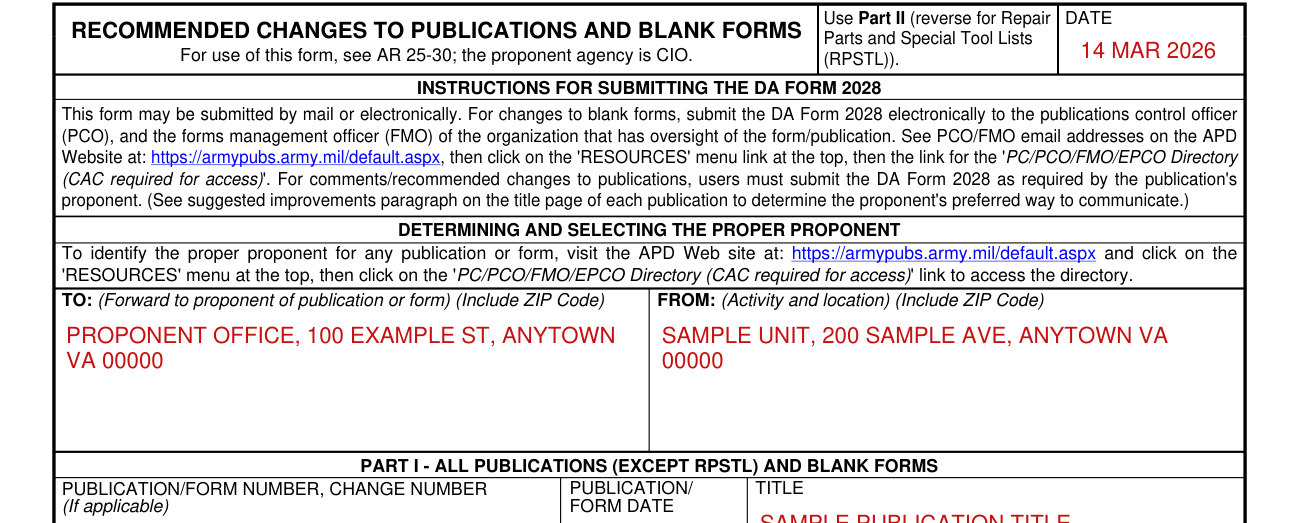
Enter the DATE, then TO: (Forward to proponent of publication or form) (Include ZIP Code) and FROM: (Activity and location) (Include ZIP Code).
Part I publication or form number, date and title

In PART I - ALL PUBLICATIONS (EXCEPT RPSTL) AND BLANK FORMS, enter the PUBLICATION/FORM NUMBER, CHANGE NUMBER (If applicable), the PUBLICATION/ FORM DATE and the TITLE.
Part I comments
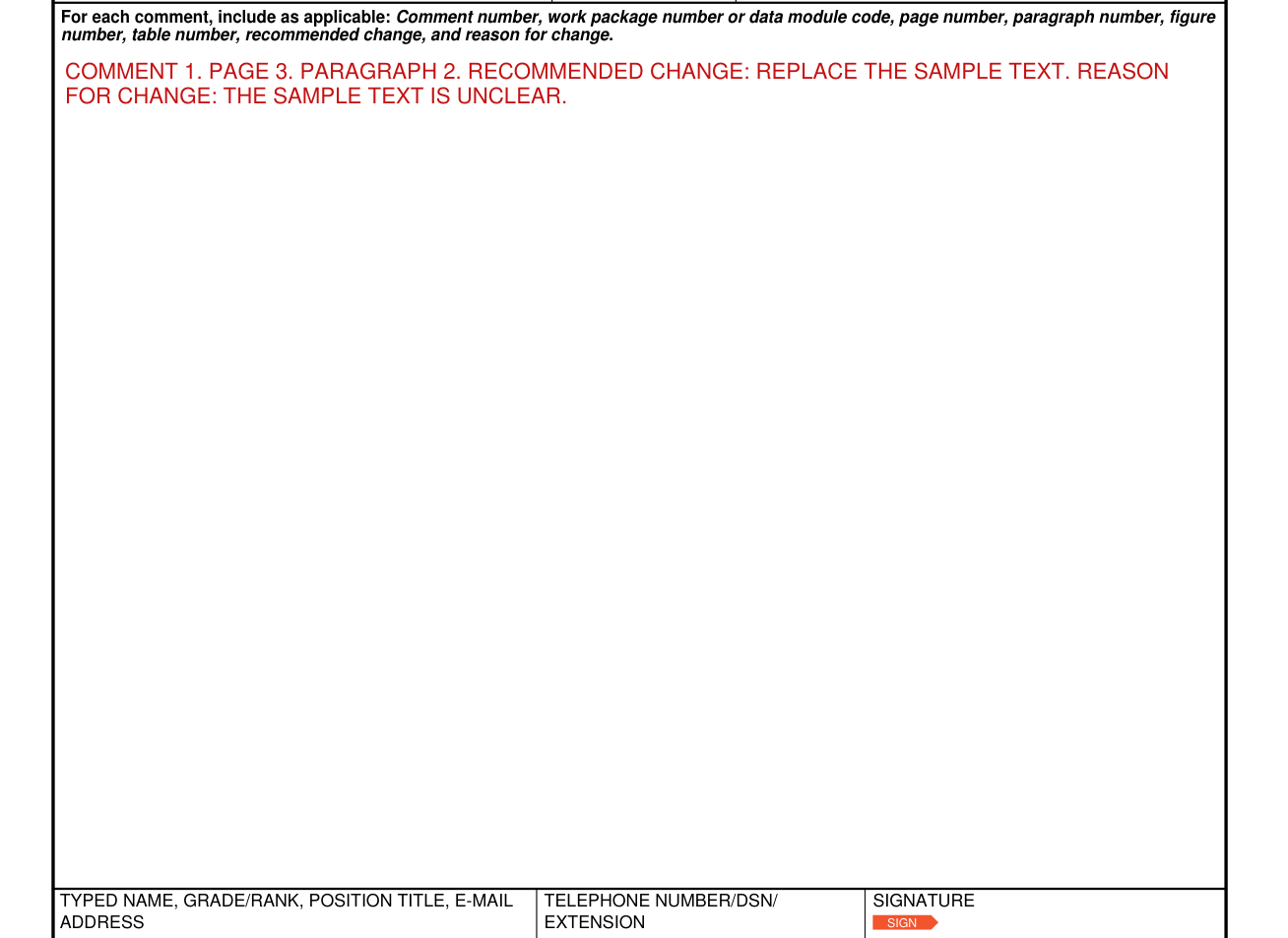
For each comment, include as applicable: Comment number, work package number or data module code, page number, paragraph number, figure number, table number, recommended change, and reason for change.
Part I typed name, telephone and signature

Enter the typed name, grade/rank, position title and e-mail address, then the telephone number/DSN/ extension, and the signature.
Part II repair parts and special tools lists
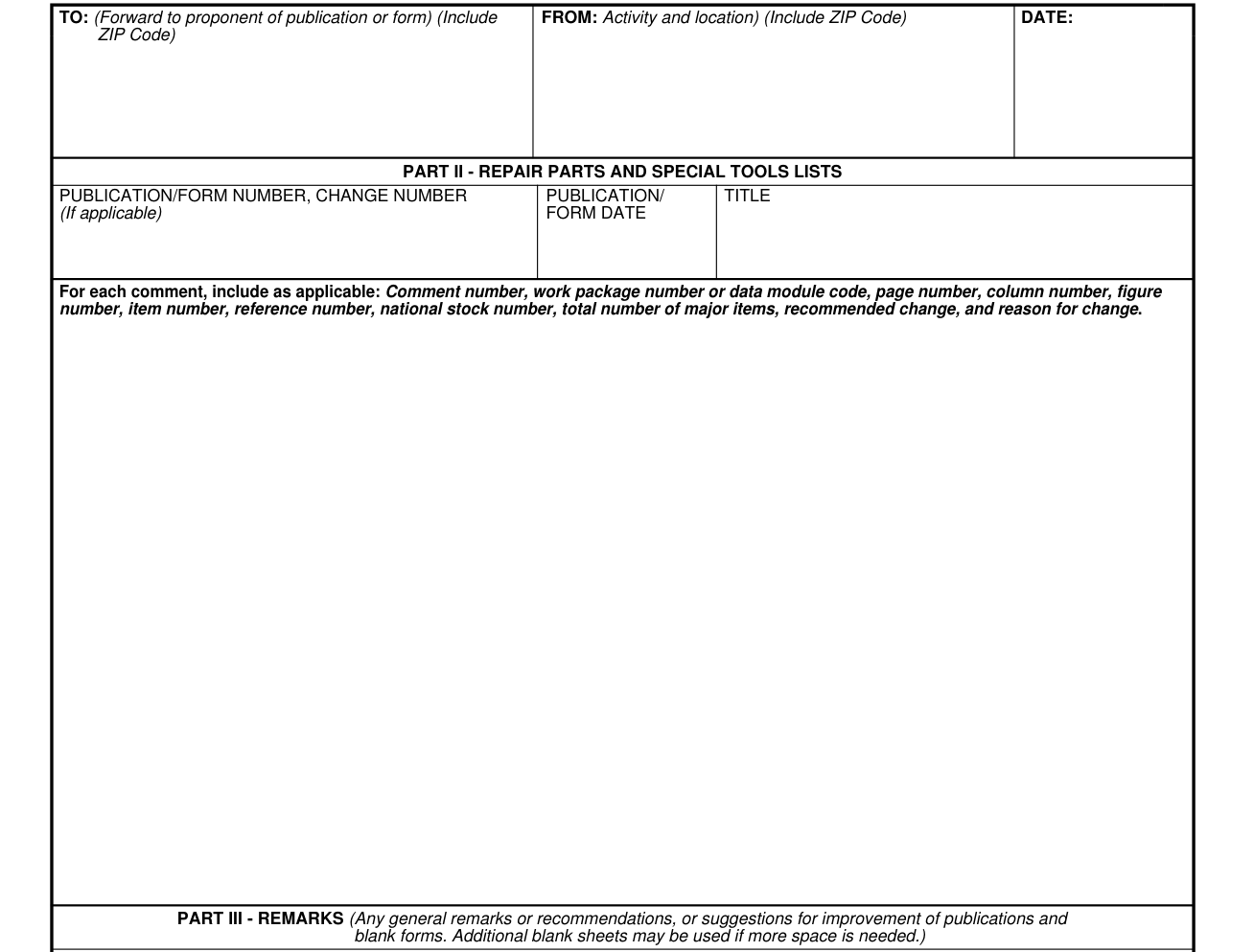
In Part II - repair parts and special tools lists, enter the date, the TO: (Forward to proponent of publication or form) (Include ZIP Code), the FROM: Activity and location) (Include ZIP Code), the PUBLICATION/FORM NUMBER, CHANGE NUMBER (If applicable), the PUBLICATION/ FORM DATE and the TITLE.
For each comment, include as applicable: Comment number, work package number or data module code, page number, column number, figure number, item number, reference number, national stock number, total number of major items, recommended change, and reason for change.
Part III remarks
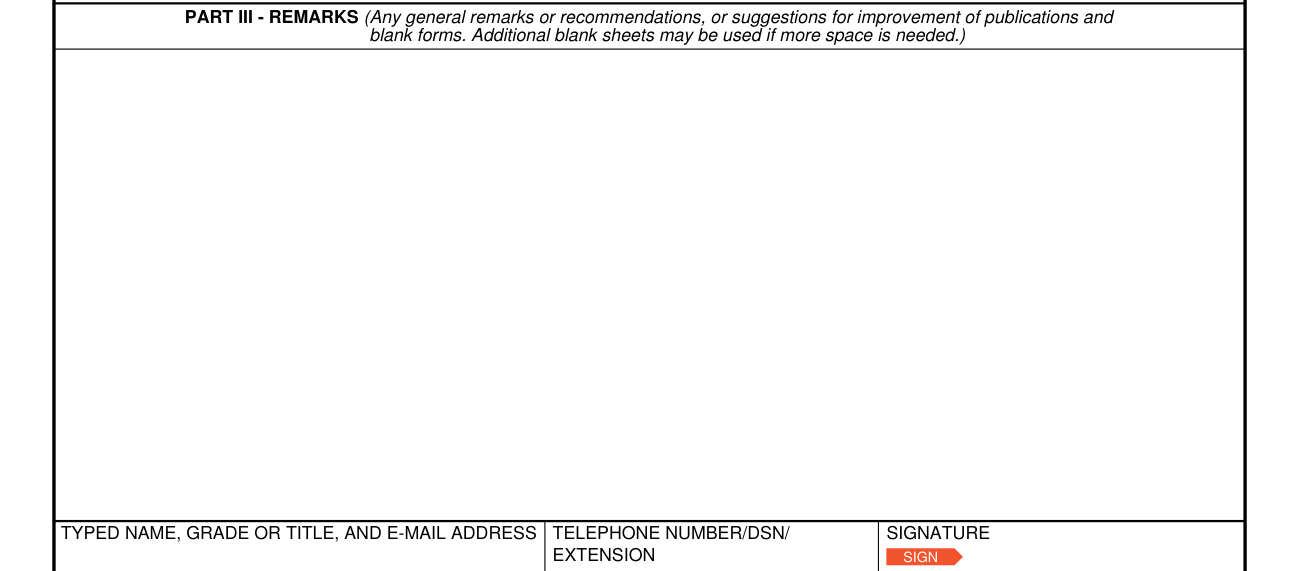
In PART III - REMARKS, enter any general remarks or recommendations, or suggestions for improvement of publications and blank forms. Additional blank sheets may be used if more space is needed.
Part II and Part III typed name, telephone and signature

Add the typed name, grade or title, and e-mail address, with the telephone number/DSN/ extension and the signature.
More rules for Form 2028
For use of this form, see AR 25-30; the proponent agency is CIO.
Blank forms, publications and RPSTL
Changes to blank forms
For changes to blank forms, submit the DA Form 2028 electronically to the publications control officer (PCO), and the forms management officer (FMO) of the organization that has oversight of the form/publication.
For the DA Form 2028, see PCO/FMO email addresses on the APD Website at: https://armypubs.army.mil/default.aspx, then click on the 'RESOURCES' menu link at the top, then the link for the 'PC/PCO/FMO/EPCO Directory (CAC required for access)'.
Comments and recommended changes to publications
For comments/recommended changes to publications, users must submit the DA Form 2028 as required by the publication's proponent. (See suggested improvements paragraph on the title page of each publication to determine the proponent's preferred way to communicate.)
To identify the proper proponent for any publication or form, visit the APD Web site at: https://armypubs.army.mil/default.aspx and click on the 'RESOURCES' menu at the top, then click on the 'PC/PCO/FMO/EPCO Directory (CAC required for access)' link to access the directory.
Repair Parts and Special Tool Lists (RPSTL)
Use Part II (reverse for Repair Parts and Special Tool Lists (RPSTL)).
Sources
[1] DA Form 2028 (JUN 2018), Recommended Changes to Publications and Blank Forms, Department of the Army (the Official source link on this page).