

DA Form 268 at a glance
What it is: DA Form 268 is the Report to Suspend Favorable Personnel Actions (Flag).
Who signs: Section IV, Authentication: Commander's information, date, and digital signature. Battalion level or higher commander validation is required for any Flag over 6 months old.
A filled-in DA Form 268 example: a commander initiates a Flag
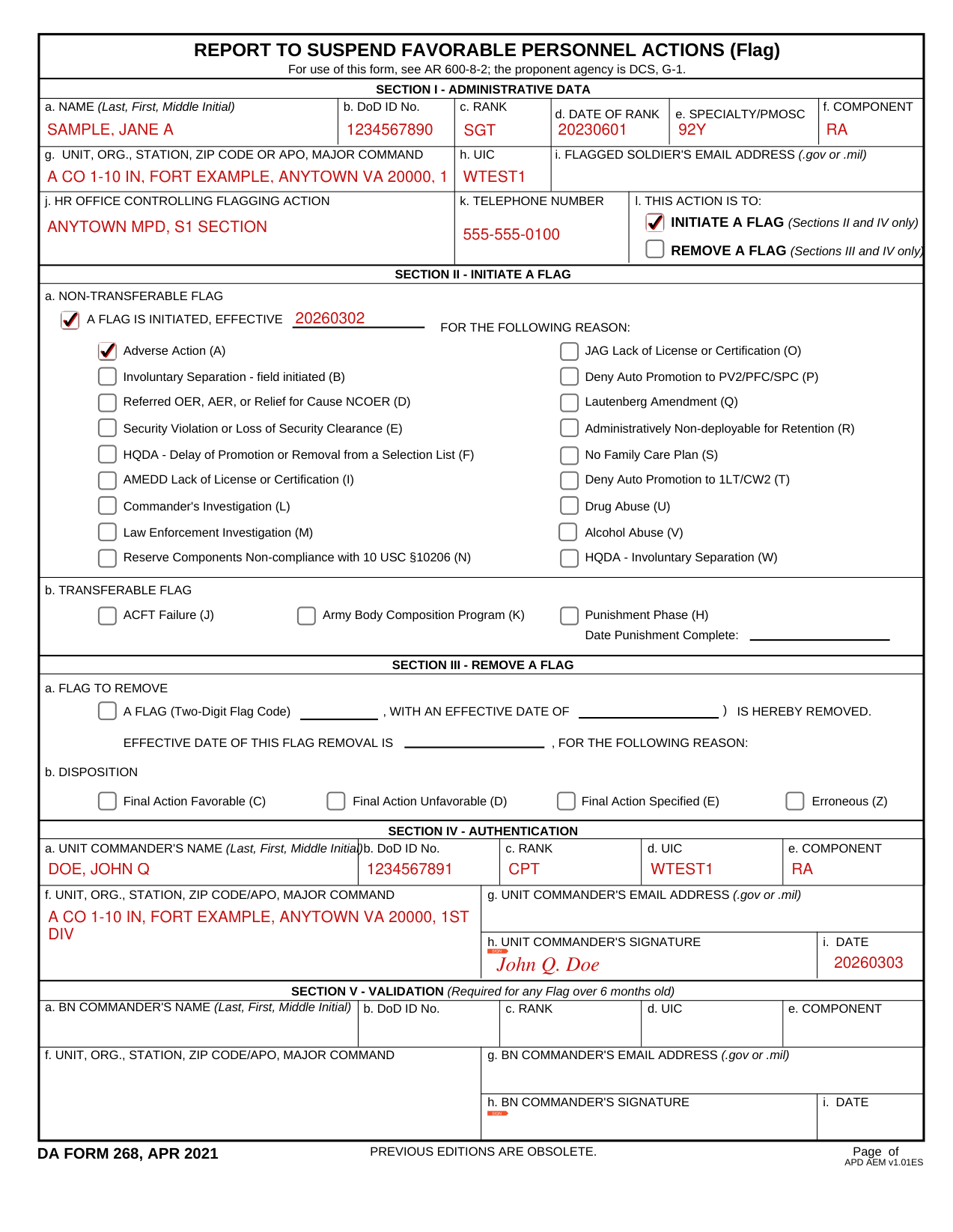
How to fill out DA Form 268, box by box
Section I Administrative Data
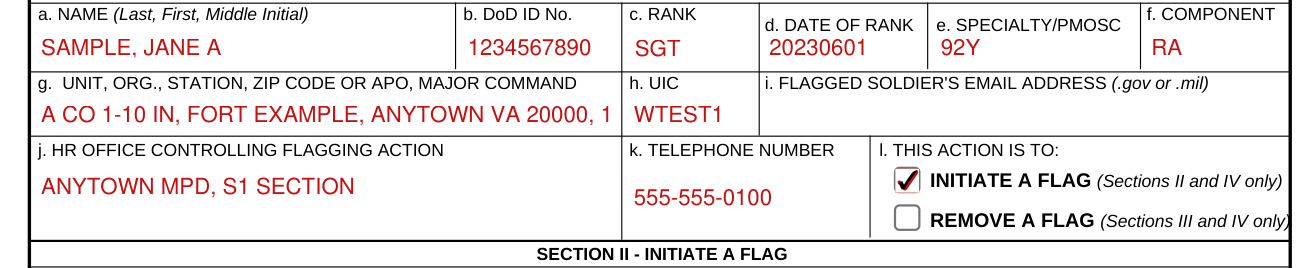
Name: Enter the Soldier's full name (last, first, middle initial), all capital letters.
DOD ID No: Enter the Soldier's 10-digit DOD ID number.
Rank: Enter the Soldier's three-character rank (for example, MAJ, CPT, WO1, CW3, SFC, or SPC).
Date of Rank: Enter the Soldier's current DOR (YYYYMMDD).
Specialty/MOSC: Enter the AOC codes for commissioned officers (for example, 12A/42H) (see DA Pam 611-21). For warrant officers and enlisted personnel, enter the PMOS (see section I, DA Form 4037 (ORB) and enlisted record brief appropriately).
Component: Enter the Soldier's component "RA," "USAR" or "ARNG".
Unit Information: Enter the Soldier's complete unit address, organization, station, zip code or APO, and major command.
UIC: Enter the Soldier's six-character unit identification code.
Flagged Soldier's e-mail address: Enter the official .gov or .mil only.
HR office controlling flagging action: Enter the office information that is initiating or removing the Flag.
Telephone number: Enter the complete office phone number, DSN or commercial, for the office listed in block j.
This action is to

Check the box INITIATE A FLAG (Sections II and IV only) to initiate a new Flag, or the box REMOVE A FLAG (Sections III and IV only) to close an existing Flag.
Section II Initiate a Flag
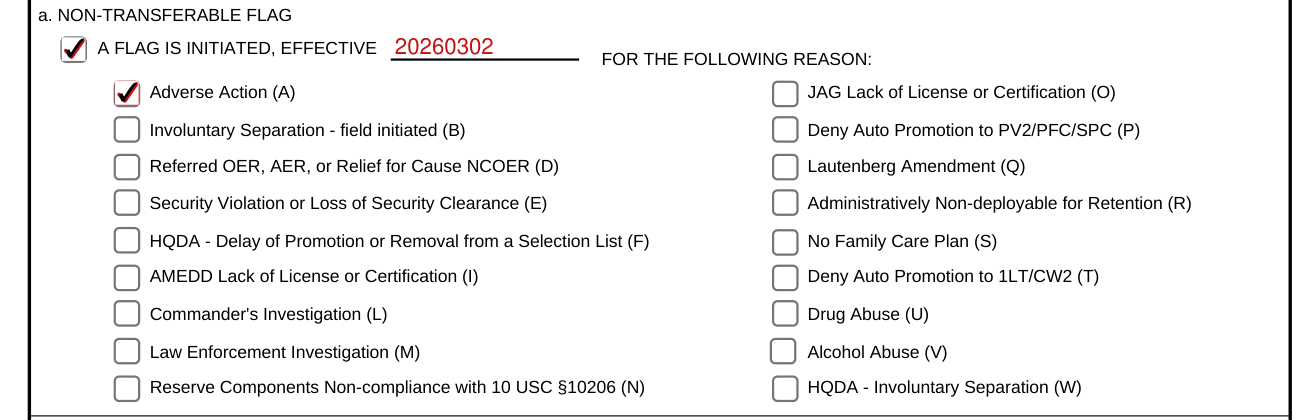
Non-Transferable Flag initiation: Select the box for "this action is to initiate a Flag" (Section I, I), enter the effective date (YYYYMMDD) of the Flag (Section II, a), and select the corresponding box to identify what type of non-transferable Flag is being initiated.
Transferable Flag

Transferable Flag initiation: Select the corresponding box to identify what type of transferable Flag is being initiated.
If selection is for Flag code H (Punishment phase), indicate the punishment completion date (YYYYMMDD) in the space provided.
Transferable Flags on PCSing Soldiers must be uploaded to the AMHRR temporary administrative folder IAW AR 600-8-104, para 1-6b.
Section III Remove a Flag

Select the box for "this action is to remove a Flag" (Section I, I). Enter the two-character Flag code that is being removed (for example, AA, KA, UA) along with its effective date (YYYYMMDD). Enter the effective date (YYYYMMDD) for this Flag removal.
Disposition

Disposition: Select the box for the appropriate report type code removing the Flag. C, Final Report, Favorable: Prepare this report when an investigation results in no substantiated findings or charges are dropped. Prepare this report when the Soldier is exonerated, or when absolutely no disciplinary action is taken.
D, Final Report, Unfavorable: Prepare this report when the investigation finds substantiated charges or allegations. Prepare this report when the punishment is completed. Punishment includes locally filed GOMOR or LOR.
Do not use report code C, Final Report, Favorable, or D, Final Report, Unfavorable, for ACFT or ABCP flag removals.
E, Final Report, Specified: Prepare this report when the Soldier with an active Flag for ACFT failure passes a record ACFT (Flag code J). Prepare this report when the Soldier with an active Flag for ABCP non-compliance subsequently meets the Army body composition standard (Flag code K). Prepare this report when the Commander's decision to block an automatic promotion is removed (Flag codes P and T). Prepare this report when the Soldier's conviction is expunged, pardoned, or set aside by competent authority (Flag code Q). Prepare this report when the Soldier receives an approved waiver, from the appropriate HQ, for the administrative reason for nondeployability (Flag code R). Prepare this report when the Soldier's Family care plan is certified (Flag code S). Prepare this report when the Soldier's license or certification is restored for AMEDD or JAG (Flag codes I, O). Prepare this report when the Reserve Component Soldier completes a periodic health assessment IAW 10 USC §10206 (Flag code N).
Z, Erroneous Report: Prepare this report to remove a Flag that has been deemed to have been emplaced erroneously.
Documentation showing the successful completion of and removal from the ABCP must be uploaded to the Soldier's AMHRR temporary administrative folder IAW AR 600-8-104 para 1-6b.
Section IV Authentication
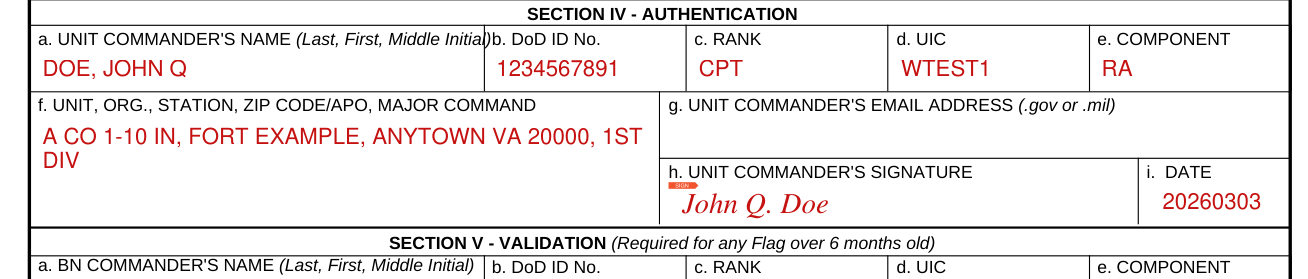
Section IV, Authentication: Commander's information, date, and digital signature.
Section V Validation
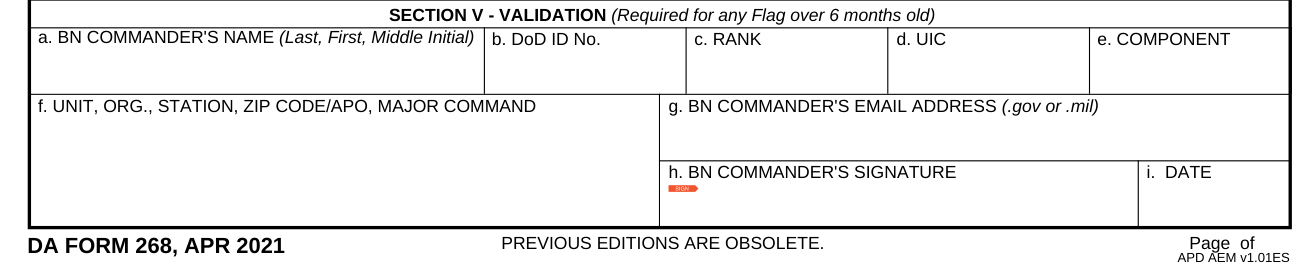
Section V, Validation: Enter the information, date, and digital signature.
Common questions about DA Form 268
Is there a deadline?
Flags are input into the appropriate HR system of record (SOR) within 3 working days of the Flag initiation. Failure to update the SOR within 3 working days does not invalidate the Flag. Flagged Soldiers will be counseled, in writing, within 3 working days of the Flag initiation and provided a copy of the DA Form 268. Failure to counsel within 3 working days does not invalidate the Flag.
Sources
[1] DA Form 268 (APR 2021), Report to Suspend Favorable Personnel Actions (Flag), Department of the Army (the Official source link on this page).
