

DA Form 444 at a glance
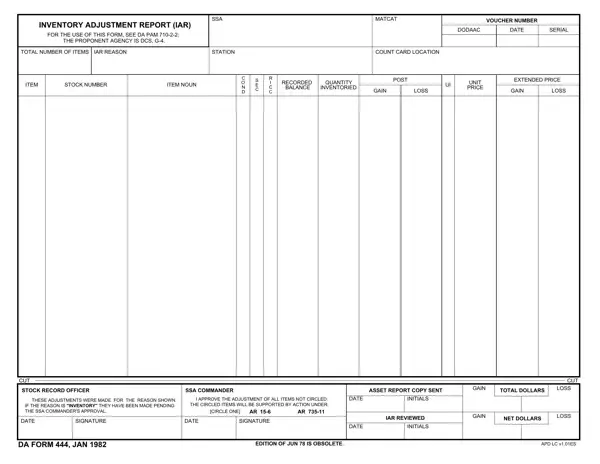
What it is: DA Form 444 is the Inventory Adjustment Report (IAR).
Who signs: The Stock Record Officer signs in Box 18 and the SSA Approving Authority/Responsible Authority signs in Box 19.
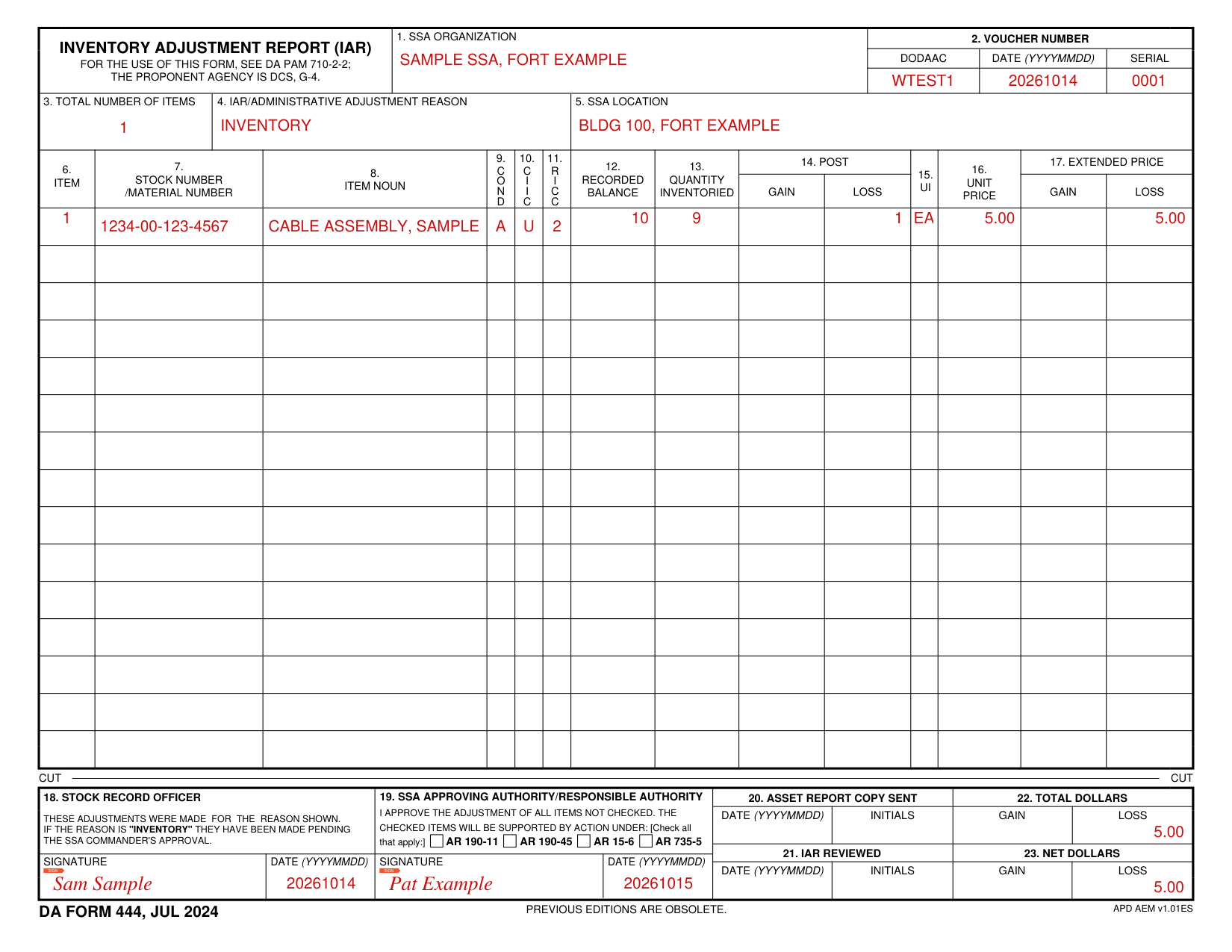
A filled-in DA Form 444 example: a clerk records one inventory loss
How to fill out DA Form 444, box by box
Organization, voucher number, items, reason and location

Enter the SSA Organization in Box 1.
Box 2 is the Voucher Number: enter the DODAAC, the Date (YYYYMMDD) and the Serial.
Enter the Total Number of Items in Box 3, the IAR/Administrative Adjustment Reason in Box 4 and the SSA Location in Box 5.
Item lines: stock number, noun, balance and quantity

For each Item in Box 6, enter the Stock Number/Material Number in Box 7 and the Item Noun in Box 8.
Enter the COND and the RICC.
Enter the Recorded Balance in Box 12 and the Quantity Inventoried in Box 13.
Post gain, post loss and prices

Enter the Post Gain or the Post Loss in Box 14.
Enter the Unit Price in Box 16 and the Extended Price Gain or Loss in Box 17.
Signing, approving and reviewing the report

In Box 18, the Stock Record Officer signs that these adjustments were made for the reason shown; if the reason is "inventory" they have been made pending the SSA Commander's approval.
In Box 19, the SSA Approving Authority/Responsible Authority approves the adjustment of all items not checked; checked items will be supported by action under: check all that apply: AR 190-11, AR 190-45, AR 15-6, AR 735-5.
Box 20 is the Asset Report Copy Sent: enter the Date (YYYYMMDD) and the Initials.
Box 21 is the IAR Reviewed: enter the Date (YYYYMMDD) and the Initials.
Total dollars and net dollars

Box 22 is the Total Dollars: enter the Gain and the Loss.
Box 23 is the Net Dollars: enter the Gain and the Loss.
More rules for DA Form 444
Inventory Adjustment Report (IAR): for the use of this form, see DA PAM 710-2-2; the proponent agency is DCS, G-4.
Sources
[1] DA Form 444 (JUL 2024), Inventory Adjustment Report (IAR), U.S. Army (the Official source link on this page).